- 0.0star0 reviews
- 500K+Downloads
- 8 MBAPK size
- EveryoneRated for Everyone
- API 15+Android
check_circleOriginal APK from Voxeloid · Updated Nov 10, 2026
No threats found
0 / — antivirus engines flagged this file
Original signature
First seen — Voxeloid
Unmodified APK
Same file the developer published — no mods
Draw Me! screenshots
3 images · tap to enlarge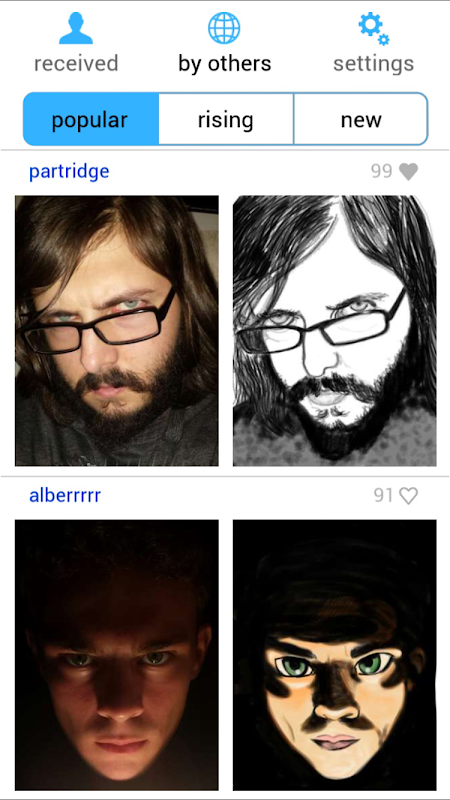
About this app
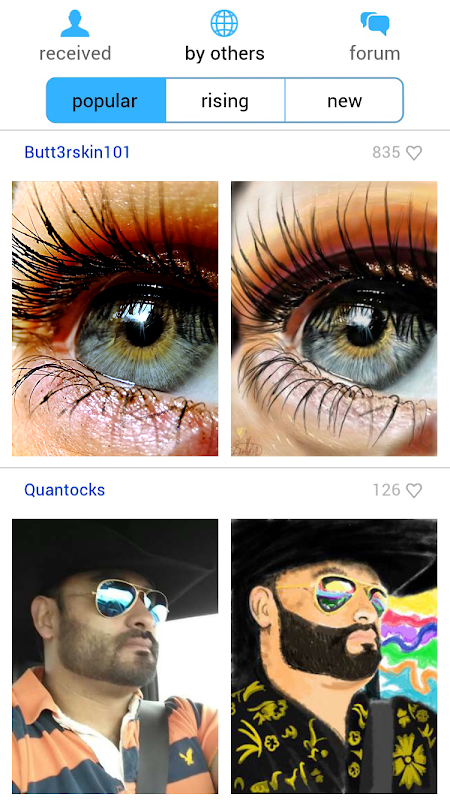
500K+ people have installed Draw Me!. It is a social drawing app where you submit a selfie and other users can draw you, or you can paint portraits and other pieces inspired by community photos. The app keeps things simple with brushes, pan and zoom, undo-redo, and optional premium tools like layers and an eyedropper.
- Share a selfie — Upload a selfie so other artists can make a portrait from it.
- Draw community photos — Pick from posted photos and paint your own version in your style.
- Brush controls — Use brushes with different textures and opacity, including airbrush, pen, and paintbrush.
- Pan and zoom — Move around the canvas and zoom in while you work.
- Undo and redo — Step back through edits with multi-step undo-redo.
- Premium tools — Smudge brush, eyedropper, and layers are listed as premium tools.
Send a selfie for others to draw
Draw Me! is built around one simple task: post a selfie and let other people draw your portrait. That makes it different from Instagram or Facebook, where sharing is centered on posting photos for friends. Here, the photo is a prompt for artists, and the result is a drawing made by someone else.
You can also use the app the other way around. Browse community photos and make your own sketch, portrait, doodle, or caricature. The app says the community includes people at all skill levels, so the feed is not limited to polished work.
Draw with the tools on hand
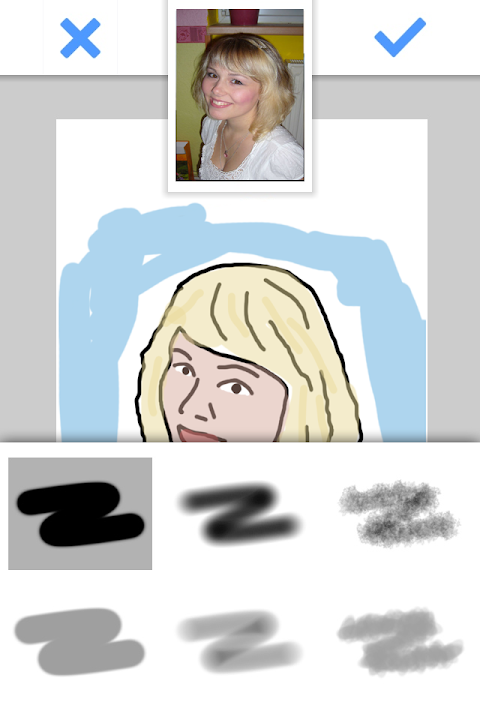
The canvas includes multiple brushes with different textures and opacity, plus pan and zoom for working on details. Multi-step undo-redo helps when you want to back out of a change without starting over. Premium tools mentioned in the app are a smudge brush, eyedropper, and layers.
The app was released for Android 4.0.3 and up (API 15). The APK is 8.3 MB and comes as a universal build.
Community art instead of a social feed
Compared with Reddit, Facebook, or Instagram, Draw Me! is narrower in purpose. It is not a general social network or a place for status updates. The main action is drawing around shared photos and looking through artwork from other users.
If you want a place to scroll through paintings and sketches, Draw Me! gives you that. If you want broad social features, the other apps in the comparison list cover those better.
Privacy, permissions, and ads
The app listing shows no permissions requested. It also says there are no ads and no in-app purchases. The release notes mention a bugfix for the color picker when working with multiple layers.
- Free: Yes
- Ads: No
- In-app purchases: No
- Permissions: None listed
What's new
Version 1.9.34 · Nov 10, 2026
- bugfix for color picker often not working with multiple layers
APK information
- Version
- 1.9.34
- Package
- com.voxeloid.drawme
- Category
- Social
- Size
- 8 MB
- Min Android
- API 15
- Architecture
- universal
Older versions
-
Draw Me! 1.9.34Nov 10, 2026Latest downloadAPK
Draw Me! FAQ
Do I need an account for Draw Me!?expand_more
The listing does not say whether an account is required. It only describes submitting photos, drawing, and browsing community art.
Can I make my Draw Me! profile private?expand_more
Privacy controls are not described in the listing. There is no mention of profile visibility settings.
What permissions does Draw Me! ask for?expand_more
No permissions are listed for this app. The permission section is empty.
Can I install Draw Me! without Google Play?expand_more
Yes. The app is available as an APK file.
What can I draw in Draw Me!?expand_more
You can draw portraits from selfies and make paintings inspired by community photos. The app also mentions doodles and cartoon caricatures in different styles.