
- 4.7star49 reviews
- 1B+Downloads
- 20 MBAPK size
- EveryoneRated for Everyone
- 12+Android
check_circleOriginal APK from Samsung Electronics Co., Ltd. · Updated Nov 11, 2026
No threats found
0 / — antivirus engines flagged this file
Original signature
First seen — Samsung Electronics Co., Ltd.
Unmodified APK
Same file the developer published — no mods
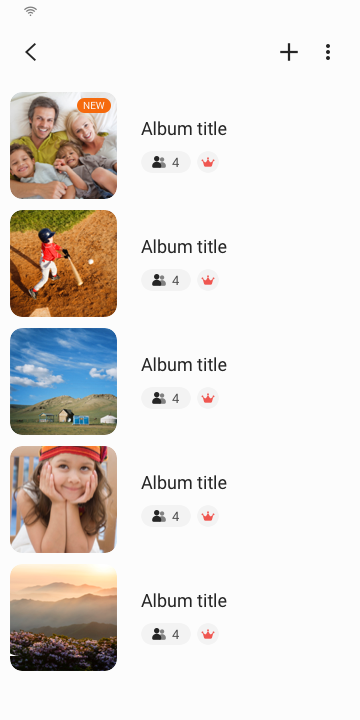
Group Sharing screenshots
4 images · tap to enlarge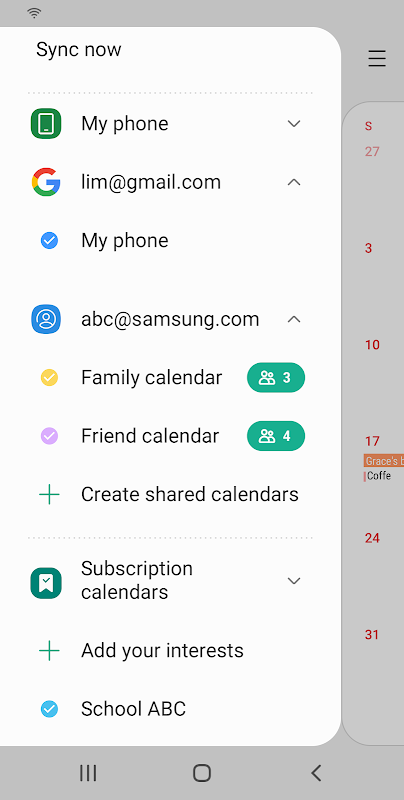
About this app
On a long train ride, Group Sharing can keep family plans in step by letting Samsung Galaxy users share calendars, notes, albums, and reminders from one account-based setup. It works with Samsung apps like Gallery, Samsung Note, Calendar, Reminder, and Contacts, and it also supports sharing profile photos and auto hotspots with family.
- Shared albums — Create shared albums in Gallery for family and friends in a Samsung account group.
- Shared calendars — Keep Calendar schedules and details in sync through shared groups.
- Shared notes — Share notes from Samsung Note with the people in your group.
- Contacts photos — Share profile photos with friends from the Contacts app.
- Family hotspots — Share auto hotspots with family from the Group Sharing setup.
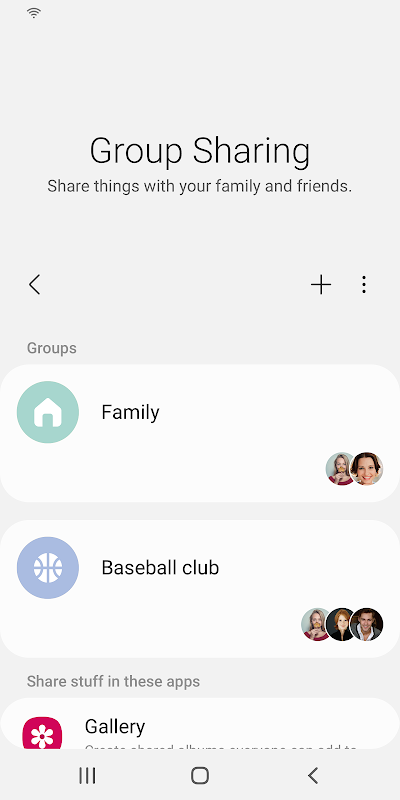
- Samsung account groups — Create and manage share groups from the Samsung account menu.
Sharing inside Samsung apps
Group Sharing is built for Samsung Galaxy devices and connects the sharing tools already used in Gallery, Samsung Note, Calendar, Reminder, and Contacts. In a family chat, that can mean a shared album from a weekend trip, a calendar entry for dinner plans, or a reminder that everyone can see.
It uses Samsung account share groups, so the setup is tied to the account rather than a separate social feed. That keeps the app focused on practical sharing between family and friends.
What you can send
- Gallery: shared albums for photos and videos.
- Calendar: shared schedules and details.
- Samsung Note: shared notes for group planning.
- Reminder: shared reminders for tasks and events.
- Contacts: shared profile photos with friends.
- Family: shared auto hotspots.
Permissions and account use
Some features depend on Samsung account sharing and on device permissions such as SMS, Telephone, Address book, Calendar, Storage, and optionally Camera for a share group cover photo. If the app is not updated or is deactivated, some Samsung app features may not work properly.
The APK is 19.7 MB, comes in universal format, and requires Android 12 or later.
What stands out in use
Group Sharing is rated 4.7 from 49 ratings, with most ratings at 5 stars. That suggests a generally positive experience, although the small rating count leaves less room to judge beyond early impressions. It is free, with no in-app purchases and no ads listed.
For someone already using Samsung’s basic apps, it is a focused tool rather than a broad social network. The latest version adds sorting by member name in Share Group details, sorting by contact name on invite screens for shared albums and shared notes, and a fix for syncing shared calendars.
What's new
Version 13.9.02.3 · Nov 11, 2026
- Group Sharing
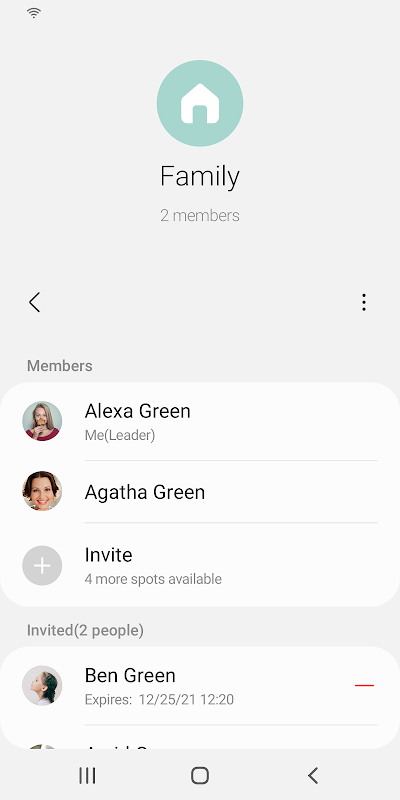
- 1. Provides sorting by member name on the Share Group details screen
- 2. Provides sorting by contact name on the Invite members to Share Group (including shared albums and shared notes) screen
- 3. Fixed an issue with syncing shared calendars
APK information
- Version
- 13.9.02.3
- Package
- com.samsung.android.mobileservice
- Category
- Social
- Size
- 20 MB
- Min Android
- 12
- Architecture
- universal
Older versions
-
Group Sharing 13.9.02.3Nov 11, 2026Latest downloadAPK
Group Sharing FAQ
Do I need an account for Group Sharing?expand_more
Yes. Group Sharing uses Samsung account share groups to share content with family and friends.
Can I make my Group Sharing profile private?expand_more
The app description says you can share profile photos with friends on Contacts, but it does not describe a privacy setting for profiles.
What changed in the latest Group Sharing version?expand_more
The latest version adds sorting by member name and contact name in share group screens. It also fixes an issue with syncing shared calendars.
Does Group Sharing have in-app purchases?expand_more
No. Group Sharing is free and does not include in-app purchases.
Which Samsung apps work with Group Sharing?expand_more
It works with Samsung’s basic apps such as Gallery, Samsung Note, Calendar, Reminder, and Contacts.