- 4.1star566 reviews
- 50K+Downloads
- 7 MBAPK size
- EveryoneRated for Everyone
- API 19+Android
check_circleOriginal APK from Iarigo · Updated Nov 12, 2026
No threats found
0 / — antivirus engines flagged this file
Original signature
First seen — Iarigo
Unmodified APK
Same file the developer published — no mods
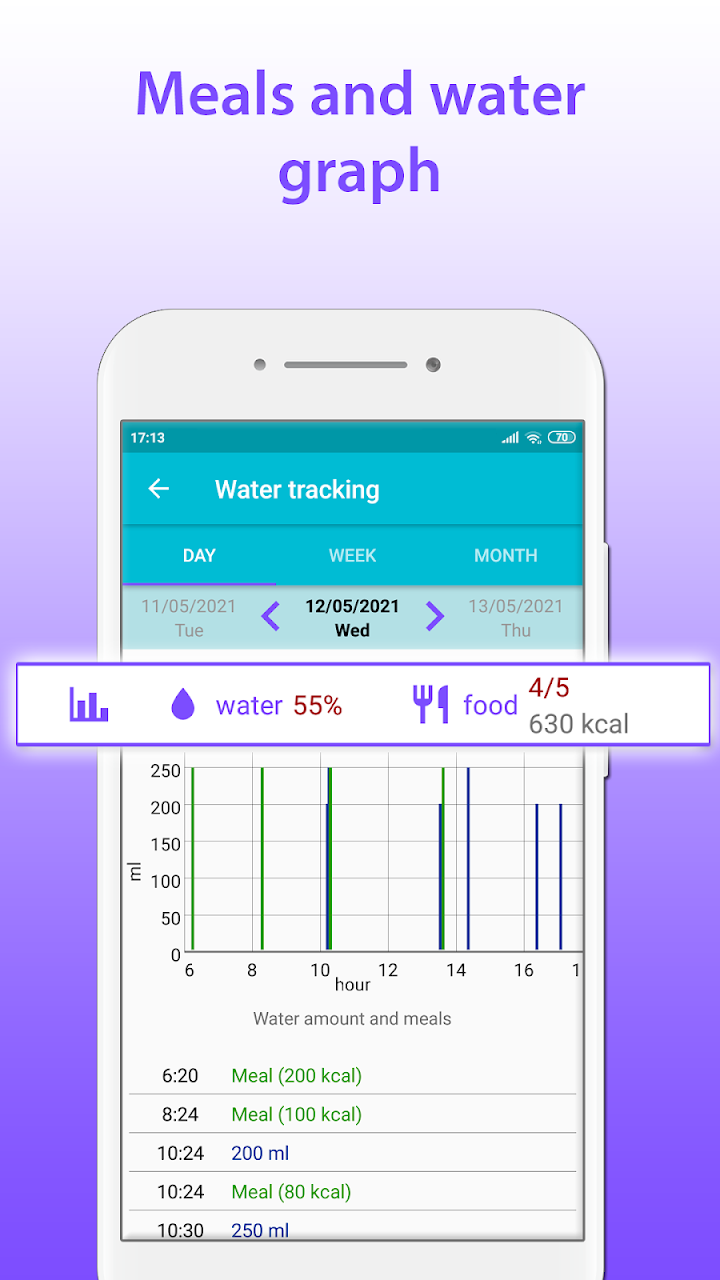
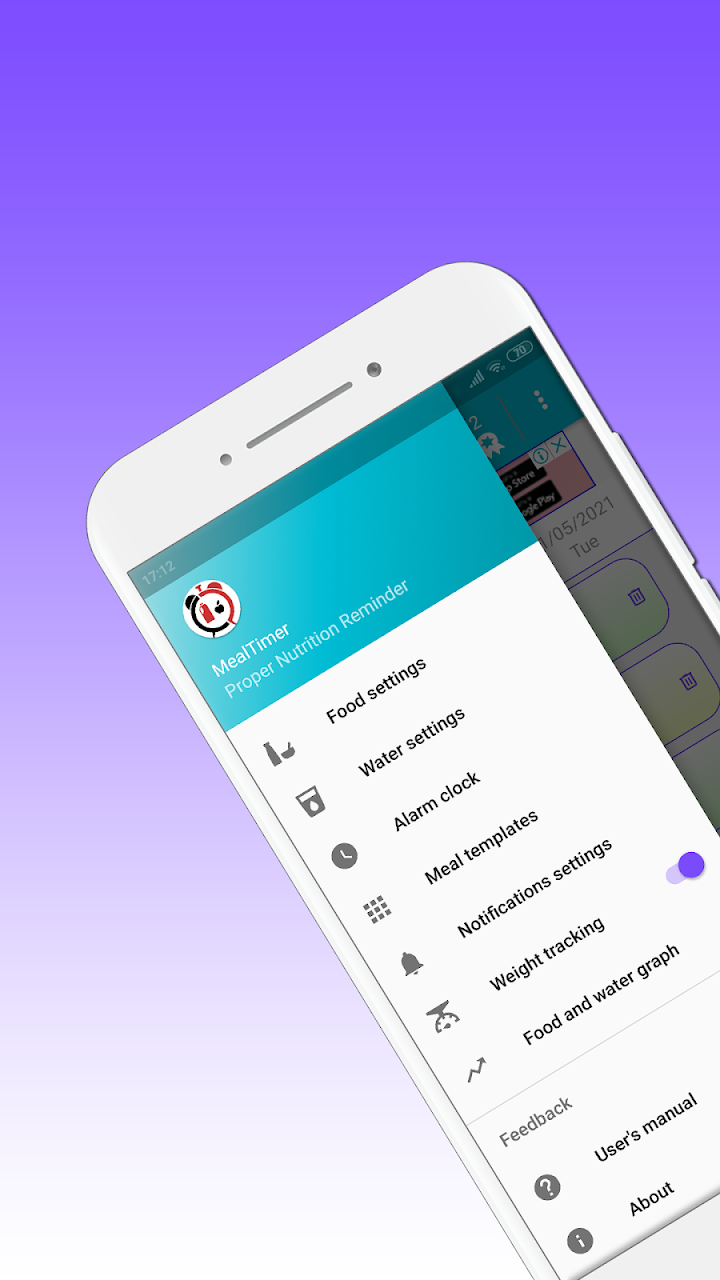
MealTimer - food and water screenshots
7 images · tap to enlarge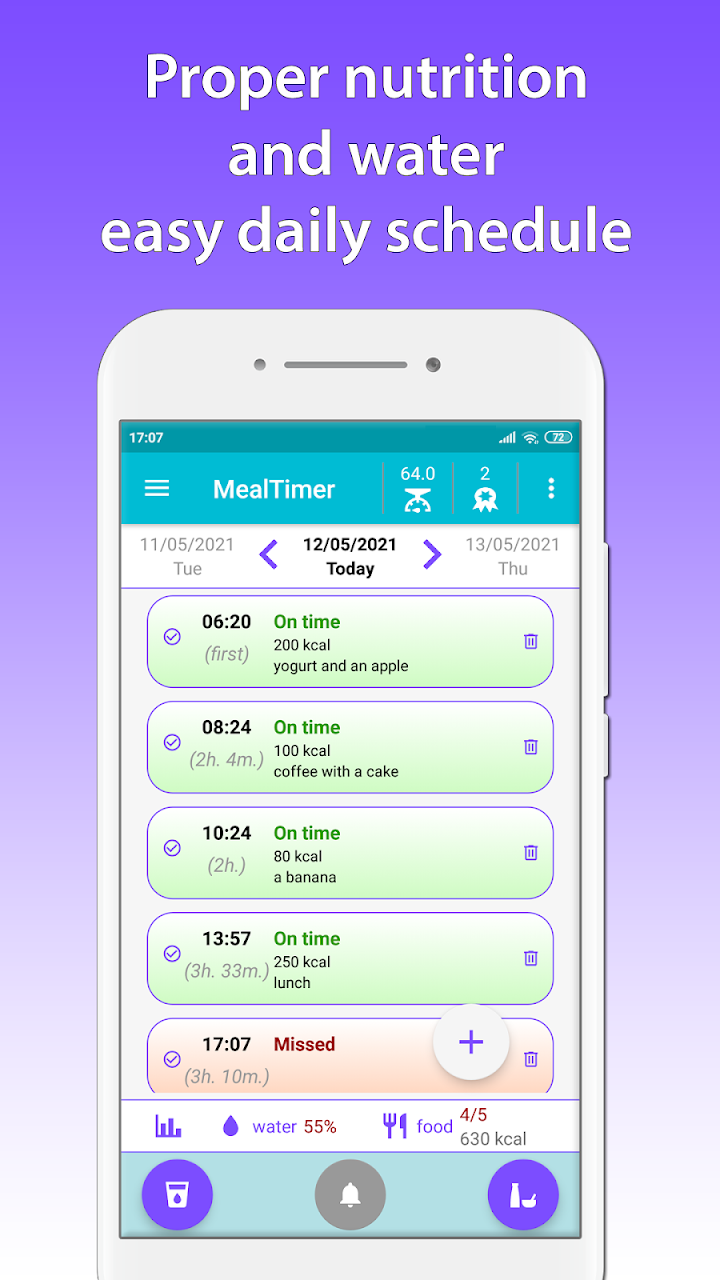
About this app
Iarigo’s MealTimer - food and water is a Health & Fitness app for people who want a simple daily eating schedule. It starts from your wake-up time, lays out 5-6 meals, and adds water reminders between meals. The app keeps the routine flexible, since you can change the schedule whenever needed.
- Wake-up planning — Set your wake-up time and build the day around it.
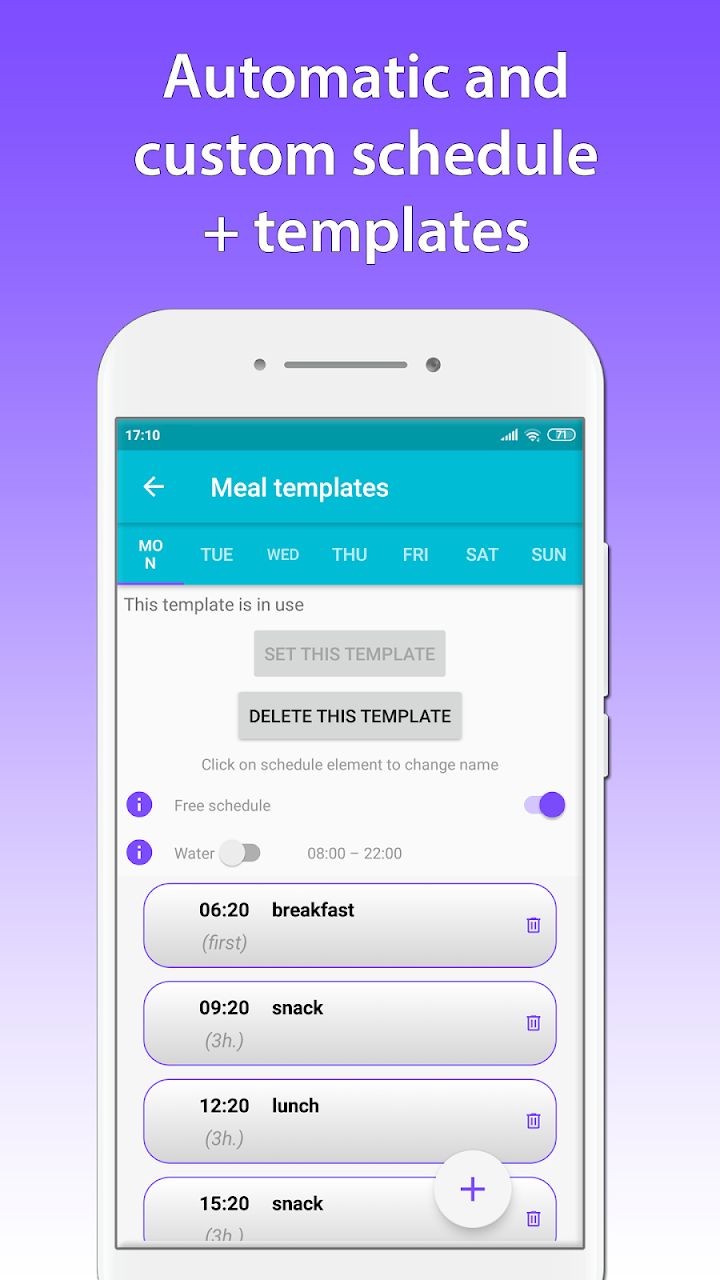
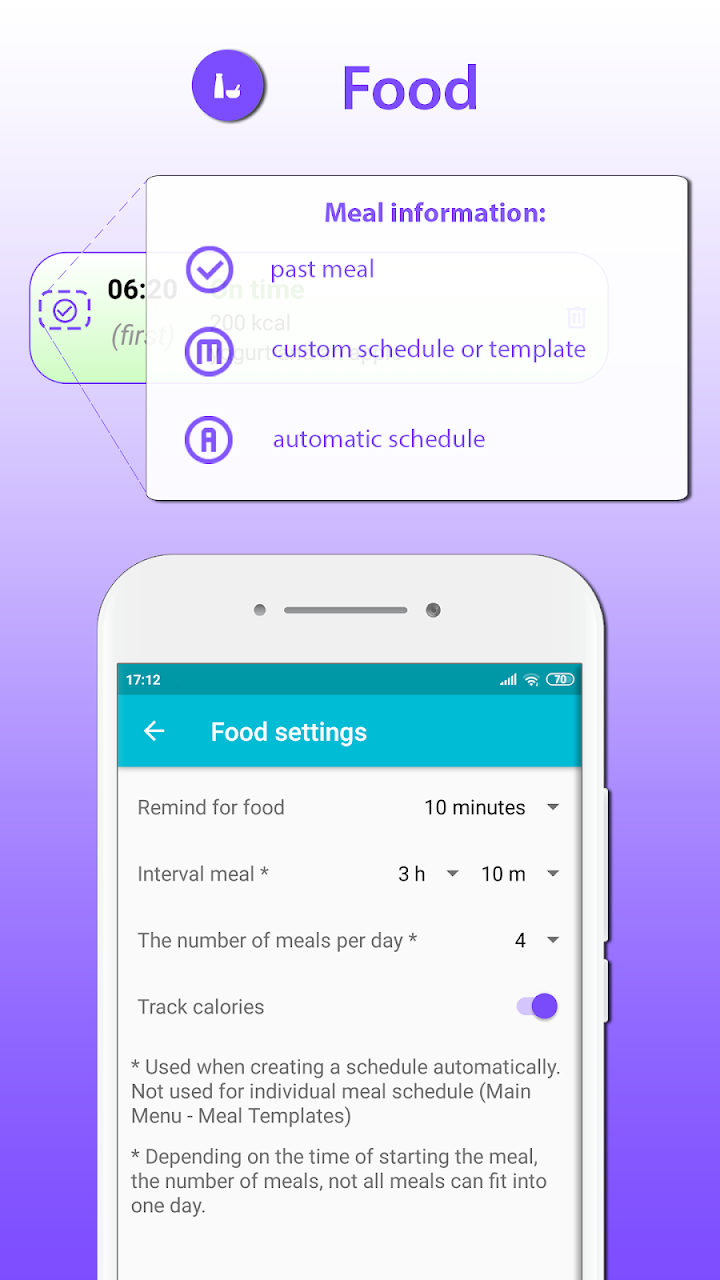
- Meal schedule — The app automatically arranges 5-6 meals across the day.
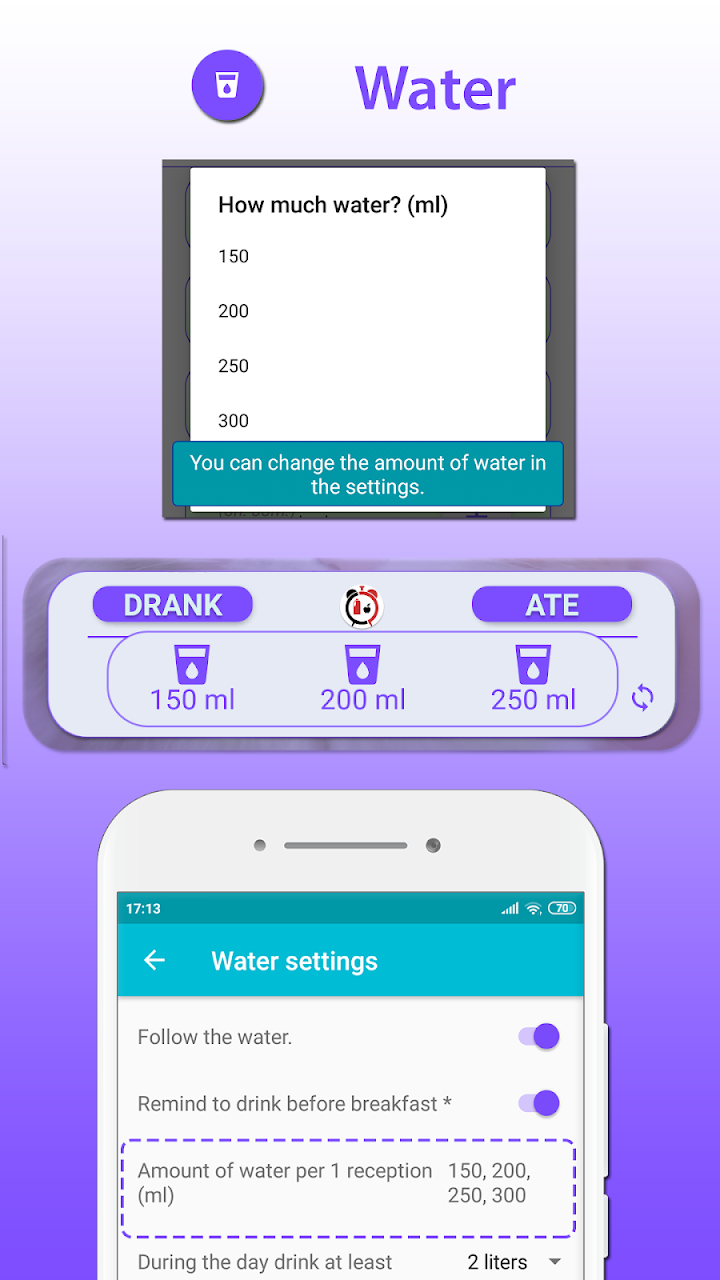
- Water reminders — It reminds you to drink water between meals.
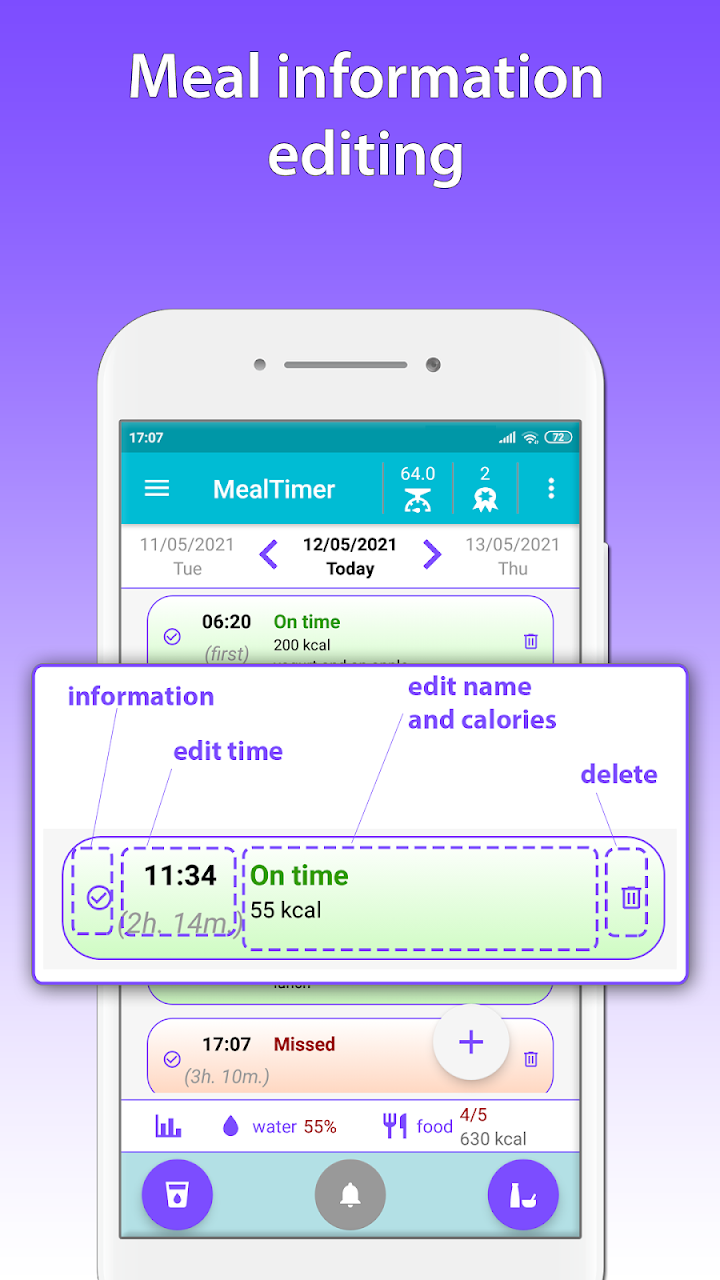
- Easy adjustments — You can change the schedule after it is created.
- Light install — The APK is 7.2 MB, uses the universal format, and supports Android API 19 and up.
Daily meal timing from one starting point
MealTimer - food and water is built around a single everyday task: setting your wake-up time and letting the app map out the rest of the day. It automatically schedules 5-6 meals, which makes it closer to a routine planner than a tracker. That suits people who want structure without having to build each reminder by hand.
Set the day, then adjust it
The main screen flow is straightforward: choose a wake-up time, review the planned meals, and change the schedule if your day shifts. The app is focused on planning ahead rather than logging nutrition, so it is lighter than broader health apps such as Samsung Health or Google Fit. Those alternatives cover more activity and wellness features, while MealTimer stays centered on meals and water.
Water reminders between meals
Between meals, the app reminds you to drink water. That makes it useful for users who want one app to cover both meal timing and hydration prompts. It does not present itself as a medical tool, and it does not ask for permissions, which keeps setup simple.
- No account setup is listed.
- No permissions are listed.
- Contains ads.
- Free to install, with no in-app purchases.
How it compares with broader health apps
Compared with Health Connect, Health Platform, or Google Fit, MealTimer is narrower and easier to use for one purpose. It does not try to track workouts, steps, or a wider health profile. If you want a daily schedule for meals and water reminders, that focus is the strength. If you want a more complete health dashboard, one of the larger fitness apps may fit better.
Install details and device support
The app is released as an APK, sized at 7.2 MB, and works on Android API 19 and higher. It is rated for Everyone and has been available since 2018-09-27.
APK information
- Version
- 6.2.9
- Package
- com.iarigo.meal
- Category
- Health & Fitness
- Size
- 7 MB
- Min Android
- API 19
- Architecture
- universal
Older versions
-
MealTimer - food and water 6.2.9Nov 12, 2026Latest downloadAPK
MealTimer - food and water FAQ
Where does MealTimer - food and water store my health data?expand_more
The app details do not list any data storage or account system. No permissions are listed either.
Is MealTimer - food and water a medical device?expand_more
No medical-device claim is listed. It is described as a Health & Fitness app for meal and water scheduling.
Does MealTimer - food and water work offline?expand_more
Offline use is not stated. The app listing does not say whether it needs an internet connection.
Who develops MealTimer - food and water?expand_more
It is developed by Iarigo.
Can I change the meal schedule after it is created?expand_more
Yes. The description says you can always change the schedule after it is automatically created.