Phone 11 Launcher, OS 13 iLauncher, Control Center
Free Games - Free Apps- 4.5star36 reviews
- 100M+Downloads
- 23 MBAPK size
- EveryoneRated for Everyone
- API 16+Android
check_circleOriginal APK from Free Games - Free Apps · Updated Nov 12, 2026
No threats found
0 / — antivirus engines flagged this file
Original signature
First seen — Free Games - Free Apps
Unmodified APK
Same file the developer published — no mods
Phone 11 Launcher, OS 13 iLauncher, Control Center screenshots
5 images · tap to enlarge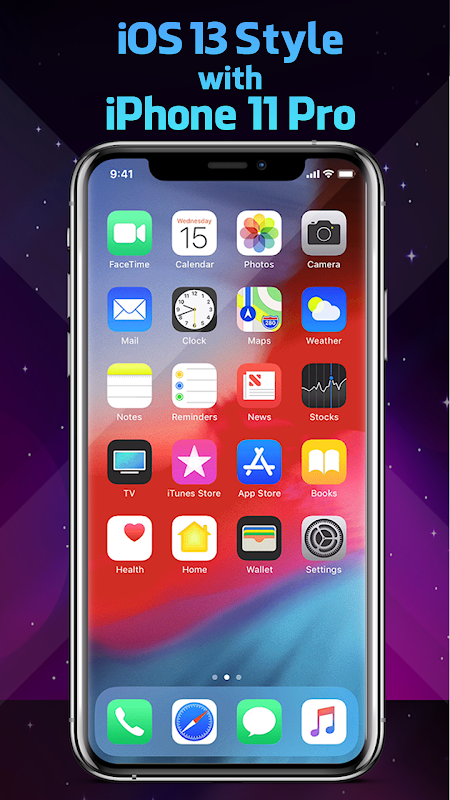
About this app
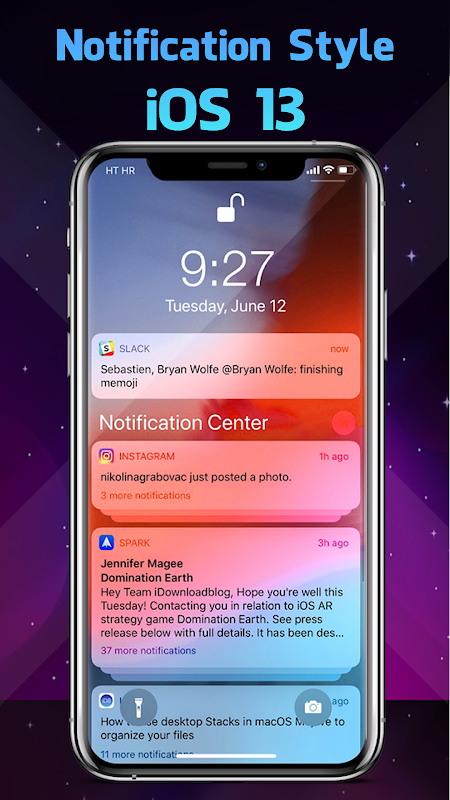
Free Games - Free Apps made Phone 11 Launcher, OS 13 iLauncher, Control Center for Android users who want an iPhone 11 Pro or iOS 13-style look on their phone. It changes the home screen feel with iOS-style search, wallpapers, lock screen options, and a Control Center layout you can open during everyday use.
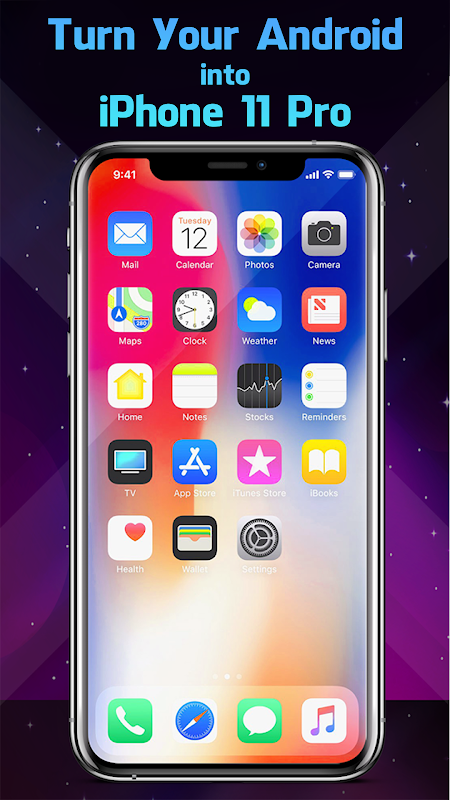
- iOS-style home screen — Use an iPhone X and iPhone 11 Pro look on an Android phone with a launcher built around the iOS layout.
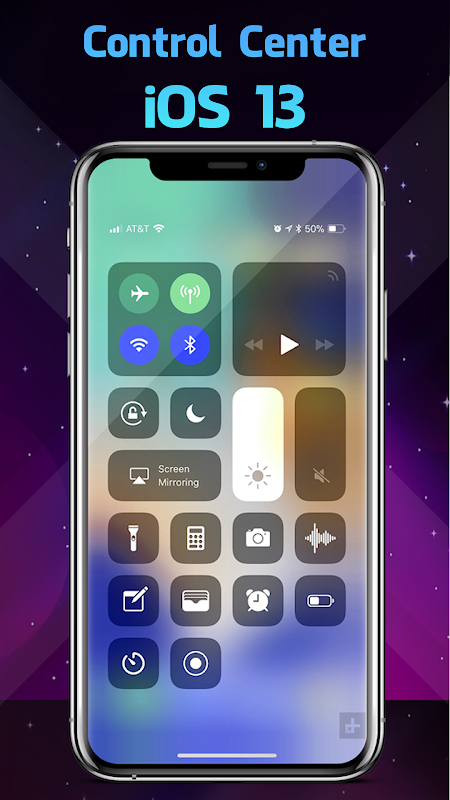
- Control Center toggles — Open a Control Center with Wi‑Fi, silent mode, airplane mode, data connection, Bluetooth, and vibration switches.
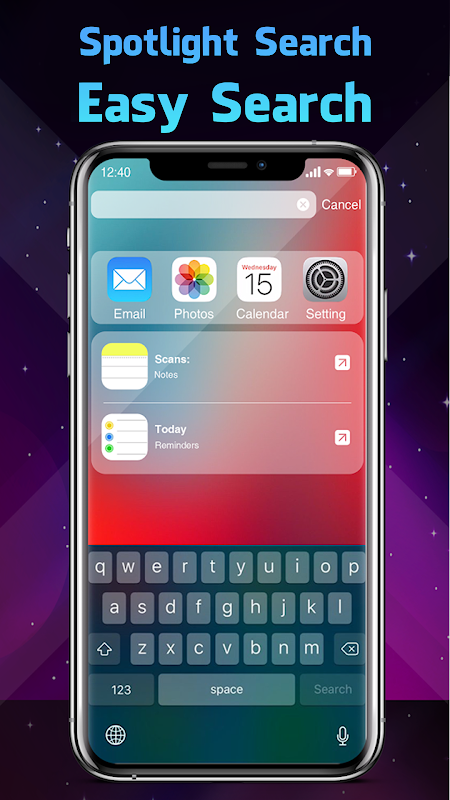
- Smart search panel — Swipe down to search apps and see recently used apps from the iOS-style search screen.
- Lock screen options — Set a passcode or pattern lock for a screen that matches the launcher’s iPhone-style design.
- Wallpaper and theme tools — Browse over 100 free iPhone wallpaper images and switch to a matching iPhone theme.
- Lightweight setup — The app is an APK, 23.3 MB, and works on Android API 16 and up.
Start with the iPhone-style home screen
On a normal morning, this is the screen you see first. The launcher changes the Android home screen into an iPhone 11 Pro or iPhone X look, with a simple layout that keeps apps easy to reach. It is built for people who want the iOS 13 feel without leaving Android.
Open Control Center for quick switches
When you are on a train, in class, or in a meeting, the Control Center gives you fast access to common toggles. You can switch Wi‑Fi, silent mode, airplane mode, data connection, Bluetooth, and touch vibration, then adjust the style with size, color, position, and vibration options.
Use search and lock screen tools
Swipe down to bring up smart search, check recently used apps, or search for apps from the iOS-style search screen. If you want extra screen protection, the launcher also supports passcode and pattern lock on the lock screen.
Change wallpapers and themes
When you want a different look, the app includes iPhone wallpaper and iOS wallpaper choices, plus theme options for the interface. It also says there are over 100 free wallpaper images, so you can swap the background without digging through other apps.
Before you install
This app comes as an APK file and is 23.3 MB. It works on Android devices running API 16 or later, is free, and does not list ads, in-app purchases, or extra permissions. Recent updates mention bug fixes, faster optimization, a new dock and folder background, 24-hour format settings, 3D Touch UI optimization, and hiding battery percentage.
What's new
Version 6.1.6 · Nov 12, 2026
- Fix Bugs
- Optimize Fatser
- Rearrange, delete apps as ios style: just keep your finger pressed on the app icon, even after the pop-up menu shows up, and jiggly mode will activate.
- New background for dock, search, open folder, blocks in slide menu
- Optimal status bar interface, resizing according to the screen
- Add 24-hour format settings
APK information
- Version
- 6.1.6
- Package
- com.launcher.ios11.iphonex
- Category
- Personalization
- Size
- 23 MB
- Min Android
- API 16
- Architecture
- universal
Older versions
-
Phone 11 Launcher, OS 13 iLauncher, Control Center 6.1.6Nov 12, 2026Latest downloadAPK
Phone 11 Launcher, OS 13 iLauncher, Control Center FAQ
Which Android launchers does Phone 11 Launcher, OS 13 iLauncher, Control Center support?expand_more
It is a launcher app for Android that changes the home screen into an iPhone 11 Pro, iPhone X, and iOS 13-style interface. The app listing does not name support for other launchers.
Does Phone 11 Launcher, OS 13 iLauncher, Control Center slow down my phone?expand_more
The app says it uses less memory and battery, with a simple and clean design. That suggests it is built to stay light during everyday use.
Does Phone 11 Launcher, OS 13 iLauncher, Control Center show ads?expand_more
No ads are listed for this app. It is also marked free with no in-app purchases.
Can I use Phone 11 Launcher, OS 13 iLauncher, Control Center without internet?expand_more
The listing does not mention any internet requirement. It focuses on local launcher features like search, wallpapers, Control Center, and lock screen tools.
What Android version and file size does this launcher need?expand_more
It needs Android API 16 or later. The APK size is 23.3 MB.