- 3.3star7,235 reviews
- 1M+Downloads
- 2 MBAPK size
- EveryoneRated for Everyone
- API 9+Android
check_circleOriginal APK from Sociosoftware LLC · Updated Nov 12, 2026
No threats found
0 / — antivirus engines flagged this file
Original signature
First seen — Sociosoftware LLC
Unmodified APK
Same file the developer published — no mods
7Z: Zip 7Zip Rar File Manager screenshots
8 images · tap to enlarge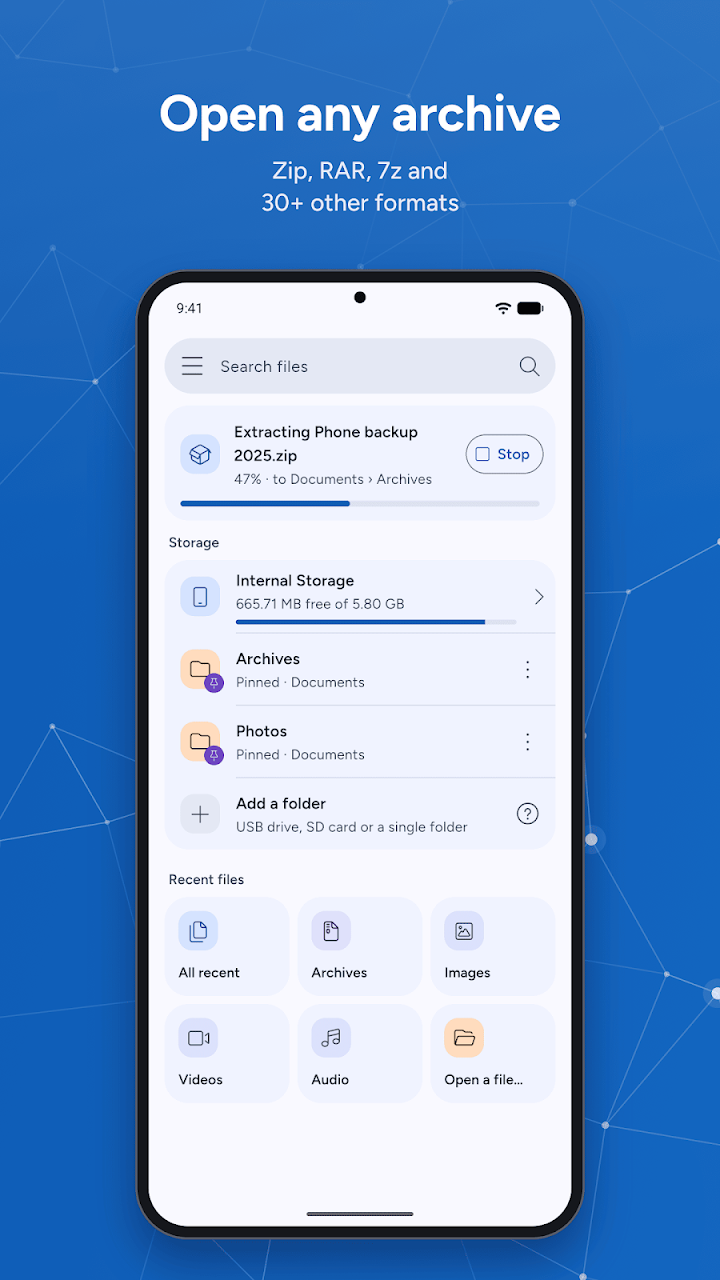
About this app
Sociosoftware LLC makes 7Z: Zip 7Zip Rar File Manager for handling compressed files on Android. It opens, extracts, and creates archives, while also letting you browse file contents and use basic file manager actions. The app is free, supports Android API 9 and up, and is built as a universal APK.
- Archive support — Opens and works with ZIP, RAR, 7Z, JAR, APK, TAR, GZIP, and other common formats.
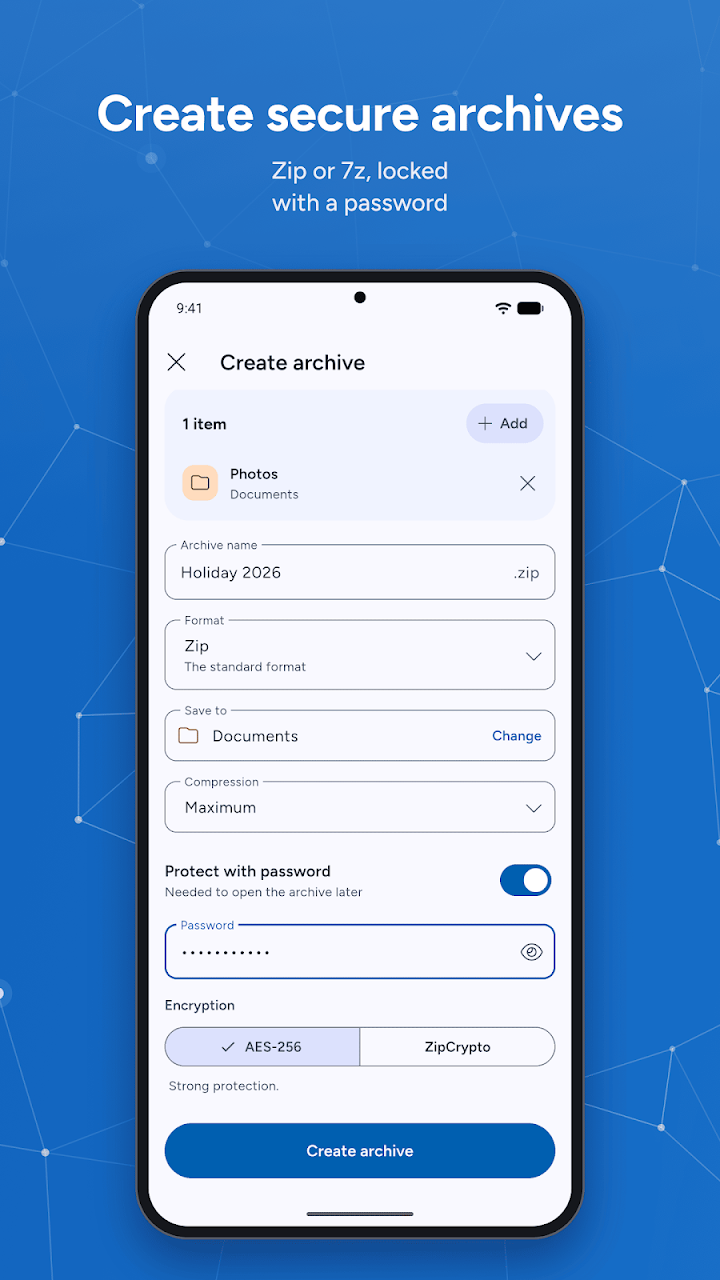
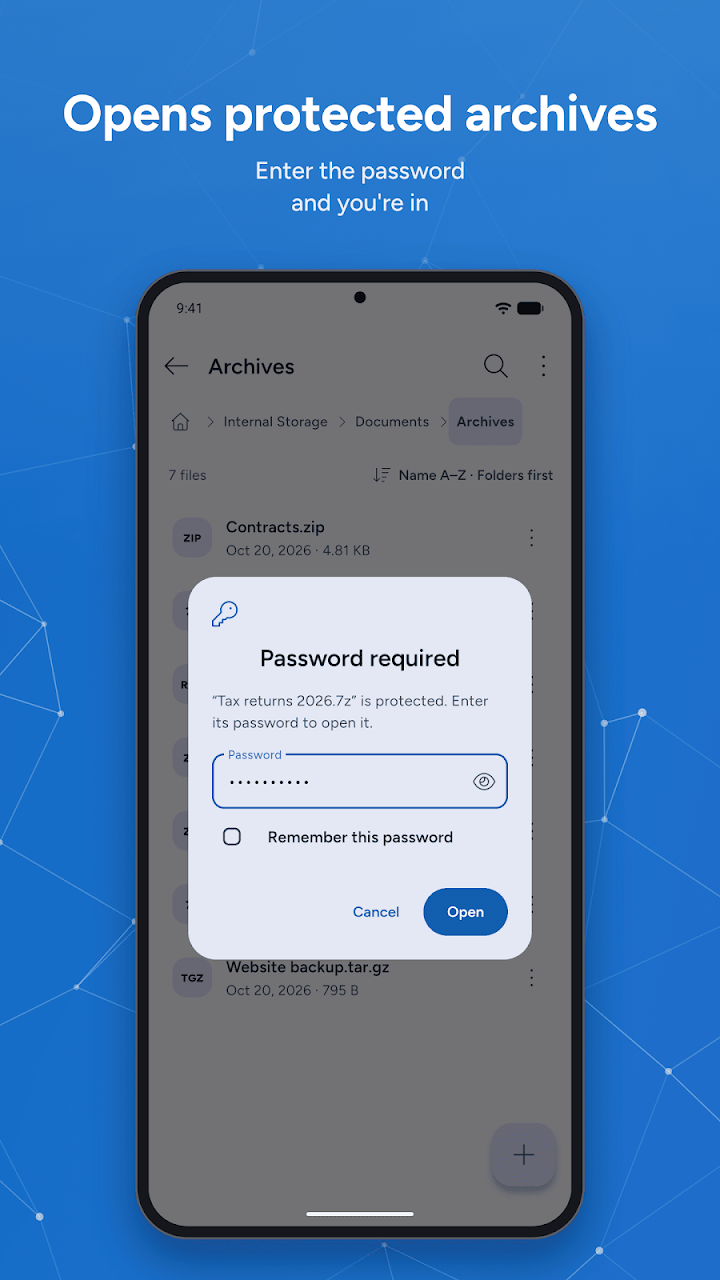
- Create encrypted zips — You can make password-protected ZIP files and extract archives that are already encrypted.
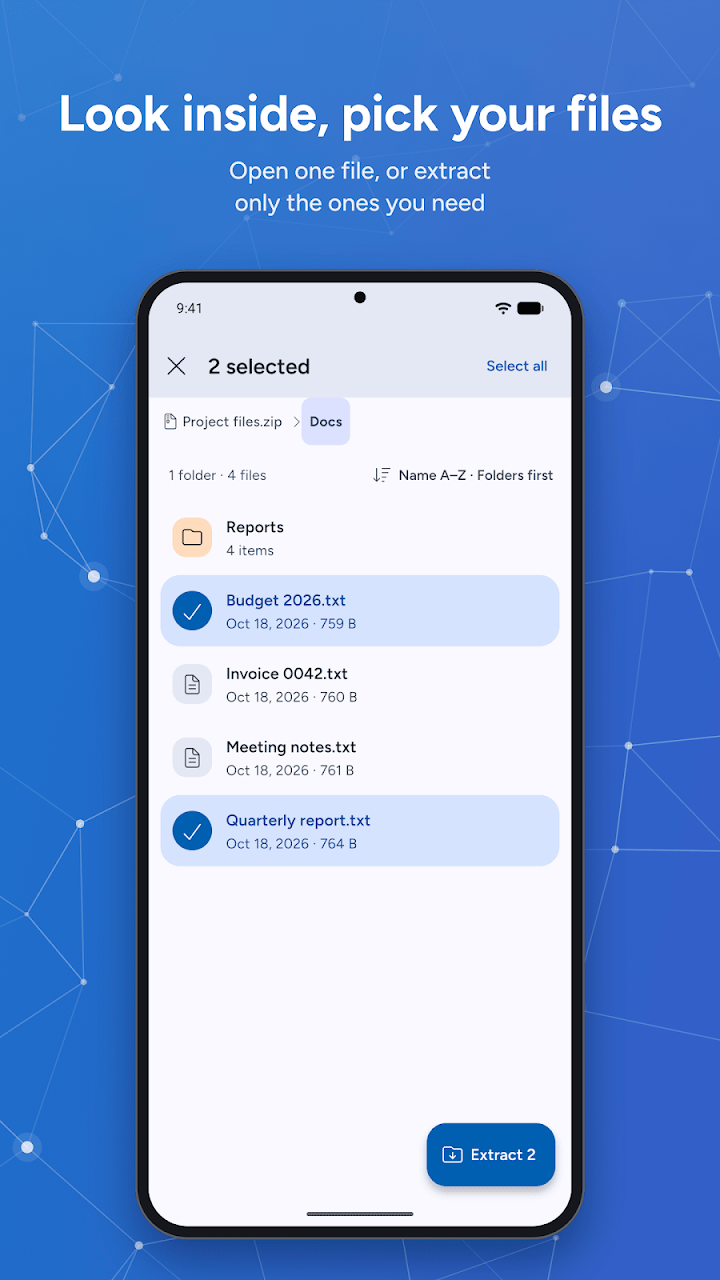
- Browse archive contents — Inspect multi-file archives such as 7Z, TAR, APK, JAR, and RAR before extracting them.
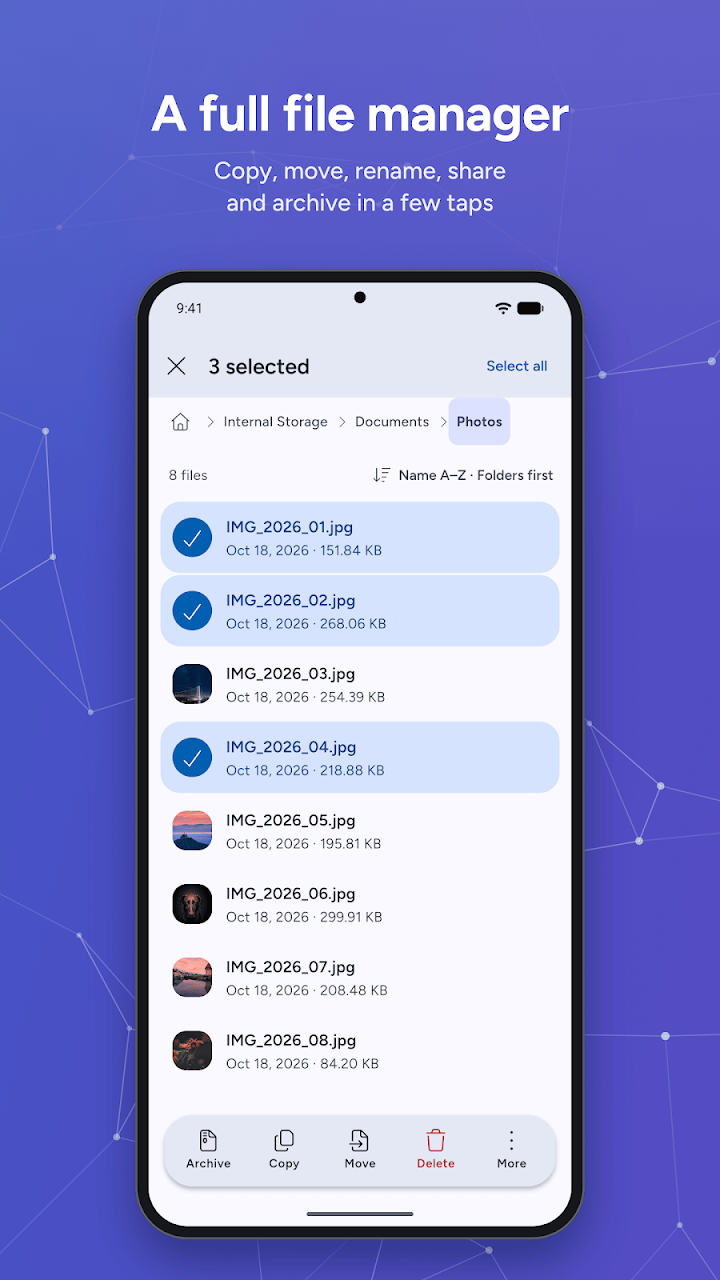
- File manager tools — Move, copy, and delete files from the built-in file manager.
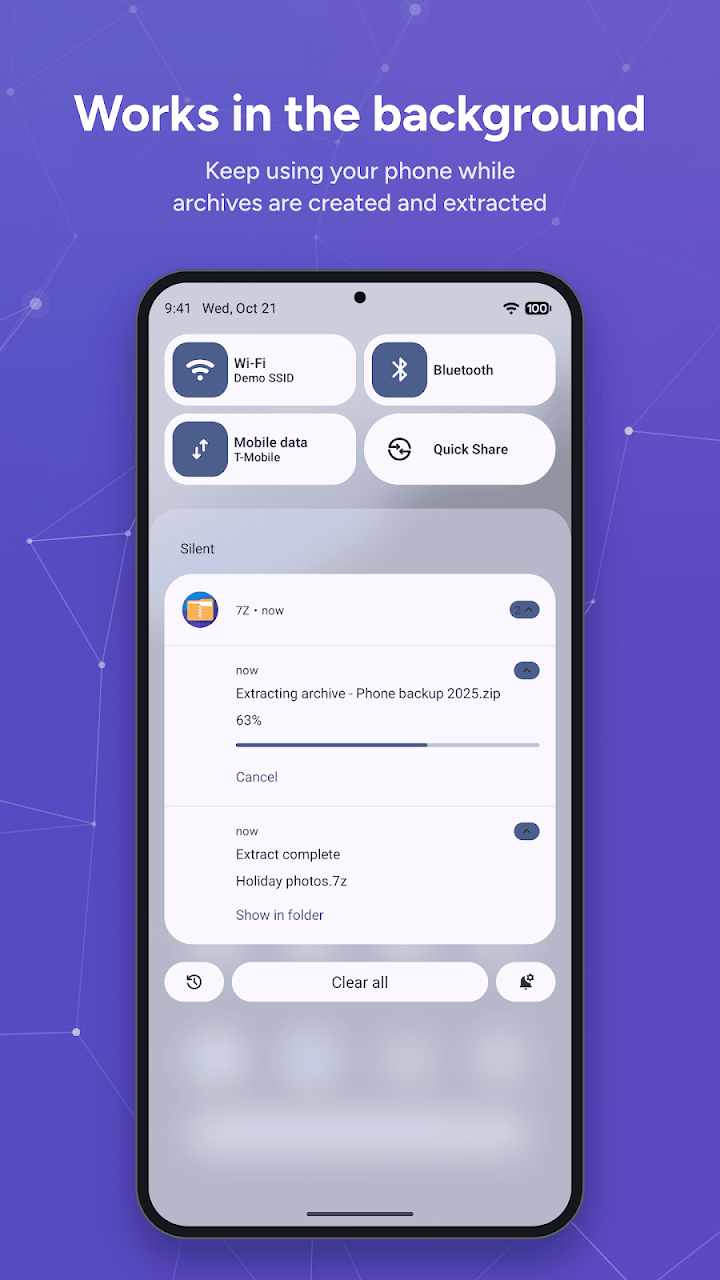
- Background jobs — Create or extract archives even while the app is closed.
- File associations — Open supported extensions directly from external file selection.
Handling archives on Android
When a file arrives as a ZIP, RAR, 7Z, or APK archive, you still need a way to open it, inspect it, and extract what is inside. 7Z: Zip 7Zip Rar File Manager is built for that job, giving Android users a single tool for compression, extraction, and archive browsing.
Supported formats and file actions
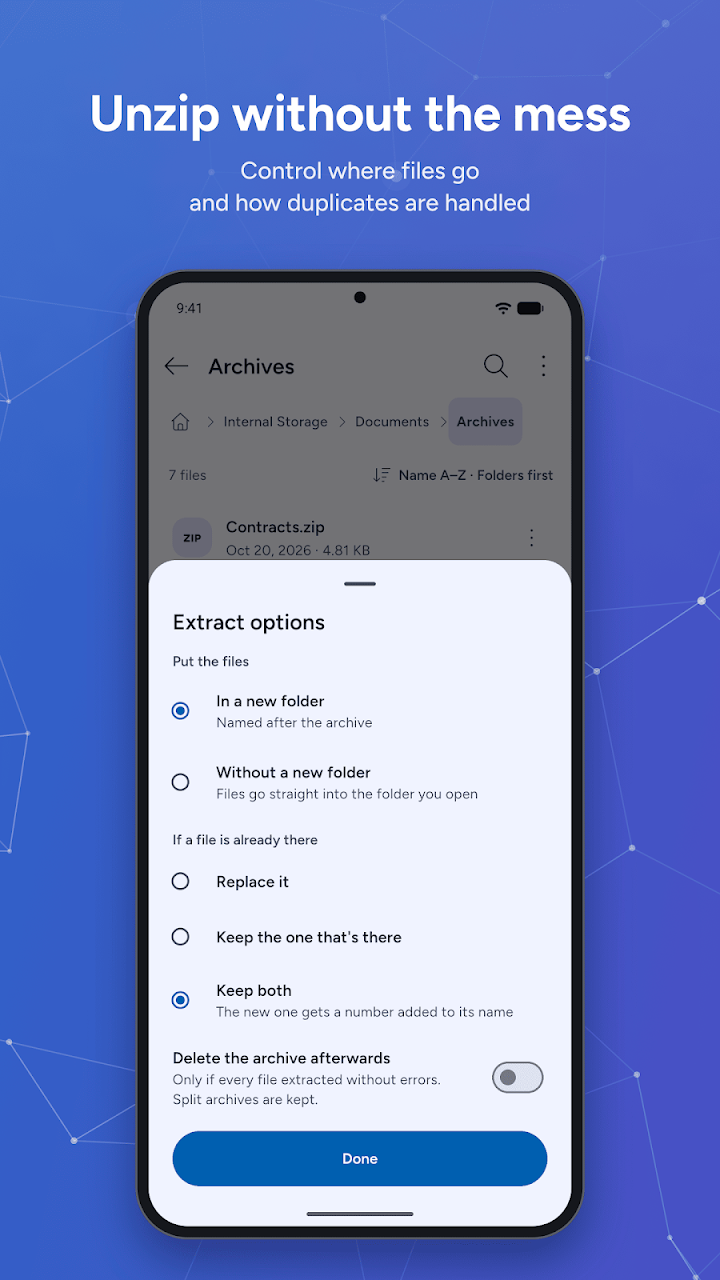
The app works with common archive types including zip, rar, 7zip, 7z, jar, apk, tar, and gzip. It can create new archives, unzip files, and browse the contents of archives that contain multiple files. It also includes standard file manager actions such as move, copy, and delete, so you can manage files without switching apps.
Install details: the APK is 1.9 MB, uses the universal architecture, and requires Android API 9 or later.
Password-protected archives and background work
7Z supports encrypted ZIP creation, so you can protect files and folders with a password before sharing them. It can also extract encrypted archives when you already know the password. Background execution is included, which means create and extract jobs can continue even if the app is closed.
Storage use and trade-offs
This app is focused on storage management rather than media playback or editing. Compression can reduce the size of files and folders, which may help save space on the device and make sharing easier. At the same time, encrypted archives still require the correct password, and the app is not a password cracker. The app contains ads and offers in-app purchases.
Who gets the most from it
Users who regularly download archives, handle APK or JAR files, or want a compact file manager for compression and extraction will get the most use from it. Its 3.3 rating from 7,235 ratings suggests mixed feedback, so it is a practical utility for archive tasks rather than a general-purpose Android app.
APK information
- Version
- 1.03
- Package
- com.sociosoft.unzip
- Category
- Tools
- Size
- 2 MB
- Min Android
- API 9
- Architecture
- universal
Older versions
-
7Z: Zip 7Zip Rar File Manager 1.03Nov 12, 2026Latest downloadAPK
7Z: Zip 7Zip Rar File Manager FAQ
Does 7Z: Zip 7Zip Rar File Manager drain the battery?expand_more
The app includes background execution for archive jobs, so tasks can continue while it is closed. The listing does not provide battery-use details.
Does 7Z: Zip 7Zip Rar File Manager need root?expand_more
No root requirement is listed. It works as a standard archive and file manager on Android API 9 and up.
What changed in the latest 7Z: Zip 7Zip Rar File Manager version?expand_more
No recent change notes are provided for the latest version.
Does 7Z: Zip 7Zip Rar File Manager show ads?expand_more
Yes. The app contains ads and also offers in-app purchases.
Which archive formats can it open?expand_more
It supports common formats including zip, rar, 7zip, 7z, jar, apk, tar, and gzip. It can also browse the contents of multi-file archives such as 7Z, TAR, APK, JAR, and RAR.