
- 3.3star377,093 reviews
- 100M+Downloads
- 5 MBAPK size
- EveryoneRated for Everyone
- 6.0+Android
check_circleOriginal APK from CPUID · Updated Nov 12, 2026

No threats found
0 / — antivirus engines flagged this file
Original signature
First seen — CPUID
Unmodified APK
Same file the developer published — no mods
CPU-Z screenshots
8 images · tap to enlarge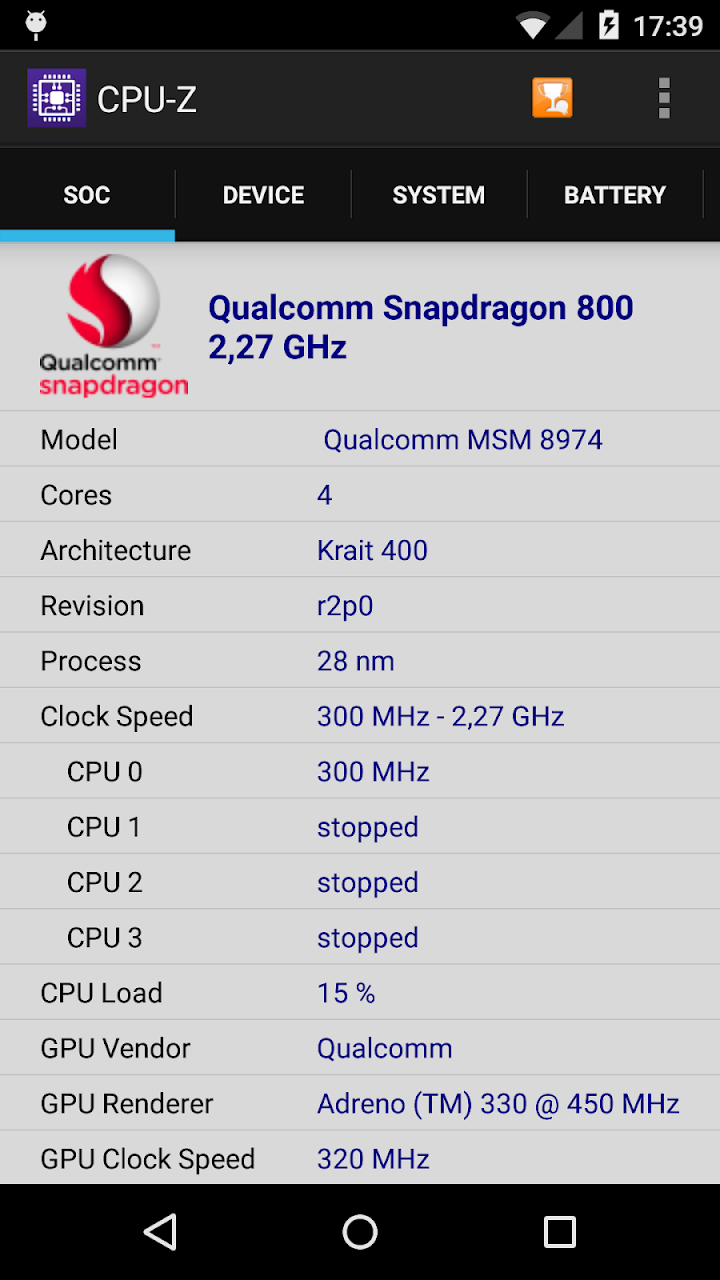
About this app
See your Android device’s hardware details in one place with CPU-Z. The current release adds Qualcomm Snapdragon 8s Gen 4, MediaTek Dimensity 6100+, and Unisoc Tiger T612 entries, helping the app recognize more chipsets. It is free, includes ads, and uses no app permissions on install.
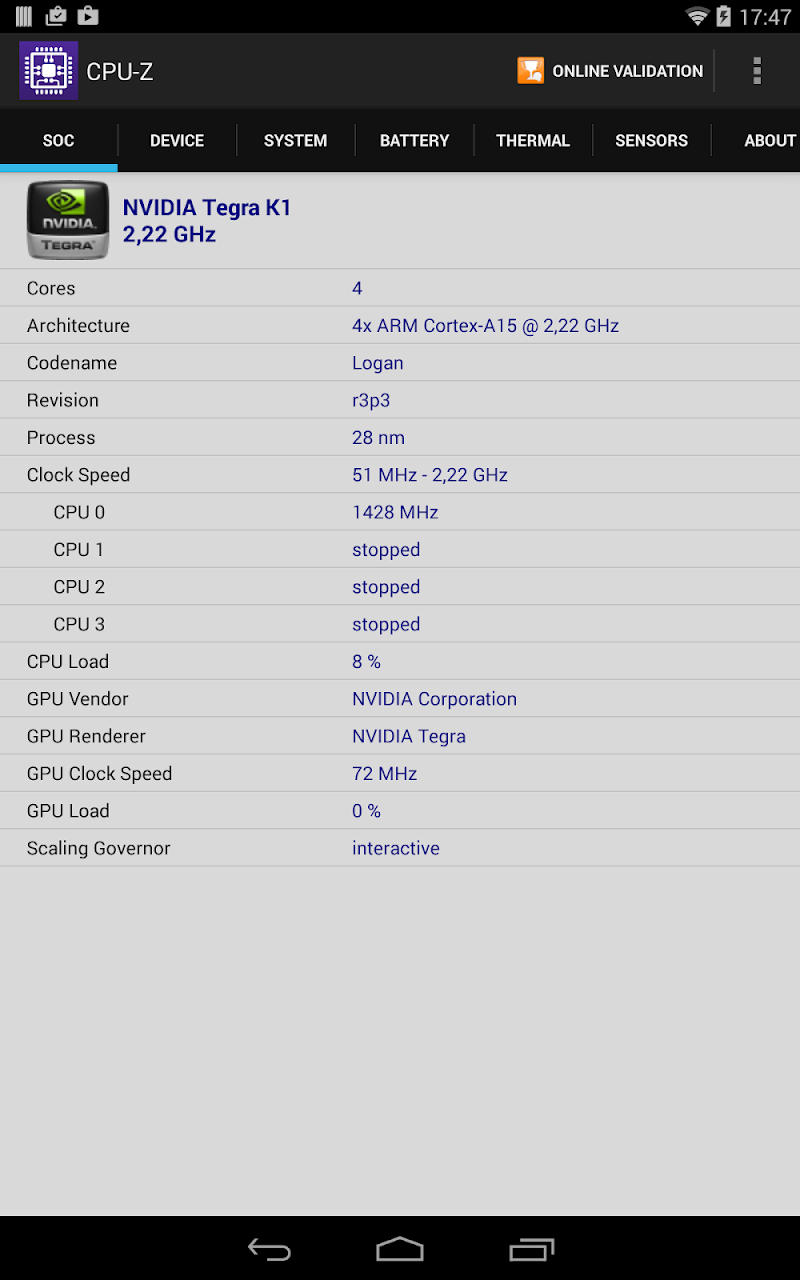
- SoC details — Shows the SoC name, architecture, and clock speed for each core.
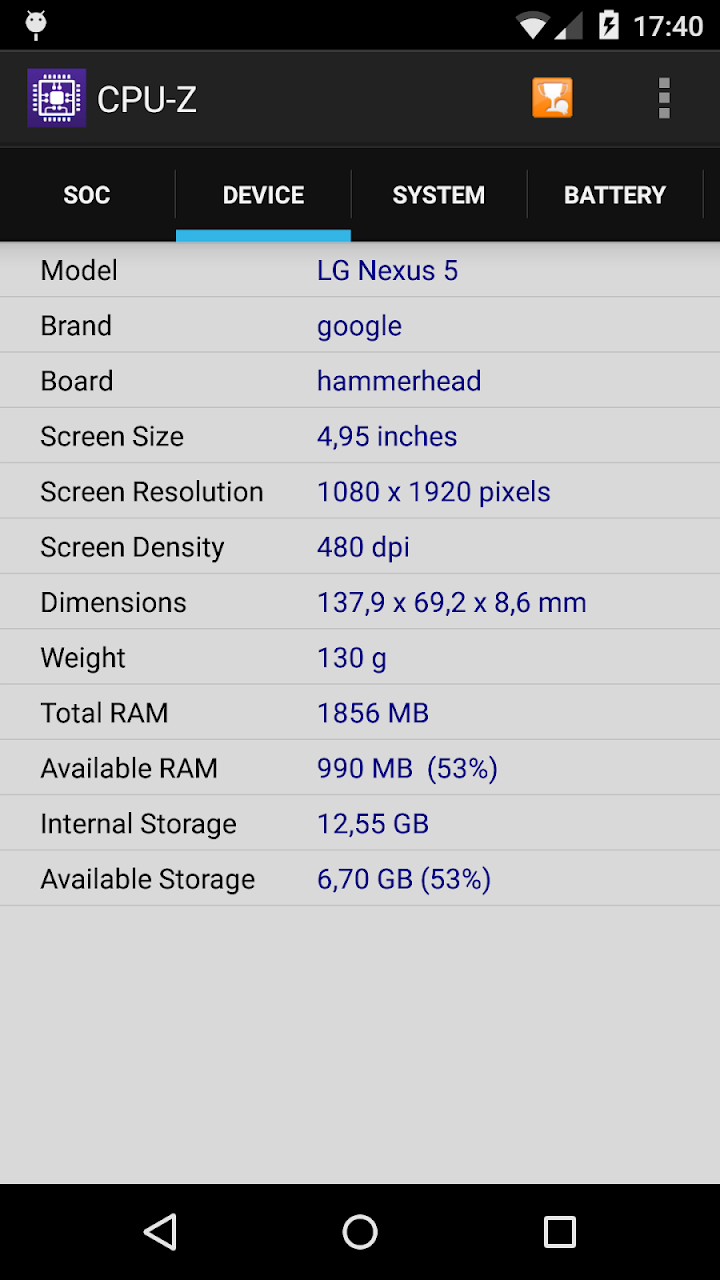
- System summary — Reports device brand and model, screen resolution, RAM, and storage.
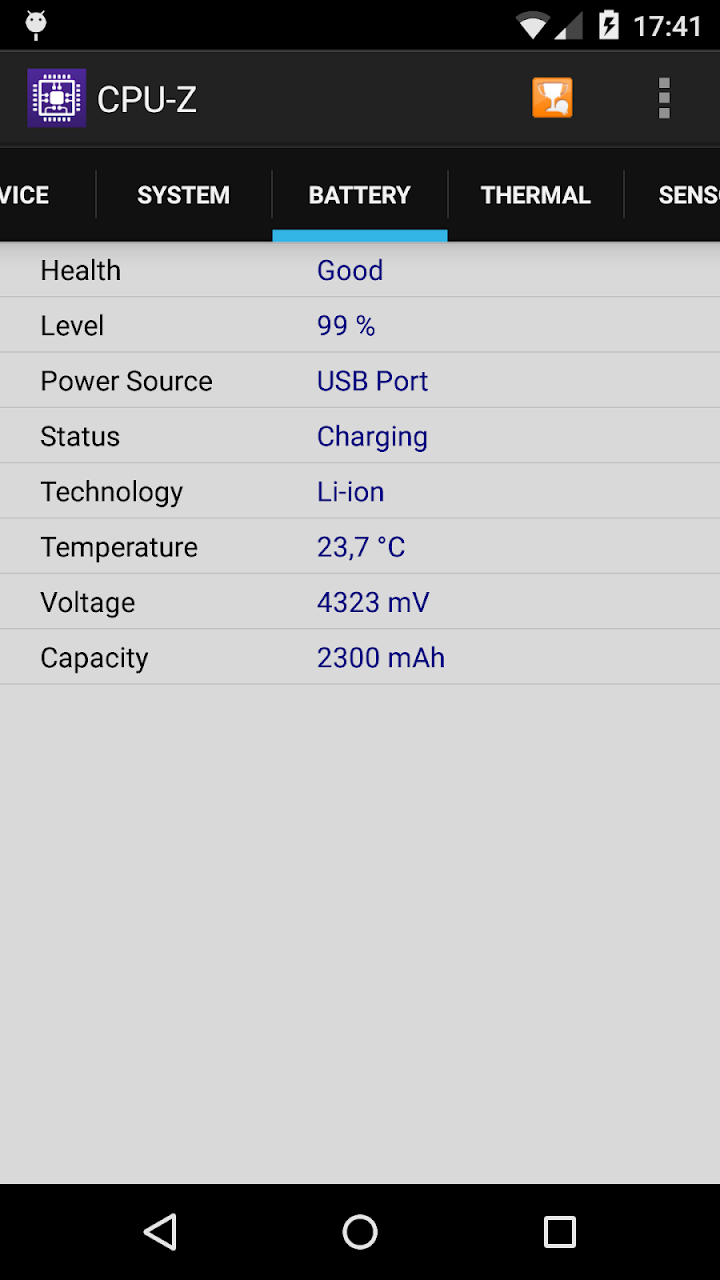
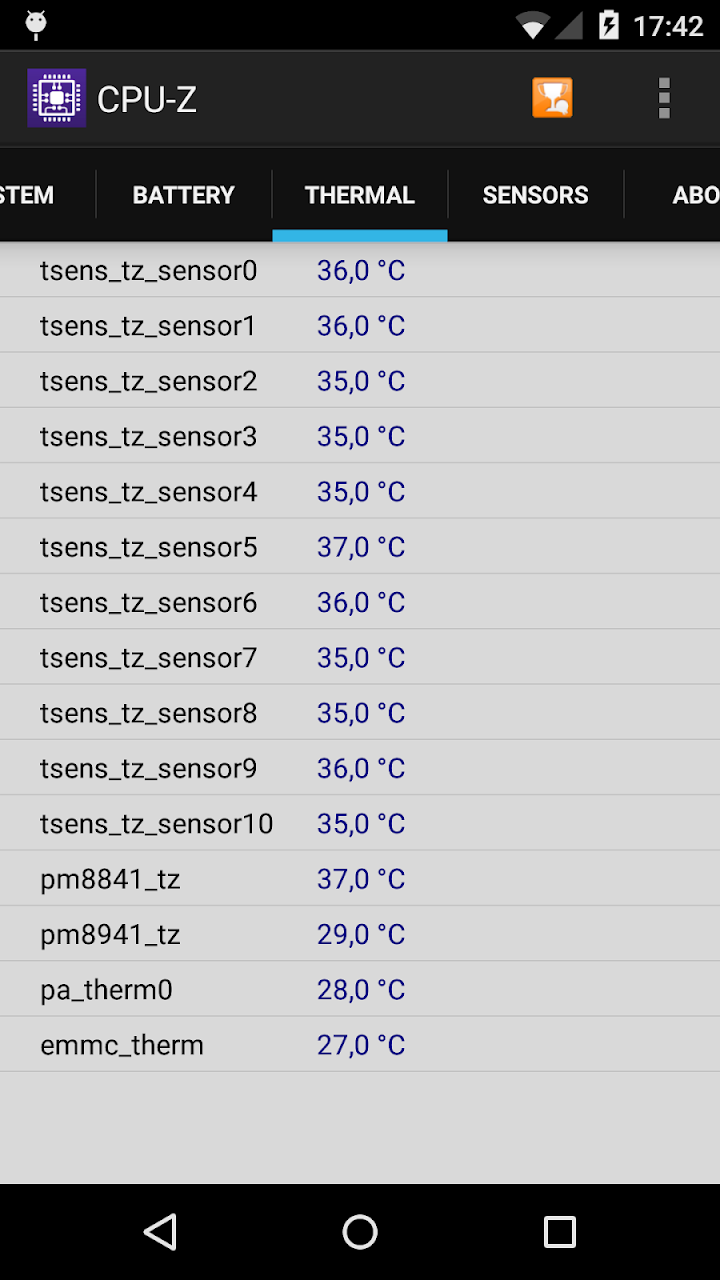
- Battery readout — Displays battery level, status, temperature, and capacity.
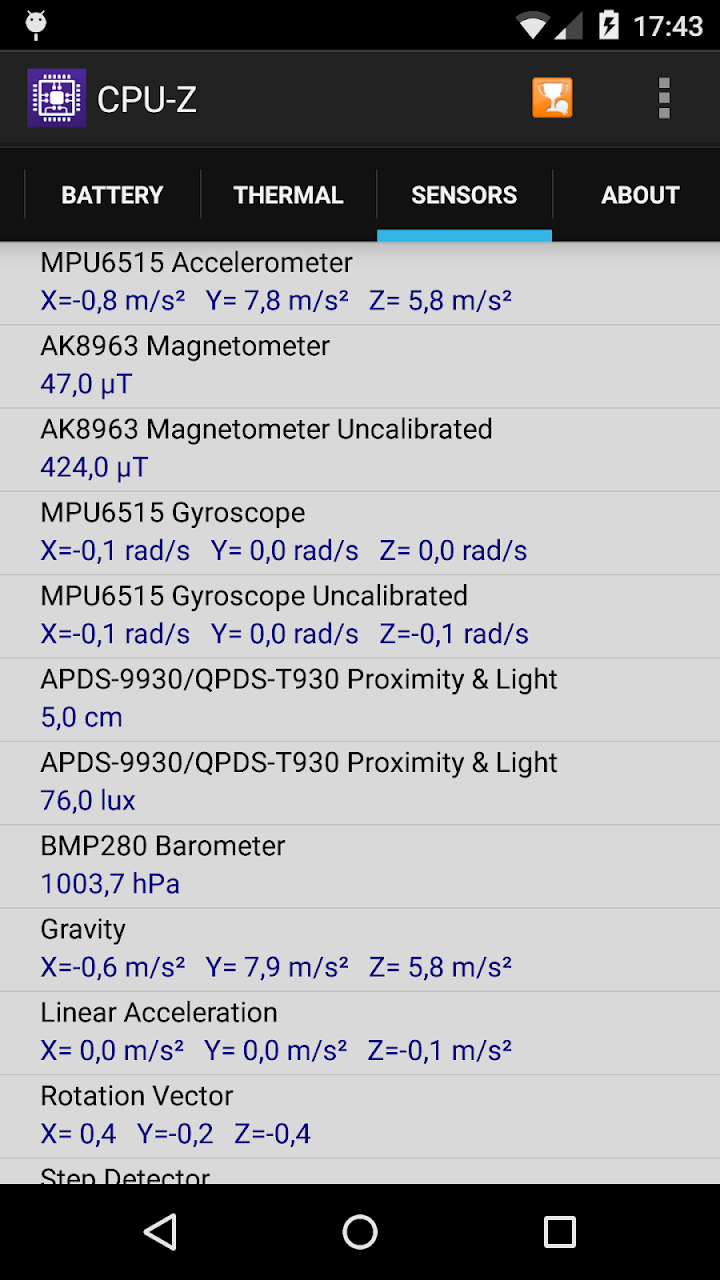
- Sensor listing — Includes the sensors detected on the device.
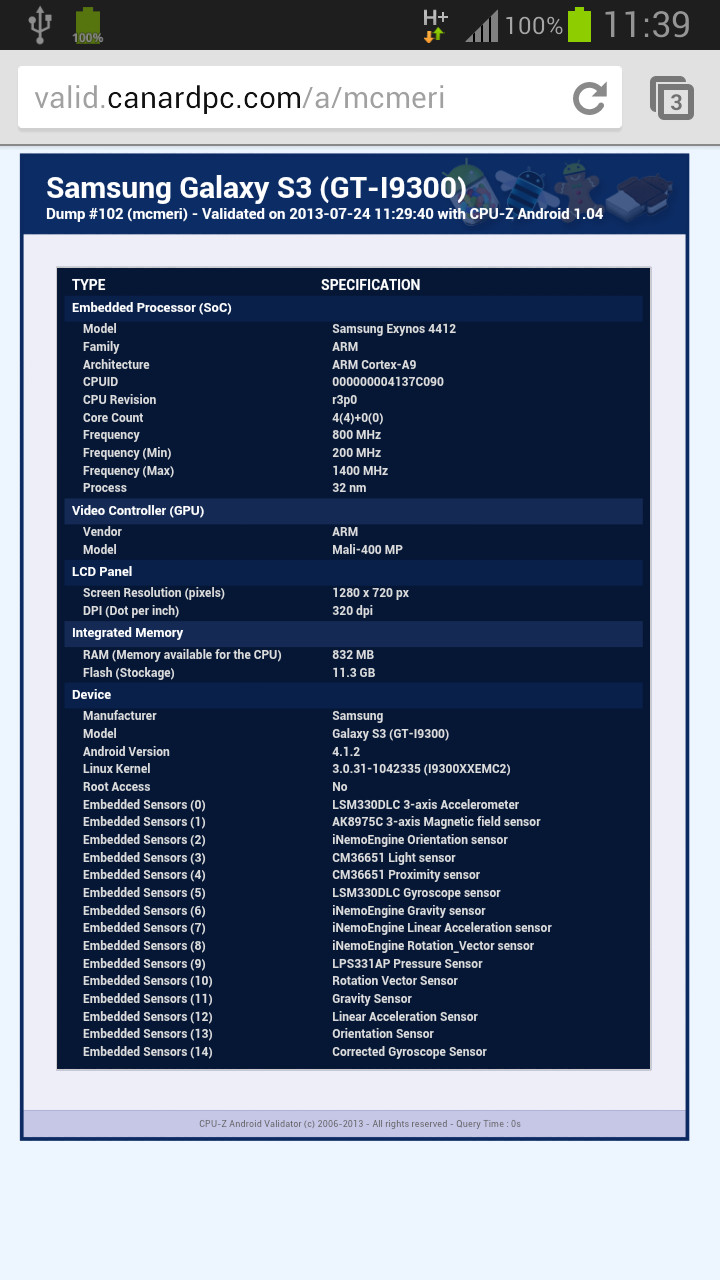
- Online validation — Can store hardware specifications in a database and open a validation URL in your browser.
New chipset entries in version 1.60
The current update adds support entries for Qualcomm Snapdragon 8s Gen 4, MediaTek Dimensity 6100+, and Unisoc Tiger T612. That matters if you want CPU-Z to identify newer devices more clearly when you open the app or use its validation flow.
Hardware details CPU-Z surfaces
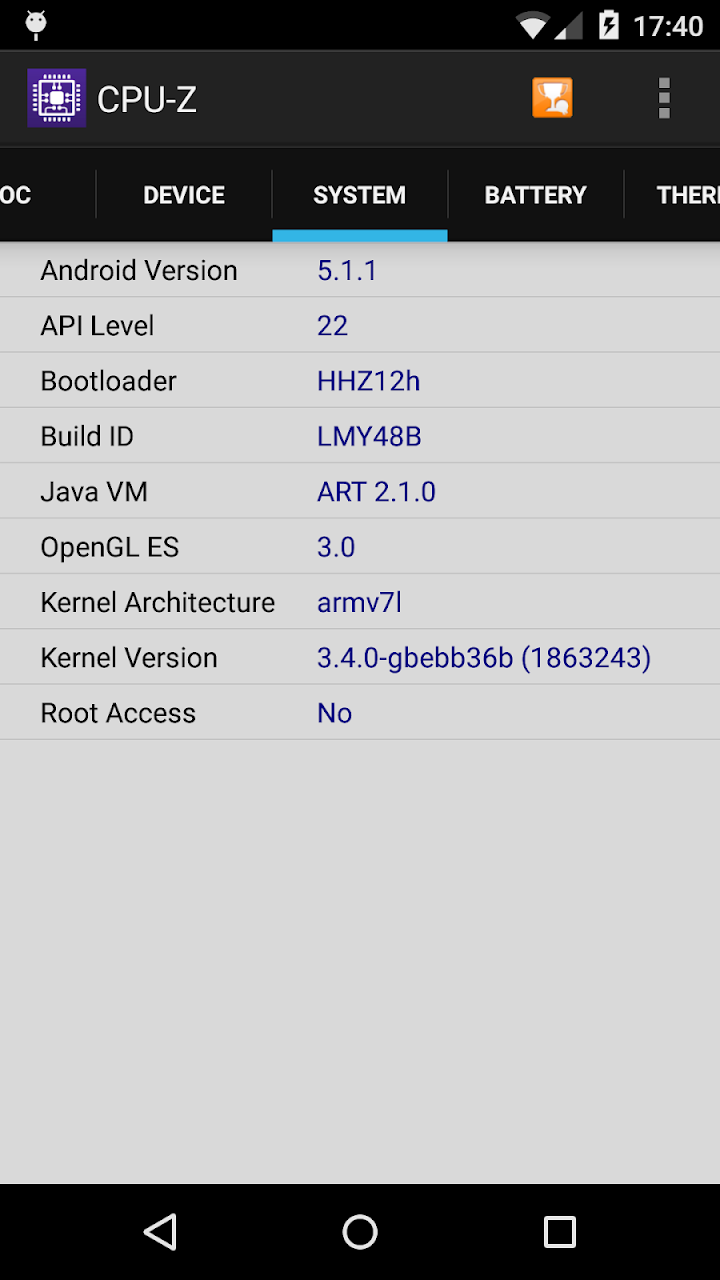
CPU-Z is built to report the main hardware profile of an Android phone or tablet. It shows the SoC name, architecture, and per-core clock speeds, along with system details such as brand, model, screen resolution, RAM, and storage. It also includes battery status and sensor detection, so the app is useful when you want a quick readout without digging through settings menus.
- Gets: SoC, system, battery, and sensor information.
- Watch for: ads and in-app purchases.
- Watch for: online validation that opens in your browser.
Free app with ads and purchases
CPU-Z is free to download, but it contains ads and offers in-app purchases. It does not ask for any permissions in the current build. The app can also send debug information by email if you use the menu option for bug reporting, and its online validation feature stores hardware specifications in a database before opening a validation URL in your browser.
Version, size, and compatibility
This APK is version 1.60, packaged as an APK file, and it is about 5.1 MB. It requires Android 6.0 or later and supports a universal ABI build. The app has been available since 2013 and is rated for Everyone.
What's new
Version 1.60 · Nov 12, 2026
- Qualcomm Snapdragon 8s Gen 4.
- MediaTek Dimensity 6100+.
- Unisoc Tiger T612.
APK information
- Version
- 1.60
- Package
- com.cpuid.cpu_z
- Category
- Tools
- Size
- 5 MB
- Min Android
- 6.0
- Architecture
- universal
Older versions
-
CPU-Z 1.60Nov 12, 2026Latest downloadAPK
CPU-Z FAQ
Why does CPU-Z need these permissions?expand_more
The current build lists no permissions. The app’s notes say INTERNET is used for online validation and ACCESS_NETWORK_STATE is used for statistics, but none are listed for this version.
Does CPU-Z drain the battery?expand_more
CPU-Z shows battery level, status, temperature, and capacity, but the listing does not say how much power it uses. There is no battery-use claim in the app details.
Is CPU-Z available for older phones?expand_more
The app requires Android 6.0 or later. Older devices below that version are not supported by this APK.
Which processors does this CPU-Z APK support?expand_more
The APK is marked universal for ABI support. The recent update adds entries for Qualcomm Snapdragon 8s Gen 4, MediaTek Dimensity 6100+, and Unisoc Tiger T612.
What does CPU-Z show on Android?expand_more
It reports SoC details, system information, battery information, and sensors. The app is focused on hardware identification rather than device management.