- 4.0star61,032 reviews
- 1M+Downloads
- 8 MBAPK size
- EveryoneRated for Everyone
- API 19+Android
check_circleOriginal APK from SilentLexx UA · Updated Nov 12, 2026
No threats found
0 / — antivirus engines flagged this file
Original signature
First seen — SilentLexx UA
Unmodified APK
Same file the developer published — no mods
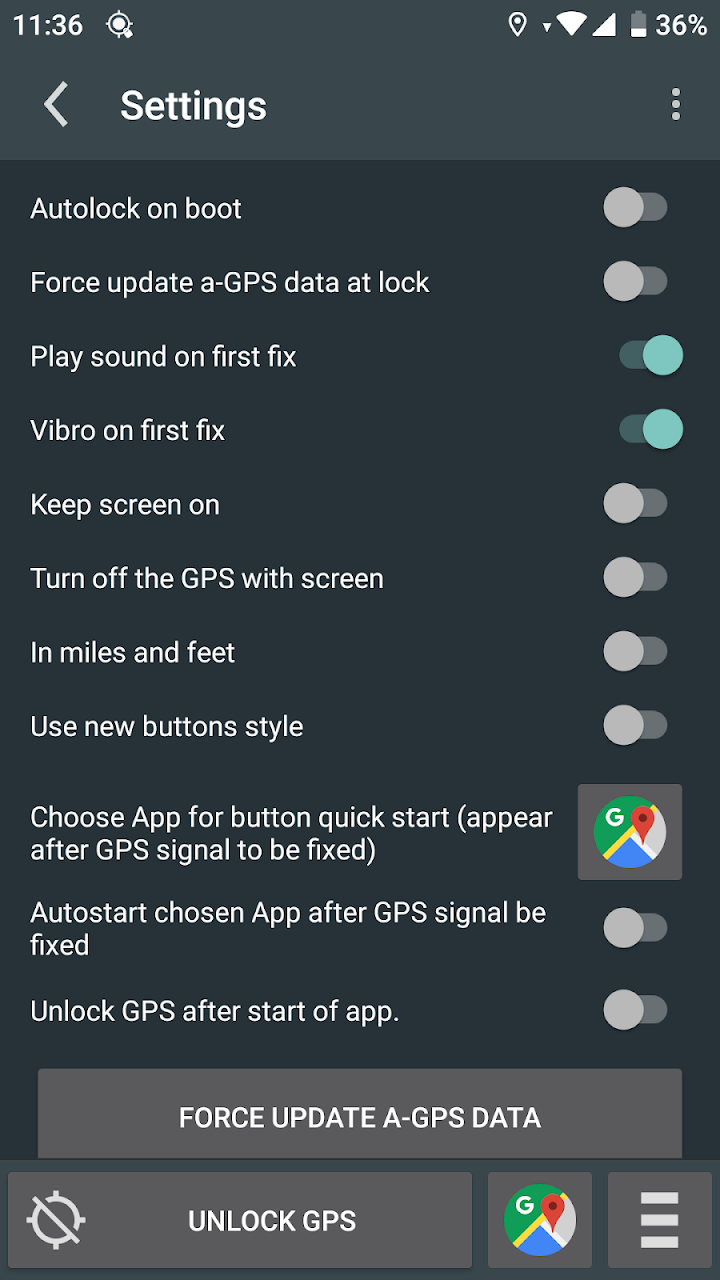
GPS Locker screenshots
2 images · tap to enlarge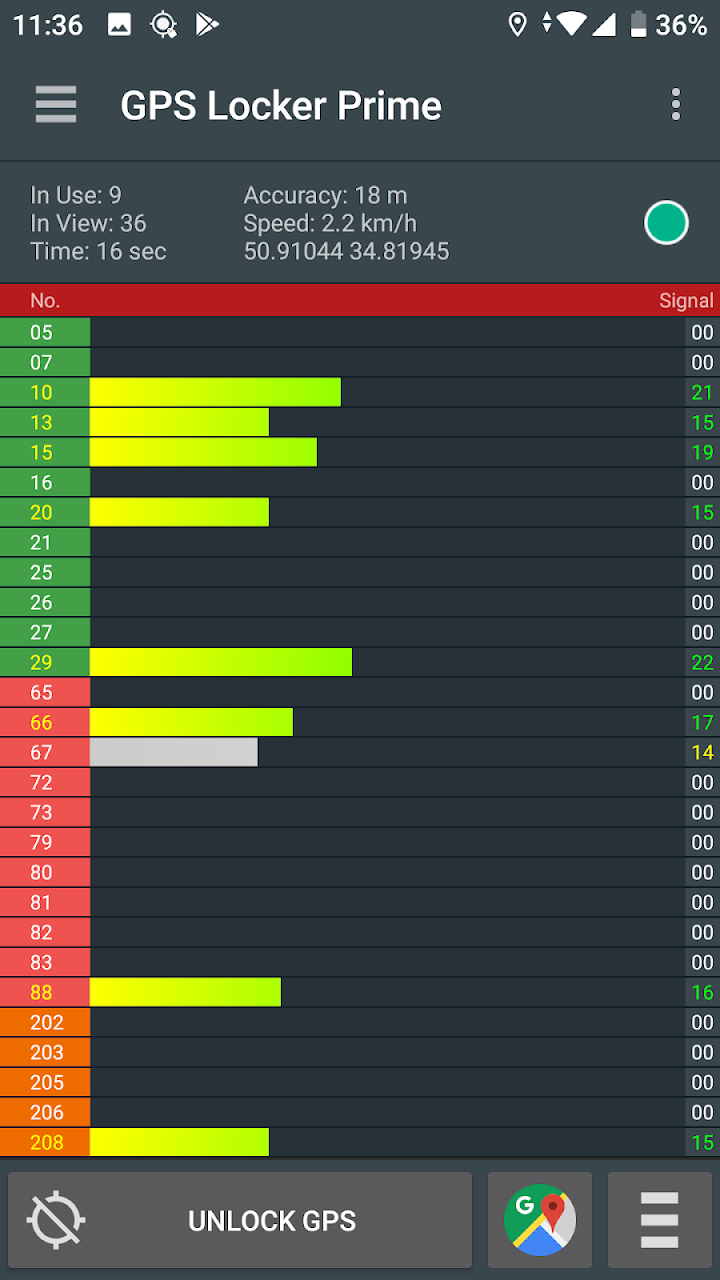
About this app
Need your GPS to stay locked while you switch apps? GPS Locker is a free Tools app from SilentLexx UA that focuses on keeping location lock steady when the screen turns off or you move between apps. It offers manual or automatic A-GPS reset, and it adds shortcuts for launching chosen apps after a successful fix.
- Keeps GPS locked — Helps hold a GPS signal while you move between apps or when the screen is off.
- A-GPS reset options — Includes manual and automatic reset of A-GPS data.
- Auto app launch — Can start selected apps after GPS is fixed, either manually or automatically.
- Desktop shortcuts — Lets you create shortcuts for quick launch after a GPS fix.
- Free with ads — The app is free to use and shows ads, with no in-app purchases listed.
What GPS Locker does
GPS Locker is built for one narrow job: keeping a GPS signal locked while you switch between apps or let the screen turn off. That makes it a practical fit for navigation use and for mobile games that rely on location during play. The app also says it can help devices that often lose GPS signal, and it includes manual or automatic A-GPS data reset to help with reacquiring a fix.
Permissions, privacy, and access
The app listing shows no permissions in the current package, which is unusual for a location-focused tool. The description says it can access geodata in the background, but it does not send that data to third parties and does not save geodata on the device. It also notes that it is not designed to freeze coordinates.
- What you get: GPS lock support, A-GPS reset, app launch shortcuts, and desktop shortcuts.
- What to watch for: Ads are included, and the app uses background geodata access for its function.
Cost and install details
GPS Locker is free, contains ads, and does not list in-app purchases. It is available as a universal APK, sized at 7.7 MB, and needs Android API 19 or later. That small file size may suit devices with limited storage, while the background behavior means battery use will depend on how often you keep it running and using location services.
How it compares with typical GPS tools
Compared with a standard navigation app, GPS Locker is less about maps and directions and more about stabilizing the GPS lock itself. Compared with general system tools, it is more specialized: it focuses on A-GPS reset, keeping the lock active across app switches, and launching other apps after the signal is fixed.
APK information
- Version
- 2.4.4
- Package
- com.silentlexx.gpslock
- Category
- Tools
- Size
- 8 MB
- Min Android
- API 19
- Architecture
- universal
Older versions
-
GPS Locker 2.4.4Nov 12, 2026Latest downloadAPK
GPS Locker FAQ
Does GPS Locker drain the battery?expand_more
The listing does not give battery usage figures. Because it works with background geodata and GPS locking, battery impact will depend on how often you use it.
Does GPS Locker need root?expand_more
No root requirement is stated in the app listing or description.
Is GPS Locker free to use?expand_more
Yes. GPS Locker is free, and it contains ads. No in-app purchases are listed.
Which Android version does GPS Locker need?expand_more
It needs Android API 19 or later.
Can GPS Locker launch apps after a GPS fix?expand_more
Yes. It can launch selected apps manually or automatically after GPS is fixed, and it can also create desktop shortcuts for quick launch.