- 0.0star0 reviews
- 1K+Downloads
- 13 MBAPK size
- EveryoneRated for Everyone
- API 15+Android
check_circleOriginal APK from Fe_Andro_Yuya · Updated Nov 14, 2026
No threats found
0 / — antivirus engines flagged this file
Original signature
First seen — Fe_Andro_Yuya
Unmodified APK
Same file the developer published — no mods
Flower Sketch screenshots
2 images · tap to enlarge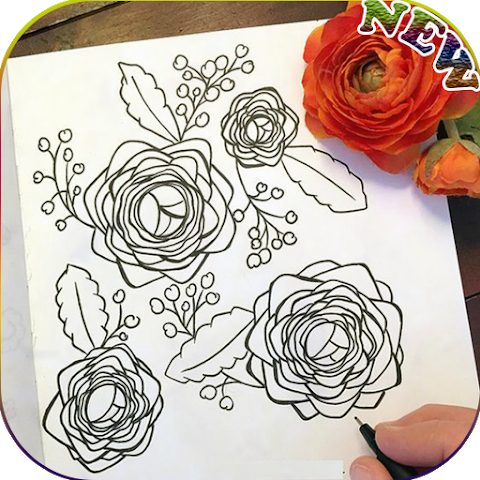
About this app
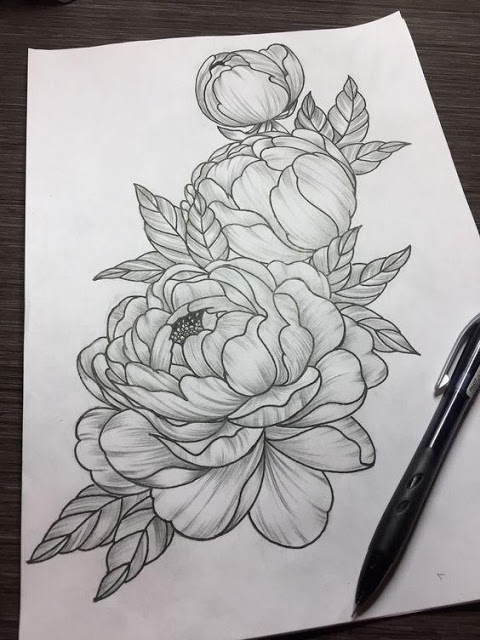
Flower Sketch gives you a small collection of flower drawings you can open quickly, zoom into, save, and share. It is a straightforward app rather than a full drawing suite, so the focus stays on browsing finished sketches and using them as inspiration. With no account setup and only a few tools, it fits short sessions on an older Android phone.
- 35 Flower Drawings — Browse a set of flower, rose, and color pencil drawings for inspiration.
- Zoom Detail View — The updated tools include zoom so you can look closely at each image.
- Save To Device — Use the save option to keep selected drawings on your phone.
- Share Images — Share a drawing directly from the app when you want to send it along.
- Light Android Support — It runs on Android 4.0.3 and up, and the APK is 12.6 MB.
Open a flower drawing in seconds
Flower Sketch is built around a simple daily use: open the app, pick a drawing, and look through the collection without extra setup. The app centers on finished flower images rather than a full sketching workspace, so it feels closer to a browsing tool for inspiration. That makes it easy to use when you just want a quick reference before drawing or sharing a picture.
Zoom, save, and share
The current tools are limited to the basics, which keeps the interface easy to follow. You can zoom in to inspect details, save an image to your device, or share it from inside the app. Those are the actions most people will use most often, and they are all grouped around the same collection screen instead of being spread across a larger editor.
- Zoom for a closer look at each drawing.
- Save images to local storage.
- Share drawings without leaving the app.
Storage access and export
Saving depends on storage permission, since the app includes WRITE_EXTERNAL_STORAGE. It also requests network and Wi-Fi state access, plus internet and system alert window permissions. There is no account to create and no in-app purchases, and the app does not show ads. For export, the available actions are save and share; no other file formats or editing exports are listed.
How it compares with bigger art apps
Compared with apps like ibis Paint X, Sketchbook, PaperColor, or Adobe Express, Flower Sketch is much narrower in scope. Those alternatives are built for creating or editing artwork, while Flower Sketch is mainly for viewing a small set of flower drawings and using them as reference. PENUP focuses on sharing artwork in a social setting; Flower Sketch stays more private and direct.
That simpler approach can be a strength if you do not want layers, brushes, or a crowded interface. It is less suited to people looking for a full drawing studio, but it is easier to get into when all you need is a quick collection of flower images.
The app is a free APK, released on 2018-12-07, with version 2.0.0. It supports Android 4.0.3 and later, comes as a universal build, and is 12.6 MB in size.
What's new
Version 2.0.0 · Nov 14, 2026
- Flower Sketch
- Tools :
- Zoom
- Save
- Share
APK information
- Version
- 2.0.0
- Package
- com.feandroyuya.flowersketch
- Category
- Art & Design
- Size
- 13 MB
- Min Android
- API 15
- Architecture
- universal
Older versions
-
Flower Sketch 2.0.0Nov 14, 2026Latest downloadAPK
Flower Sketch FAQ
Can Flower Sketch edit RAW photos?expand_more
No RAW photo editing is listed. Flower Sketch is described as a collection of flower drawings with zoom, save, and share tools.
Does Flower Sketch work offline?expand_more
Offline use is not stated. The app does request internet and network permissions.
Is Flower Sketch available for older phones?expand_more
Yes. It supports Android 4.0.3 and later, so it can run on older devices that meet that version.
Which Android version does Flower Sketch need?expand_more
Flower Sketch needs Android 4.0.3 or higher.
Can I save flower drawings from the app?expand_more
Yes. The recent tools include Save, and the app also includes storage permission for writing to external storage.