- 4.6star8 reviews
- 100M+Downloads
- 18 MBAPK size
- EveryoneRated for Everyone
- 8.0+Android
check_circleOriginal APK from Samsung Electronics Co., Ltd. · Updated Nov 12, 2026
No threats found
0 / — antivirus engines flagged this file
Original signature
First seen — Samsung Electronics Co., Ltd.
Unmodified APK
Same file the developer published — no mods
Write on PDF screenshots
6 images · tap to enlarge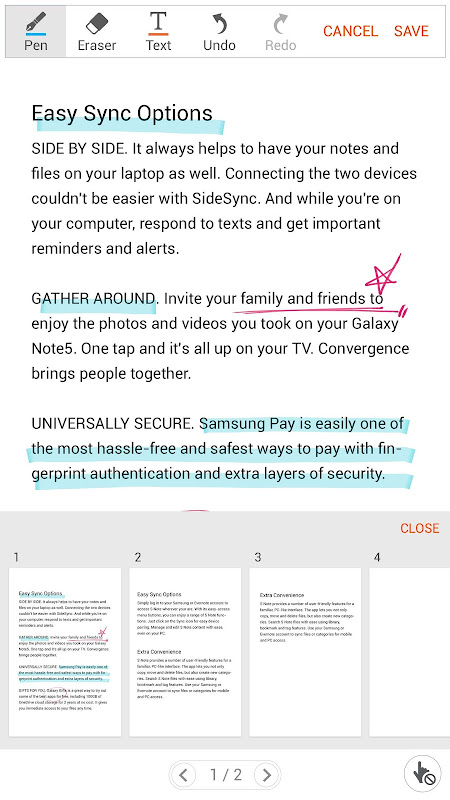
About this app
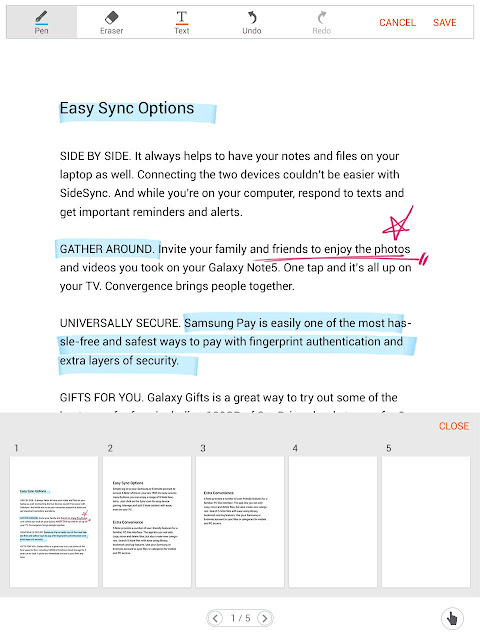
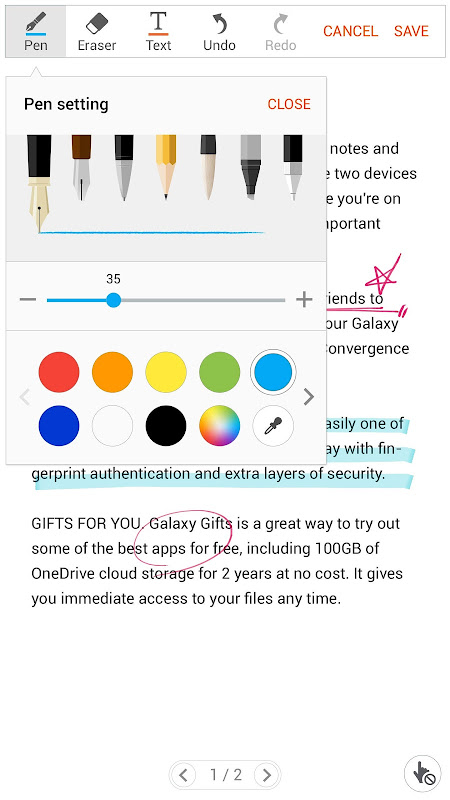
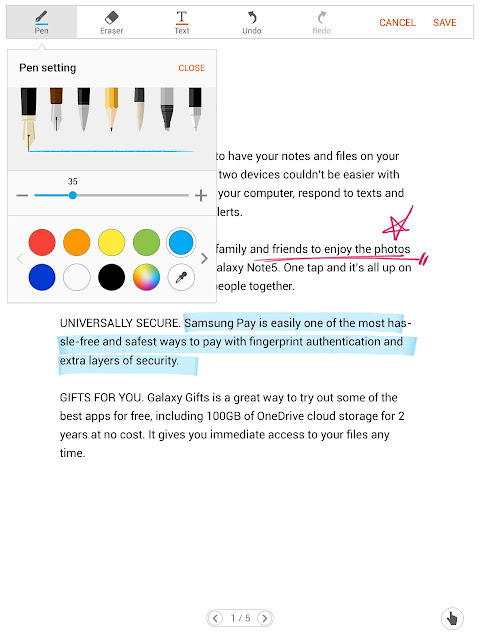
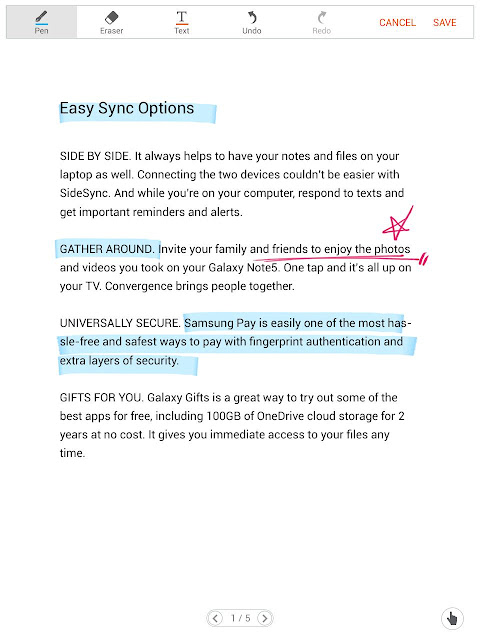
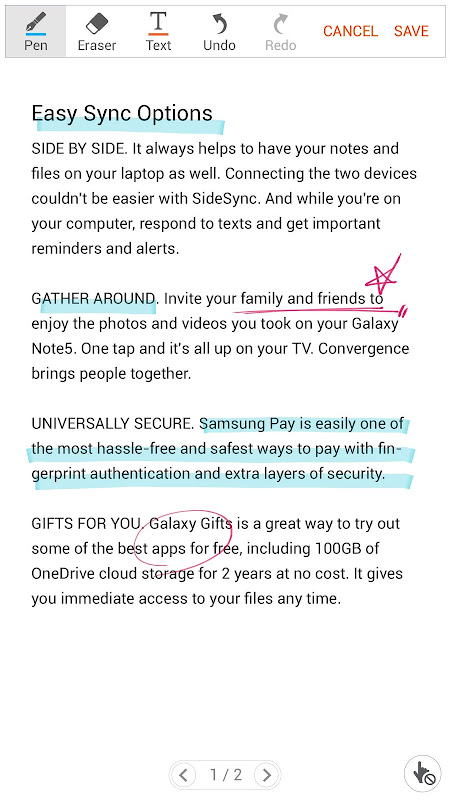
Samsung Electronics Co., Ltd. makes Write on PDF for opening a PDF and marking it up when you need to jot something down quickly. On a commute or at your desk, you can browse the PDFs stored on your device, write by hand with pen tools, add drawing content, save the edited file, and share it when you’re done.
- PDF file list — Browse the PDF files stored on your device from one place.
- Handwriting tools — Write notes with pen options and add drawing content to the page.
- Save edited PDFs — Keep your text and drawings inside the PDF file after editing.
- Share files — Send the PDF after you finish marking it up.
- Built-in viewer — Open and read a PDF before writing on it.
Open a PDF and mark it up
Write on PDF feels built for the moments when you have a file open and need to leave a quick note before moving on. You can pull up PDFs from the list on your device, view the document, and write directly on it with handwriting tools and drawing options. It works well for a train ride, a meeting, or a quick review between tasks.
Handwriting, saving, and sharing
The core flow is simple: open the PDF, add your notes, save the file, and share it if needed. That makes it practical for annotating forms, reading materials, or documents you want to return with marks already in place. The app also keeps the PDF viewer close to the editing tools, so you do not need to jump through extra steps just to start writing.
Built for local files first
The app focuses on PDF files stored on your phone, with storage access required for that part of the service. Optional access is listed for Google Drive file access through Contacts and Phone permissions, and Nearby Devices supports pen stroke and eraser sound on Android 12 or higher. It is an APK file at 17.8 MB, and it runs on Android 8.0 and up.
What stands out and what to expect
There are no ads or in-app purchases, and the app is free. Its 4.6 rating comes from a small number of ratings, with most of them at five stars. The main tradeoff is that the experience stays focused on PDF annotation rather than broader document collaboration, so it suits solo editing more than team workflows.
- Free to use: No ads and no in-app purchases.
- Local PDF access: Opens files stored on your device.
- Google Drive support: Optional access is listed for Drive-based files.
- Simple workflow: View, write, save, and share from one app.
What's new
Version 2.6.03.9 · Nov 12, 2026
- Supports Android P OS (Android 9.0)
APK information
- Version
- 2.6.03.9
- Package
- com.samsung.android.spdfnote
- Category
- Productivity
- Size
- 18 MB
- Min Android
- 8.0
- Architecture
- universal
Older versions
-
Write on PDF 2.6.03.9Nov 12, 2026Latest downloadAPK
Write on PDF FAQ
Does Write on PDF support teams?expand_more
The app description focuses on opening, writing on, saving, and sharing PDF files. It does not list team collaboration features.
Can Write on PDF be used offline?expand_more
It lists a PDF viewer and access to PDF files stored on your phone, so local file use is supported. The description does not mention an online-only requirement.
Is this Write on PDF APK the original file?expand_more
The app is by Samsung Electronics Co., Ltd. and is listed as an APK file. The details provided do not include any separate source or verification note.
Can I install Write on PDF without Google Play?expand_more
The app is available as an APK file, so it can be installed outside Google Play if you have the file and your device allows APK installs.
What permissions does Write on PDF ask for?expand_more
Storage is required to access PDF files stored on your phone. Optional permissions include Contacts, Phone, and Nearby Devices for Google Drive access and pen or eraser sound support.