- 0.0star0 reviews
- 50K+Downloads
- 8 MBAPK size
- EveryoneRated for Everyone
- API 16+Android
check_circleOriginal APK from nattou.org · Updated Nov 10, 2026
No threats found
0 / — antivirus engines flagged this file
Original signature
First seen — nattou.org
Unmodified APK
Same file the developer published — no mods
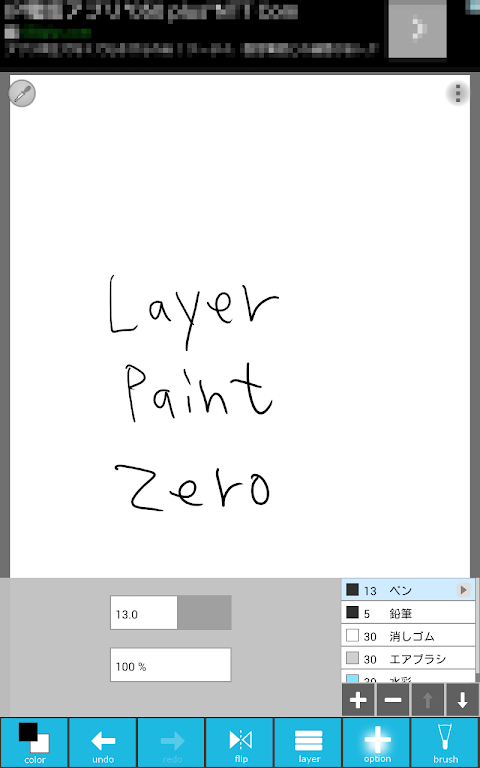
LayerPaint Zero screenshots
2 images · tap to enlarge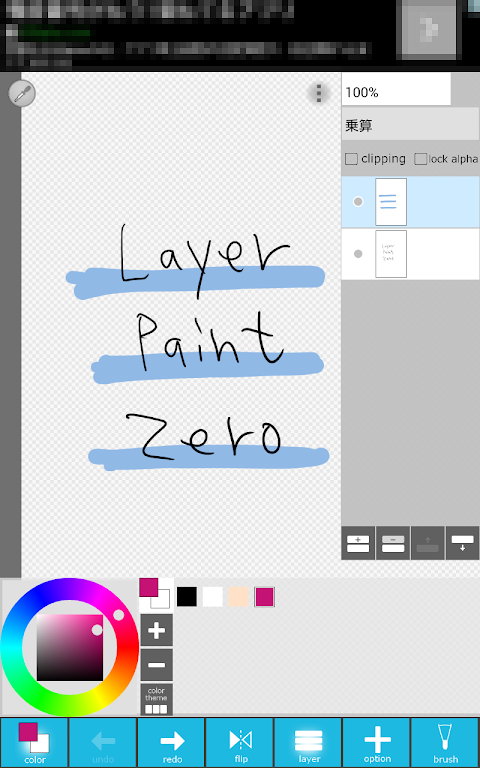
About this app
LayerPaint Zero stands out as a smartphone-only painting app with layer tools and pen pressure support. The latest release improves layer transform operation, which matters if you move or resize parts of a drawing often. It stays free, shows no ads, and keeps the setup simple for people who want a focused sketching app.
- Pen pressure support — Turn pen pressure on in settings to vary your strokes while drawing.
- Layer editing tools — Add, remove, clip, and lock layers, plus use alpha lock for more controlled edits.
- PSD and MDP support — Open and save MDP files and import or export PSD files for working across apps.
- Drawing and selection tools — Use rectangle, ellipse, and free transform selection tools, along with a bucket tool.
- Filter effects — Apply hue, Gaussian blur, mosaic, monochrome, and line-extracting filters.
Layer transform changes in this release
The current version improves layer transform operation, which helps when you need to move, resize, or adjust parts of a drawing more smoothly. That update fits an app built around layer editing, so it is especially useful if you work with separate parts of an illustration.
LayerPaint Zero is a free painting app with no ads and no in-app purchases. It does not ask for permissions, and there is no account to create before you start drawing.
Drawing on layers
This app focuses on the basics people use most in digital art: a canvas, layers, and tools for shaping a sketch. You can add and remove layers, clip one layer to another, and lock alpha when you want to protect existing transparent areas. Layer modes include Normal, Add/Emit, Multiply, Overlay, Screen, Lighten, Darken, Difference, Dodge, and Burn.
- You get: pen pressure, PSD import/export, palette controls, selection tools, and filters.
- Watch for: smartphone interface only, and no tablet-focused layout.
- You get: no ads and no in-app purchases.
- Watch for: this is a functional restricted version of LayerPaint HD.
Tools for cleanup and effects
For editing and finishing touches, LayerPaint Zero includes a selection tool with rectangle, ellipse, and free transform options. The bucket tool supports auto expand from 0 to 2 pixels and can switch anti-aliasing on or off. Filter options include hue, Gaussian blur, mosaic, monochrome, and extracting lines, which can help with quick corrections or stylized results.
File support and setup
You can open and save MDP files, and MDP files can be opened by FireAlpaca and MediBang Paint. The app also supports PSD import and export. LayerPaint Zero is an APK file, sized at 8.0 MB, and it works on Android API 16 and up.
What's new
Version 1.10.5 · Nov 10, 2026
- Improved layer transform operation.
APK information
- Version
- 1.10.5
- Package
- org.nattou.layerpaints
- Category
- Art & Design
- Size
- 8 MB
- Min Android
- API 16
- Architecture
- universal
Older versions
-
LayerPaint Zero 1.10.5Nov 10, 2026Latest downloadAPK
LayerPaint Zero FAQ
Does LayerPaint Zero work offline?expand_more
The app description does not mention any online requirement, and it does not ask for an account. Based on that, it is set up as a local drawing app.
Can LayerPaint Zero edit RAW photos?expand_more
No RAW photo support is listed. The app focuses on painting tools, layers, PSD import/export, and filters.
How do I install the LayerPaint Zero APK file?expand_more
Download the APK and install it on an Android device that runs API 16 or later. The file is 8.0 MB.
Does LayerPaint Zero need an account?expand_more
No account is mentioned, and the app does not request permissions.
Does LayerPaint Zero support pen pressure?expand_more
Yes. Pen pressure is supported and can be enabled from settings.