
- 3.4star102 reviews
- 10K+Downloads
- 11 MBAPK size
- EveryoneRated for Everyone
- 7.0+Android
check_circleOriginal APK from Mailbutler · Updated Nov 12, 2026

No threats found
0 / — antivirus engines flagged this file
Original signature
First seen — Mailbutler
Unmodified APK
Same file the developer published — no mods
Mailbutler screenshots
8 images · tap to enlarge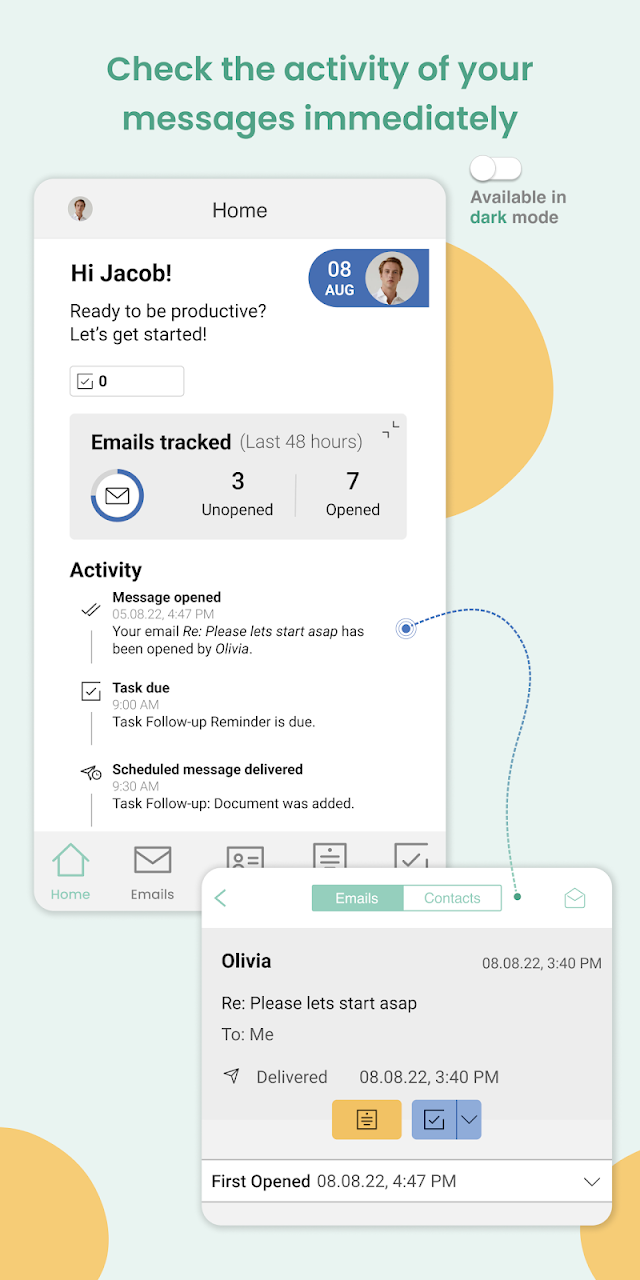
About this app
Mailbutler extends the desktop email app to Android so you can track messages, review contacts, and keep notes and tasks in reach while you move between devices. It is built for people who rely on email for client communication and want tracking, organization, and team sharing in one companion app, but it requires the desktop version to be useful.
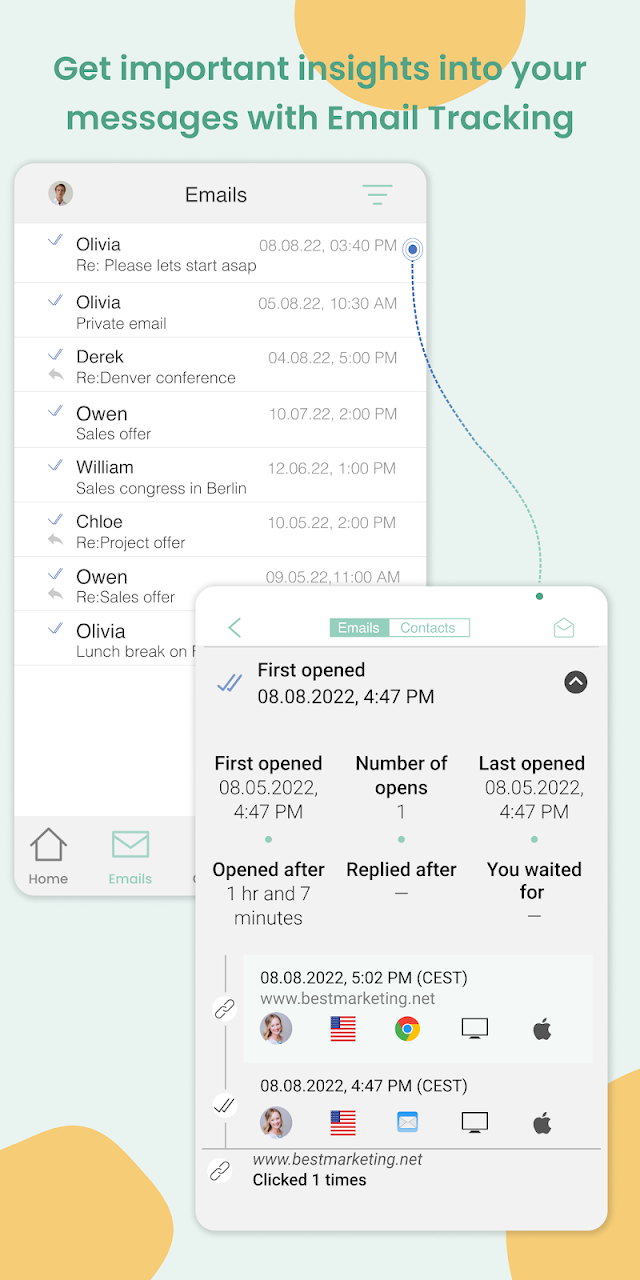
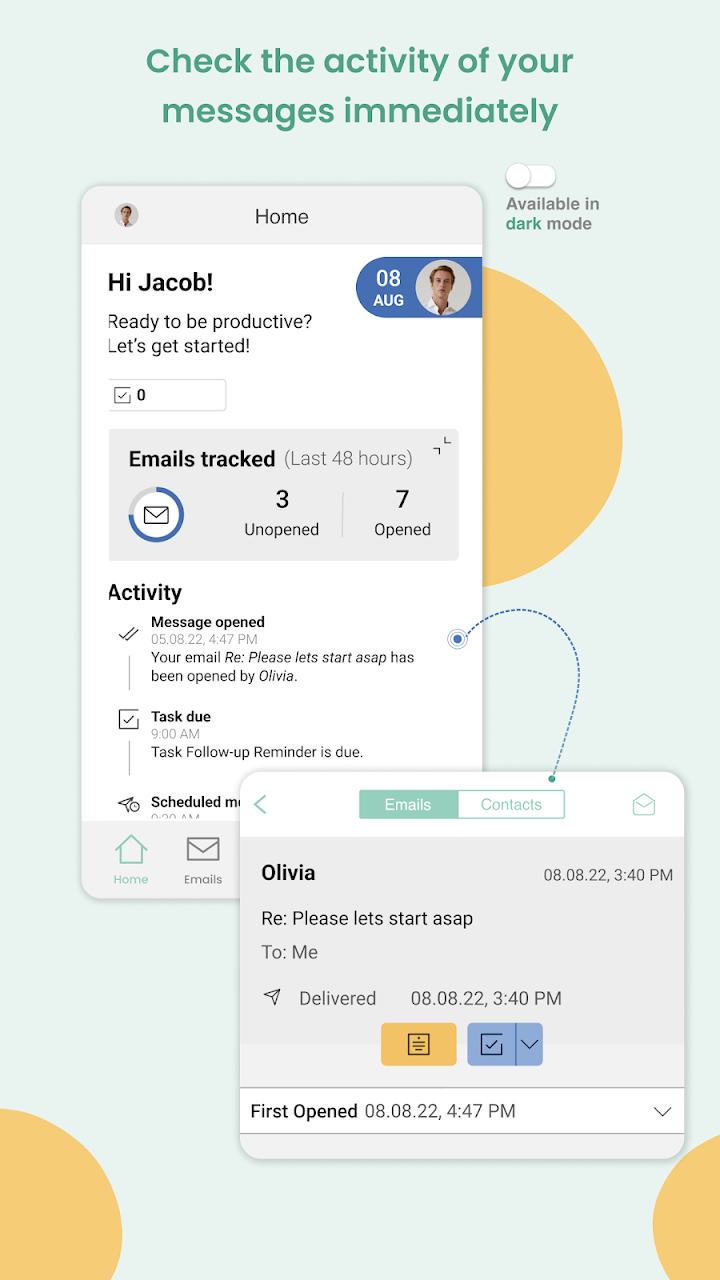
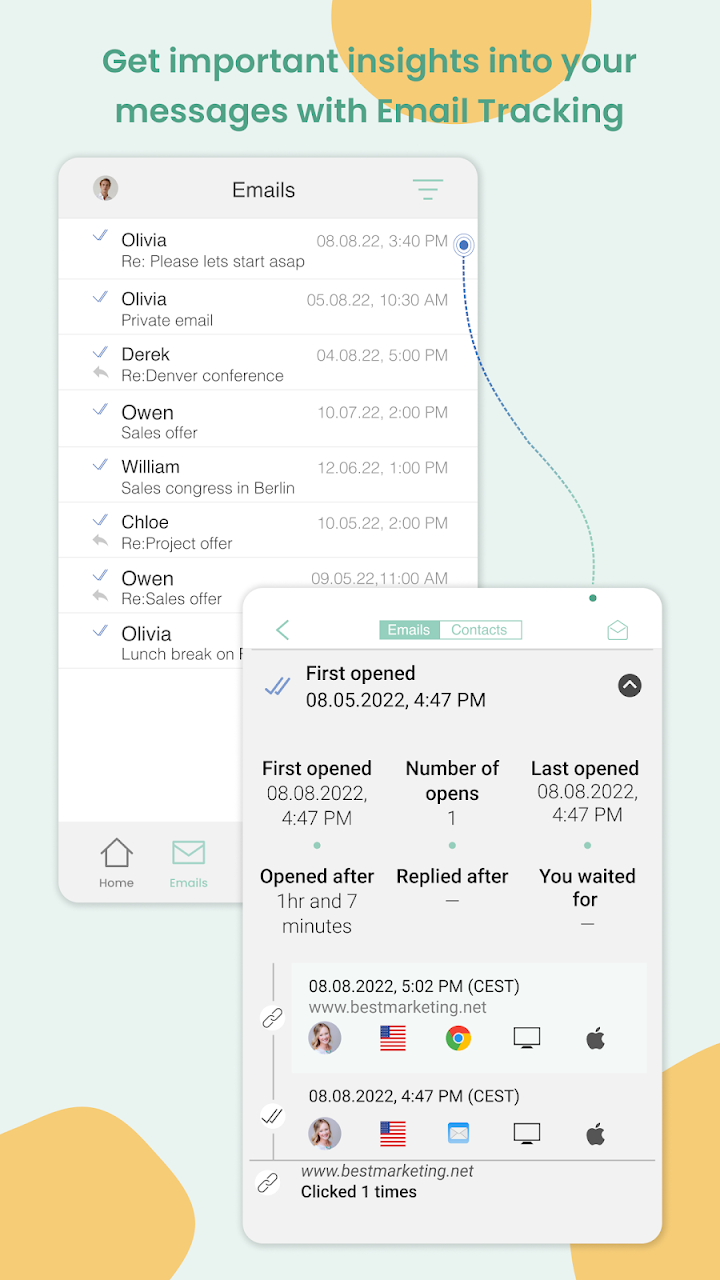
- Email tracking on mobile — See when a tracked email or link was opened, plus where, how often, and on which device it happened.
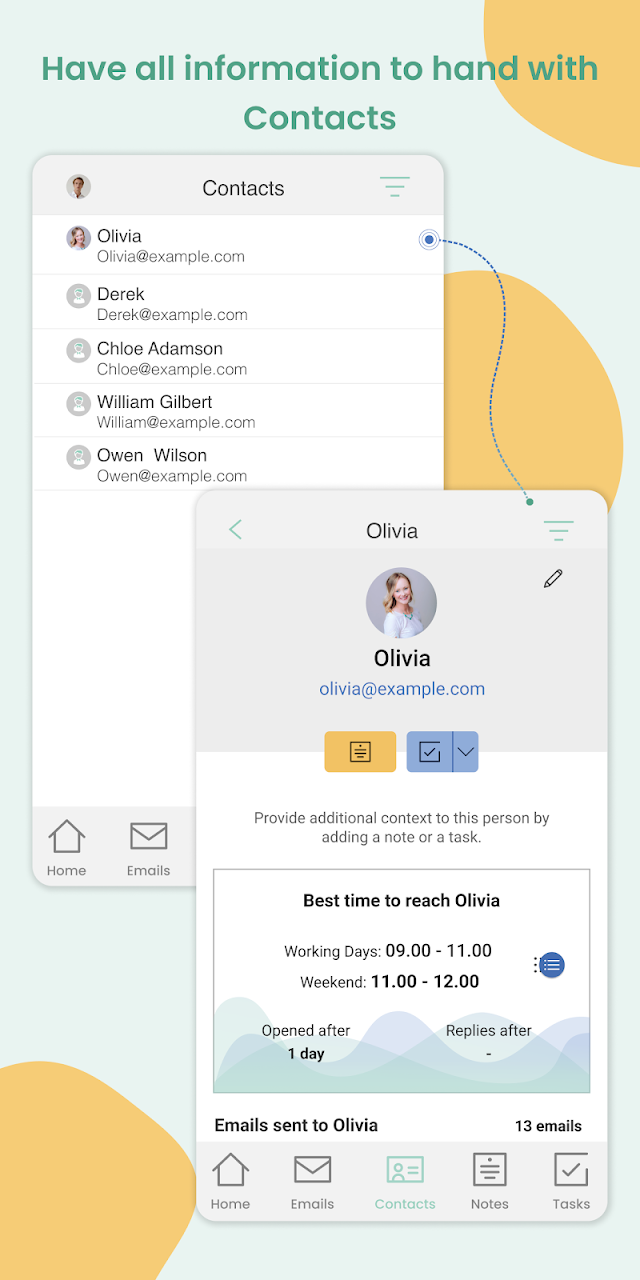
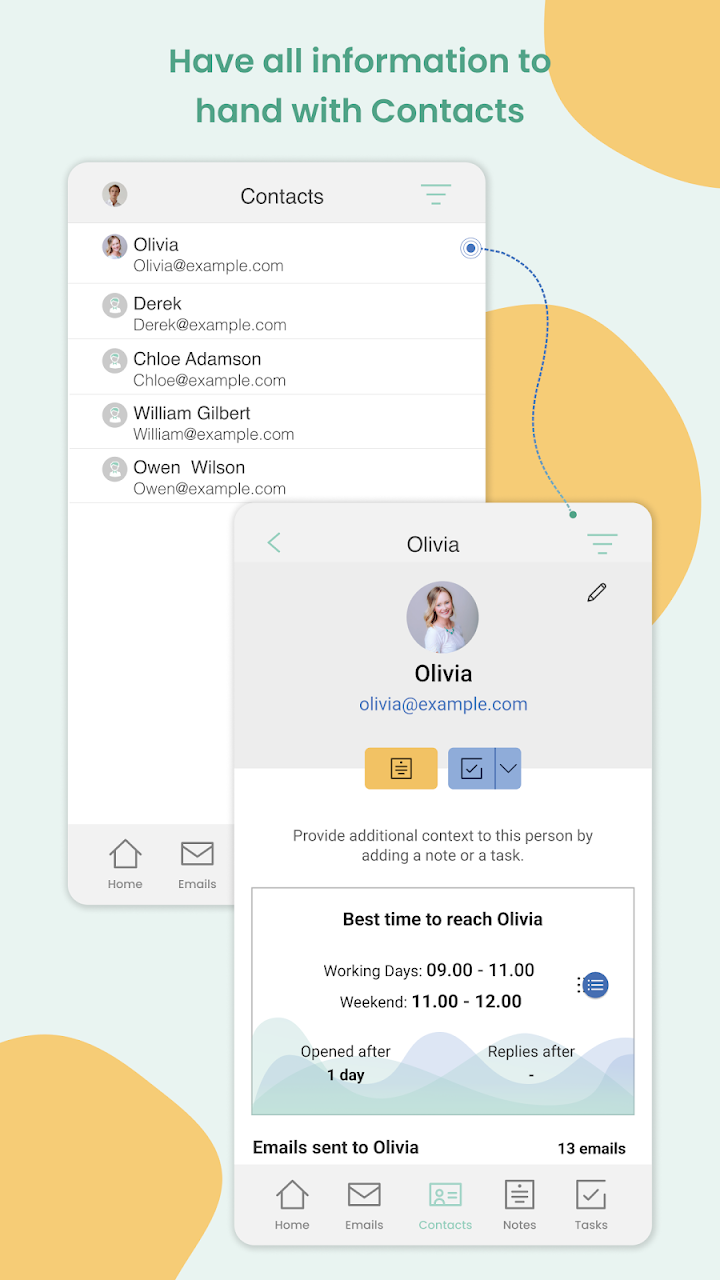
- Contact insights — Keep contact details and related insights in one place so you can handle client communication with more context.
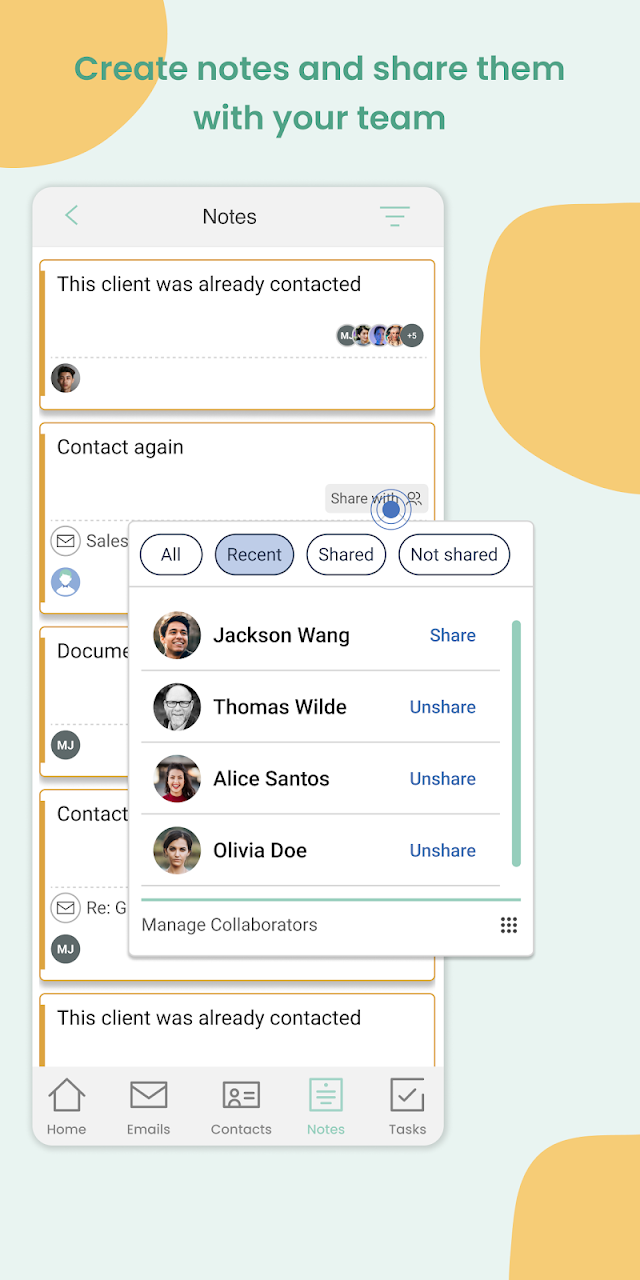
- Shared notes — Review, edit, and share notes with team members from the same app.
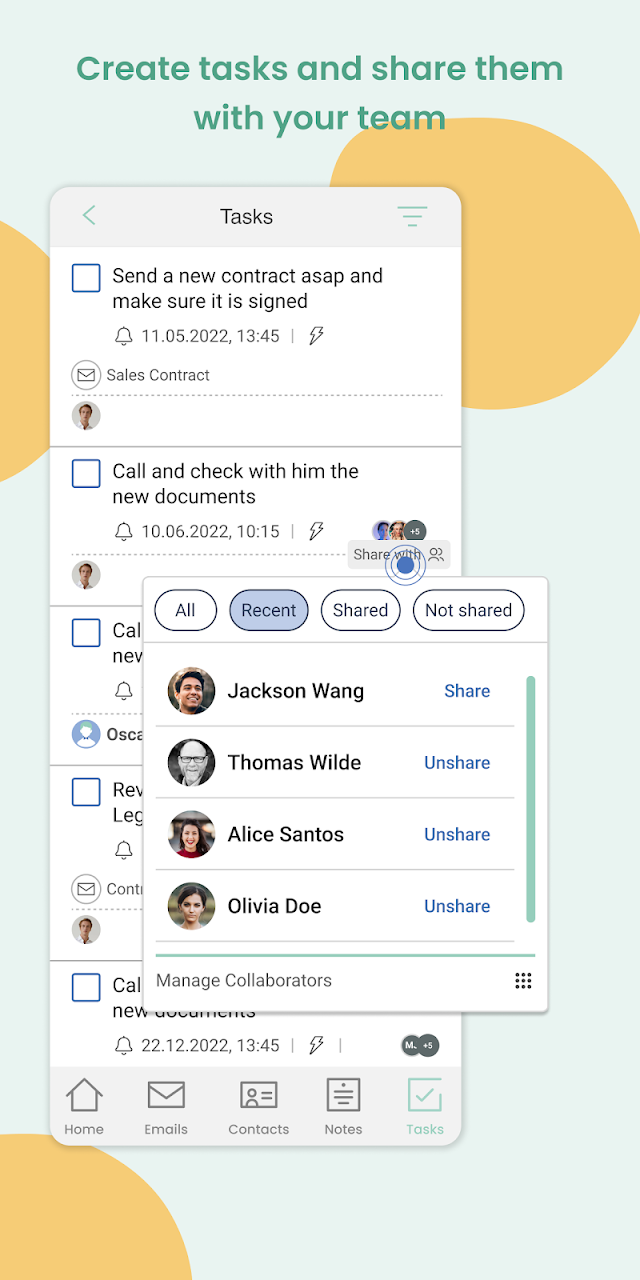
- Task overview — Check created tasks, then filter or search to find the next action quickly.
- Desktop companion — Use it alongside the desktop Mailbutler app so tracking and insights stay available on your phone.
Tracking that follows the email
Mailbutler’s most distinctive job is email tracking. When you send a tracked message or link, you can check whether it was opened, where it happened, how often it was viewed, and on which device. That makes it easier to follow up with a client after a proposal or see whether a link in a campaign has been opened.
What this changes: instead of guessing whether an email got attention, you can review the activity from your phone.
Contacts, notes, and tasks in one place
The app also brings contact details, notes, and tasks into a single mobile companion. You can look up contact information, revisit notes you created in Mailbutler, edit them, and share them with team members. Tasks are handled in a separate overview with filtering and search, which helps when you need to find one follow-up among many.
For a sales or marketing team, that can mean checking a contact, reading the last note, and finding the next task without switching tools.
Built to work with your desktop setup
Mailbutler is not a standalone email app; it depends on the desktop version. The mobile app is free, with no ads and no in-app purchases, but you need the desktop Mailbutler account to use it. It also connects with apps such as Slack, Trello, OneNote, and Todoist, which matters if your workflow already spans several tools.
- You get: mobile access to tracking, contacts, notes, and tasks.
- You get: cross-platform use with other email clients in a team.
- Watch for: the desktop version is required.
- Watch for: Android 7.0 or later, APK format, 10.9 MB download.
How it fits teams
Mailbutler is aimed at freelancers, independent professionals, marketers, sales teams, and groups that need clear internal communication. Its shared notes and cross-platform setup make it more useful when several people need the same email context. If your work depends on inbox follow-up and client communication, the app is designed to keep those pieces visible on mobile.
APK information
- Version
- 10611
- Package
- io.mailbutler.mobileapp
- Category
- Productivity
- Size
- 11 MB
- Min Android
- 7.0
- Architecture
- universal
Older versions
-
Mailbutler 10611Nov 12, 2026Latest downloadAPK
Mailbutler FAQ
Can Mailbutler be used offline?expand_more
The app is built as a companion to the desktop version, so its core use depends on Mailbutler’s connected workflow. The description does not say it works offline.
Does Mailbutler sync across devices?expand_more
Yes. It is described as a companion app that brings tracking and insights from the desktop email app to mobile, so you can send on desktop and follow progress on your phone.
Which Android version does Mailbutler need?expand_more
Mailbutler requires Android 7.0 or later.
Is Mailbutler free to use?expand_more
The Android app is free and has no ads or in-app purchases. A desktop version is required, and new users get a 14-day free trial for the service.
What apps can Mailbutler integrate with?expand_more
Mailbutler can integrate with Slack, Trello, OneNote, Todoist, and more.