- 3.2star5 reviews
- 100M+Downloads
- 15 MBAPK size
- EveryoneRated for Everyone
- 7.0+Android
check_circleOriginal APK from يونس عبدالله الشيباني · Updated Nov 12, 2026

No threats found
0 / — antivirus engines flagged this file
Original signature
First seen — يونس عبدالله الشيباني
Unmodified APK
Same file the developer published — no mods
Smart diagnosis screenshots
5 images · tap to enlarge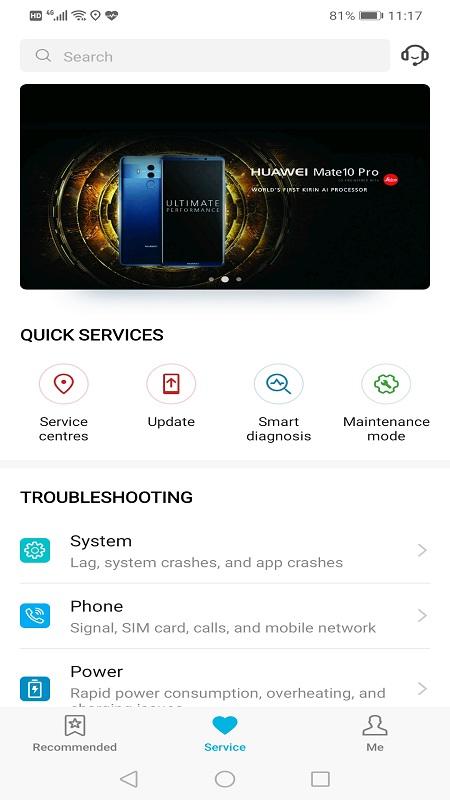
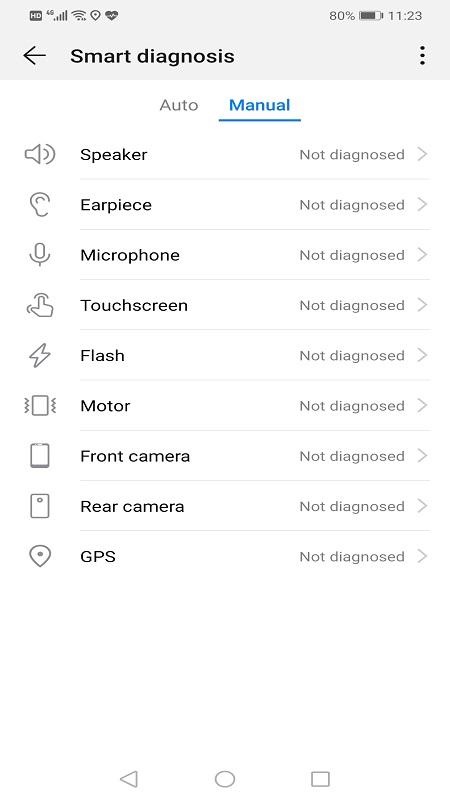
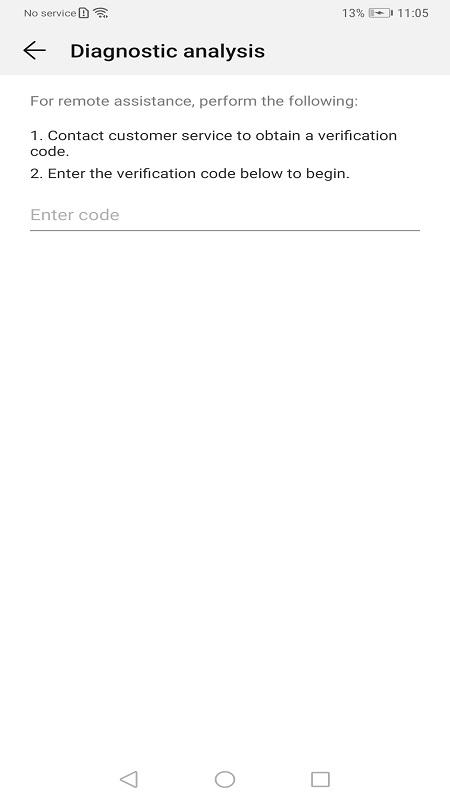
About this app
Smart diagnosis helps you check Huawei phone issues from the Services app when something feels off. It focuses on troubleshooting system performance, calls, networks, charging, and hardware health, with remote analysis available through Huawei hotline support. The app is free, ad-free, and runs without extra permissions.
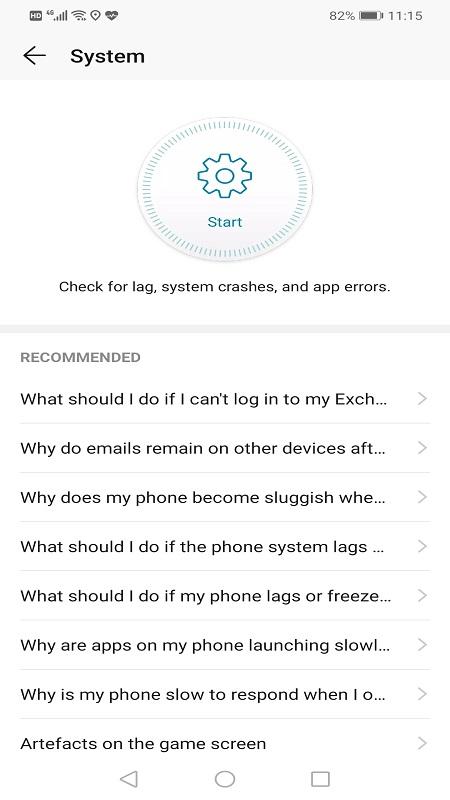
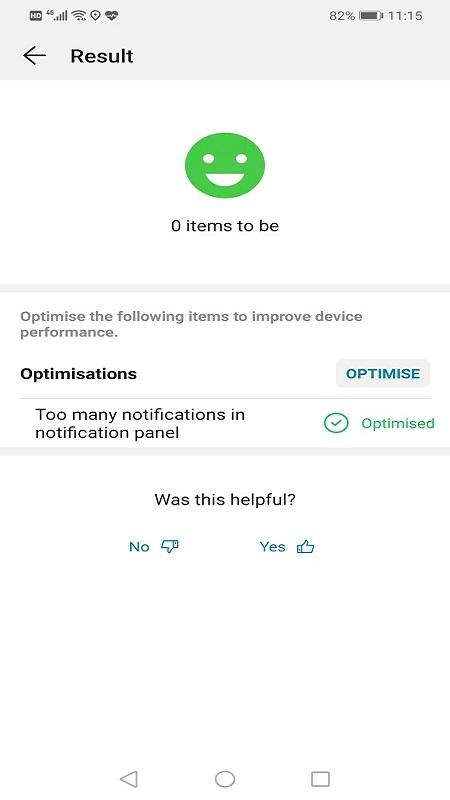
- Troubleshooting checks — Runs local checks for system performance, calls, mobile networks, charging, power, and related hardware health.
- Remote analysis — Lets Huawei hotline support help with remote detection or fault repair when local checks are not enough.
- Abnormal alerts — Sends notifications when phone use behaves abnormally and points you to a solution.
- Hidden service component — It does not sit on the desktop; you open it from the Troubleshooting area in the Services app.
- Light install size — The APK is 14.8 MB, works on Android 7.0 and above, and is provided as a universal build.
When a Huawei phone starts acting up
Smart diagnosis is built for the moments when a call drops, charging looks wrong, or the phone simply feels unstable. Instead of guessing, you open it from the Troubleshooting section in the Services app and run checks on the parts that usually cause day-to-day problems. It is made for Huawei phones and stays out of the desktop, so it works more like a service tool than a normal app icon.
Checks for calls, power, and hardware
The main job here is direct diagnosis. Smart diagnosis can inspect system performance, call and mobile networks, charging and power behavior, and the health of related hardware modules. That makes it useful after a bad battery day, a weak signal, or any time the phone seems slower than usual.
- System performance: Checks whether the phone’s software is behaving normally.
- Network and calls: Looks at mobile network and call issues from the device side.
- Charging and power: Helps identify problems connected to charging or battery-related behavior.
Remote help and smart notifications
When local checks are not enough, the app supports diagnostic analysis through Huawei hotline customer service. That gives users a path to remote detection or fault repair without leaving the phone. It also supports smart notifications, so unusual phone use can trigger alerts with a complete solution path. The app is free, contains no ads, and does not ask for permissions. The APK format is 14.8 MB, and it supports Android 7.0 and above.
Limits to keep in mind
Smart diagnosis is not a general-purpose utility for every Android phone. It is tied to Huawei services, and the description points users to the Services app rather than a standalone launcher icon. It also has a modest rating history, with only a small number of ratings visible, so expectations should stay focused on its narrow diagnostic role.
For Huawei owners who want a built-in way to check faults, this is a practical service component. It suits users who want quick troubleshooting, remote support, and a clearer read on hardware or network problems.
What's new
Version 10.0.0.311 · Nov 12, 2026
- "Smart diagnosis" is a mobile service component that Huawei has carefully built for users. "Smart diagnosis" is invisible on the desktop. Please experience it in the "Troubleshooting" section of the "Services" application.
- "Smart diagnosis" can quickly and conveniently detect the faulty software and hardware of the mobile phone locally or remotely through professional detection means, and escort the health status of Huawei mobile phones anytime and anywhere.
APK information
- Version
- 10.0.0.311
- Package
- com.huawei.hwdetectrepair
- Category
- Tools
- Size
- 15 MB
- Min Android
- 7.0
- Architecture
- universal
Older versions
-
Smart diagnosis 10.0.0.311Nov 12, 2026Latest downloadAPK
Smart diagnosis FAQ
Does Smart diagnosis need root?expand_more
No root is mentioned for Smart diagnosis. It is presented as a Huawei service component inside the Services app.
Does Smart diagnosis drain the battery?expand_more
The app description does not mention battery drain. It does include checks for charging and power behavior.
Is Smart diagnosis free to use?expand_more
Yes. It is listed as free.
Is Smart diagnosis available for older phones?expand_more
It supports Android 7.0 and above.
Where do I open Smart diagnosis?expand_more
It is found in the Troubleshooting section of the Services application, not on the desktop.