- 4.6star12,740 reviews
- 100M+Downloads
- 7 MBAPK size
- EveryoneRated for Everyone
- 9+Android
check_circleOriginal APK from Samsung R&D Institute India Noida · Updated Nov 12, 2026
No threats found
0 / — antivirus engines flagged this file
Original signature
First seen — Samsung R&D Institute India Noida
Unmodified APK
Same file the developer published — no mods
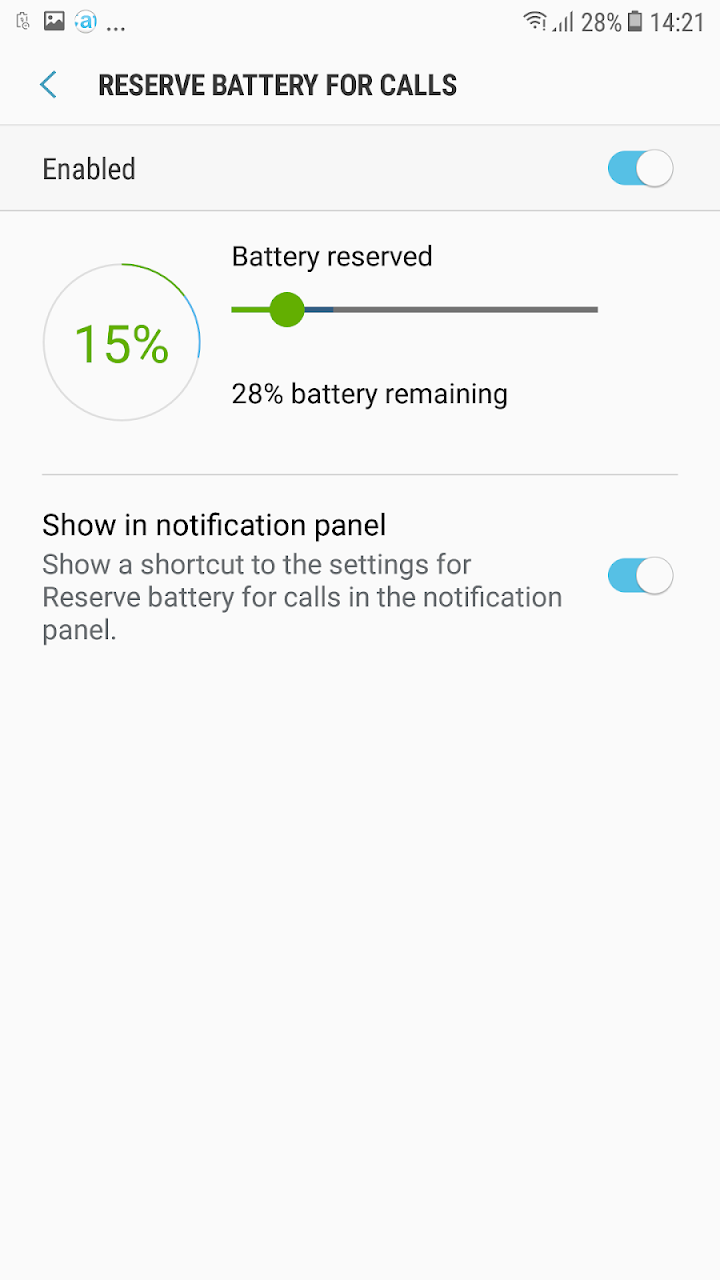
S power planning screenshots
5 images · tap to enlarge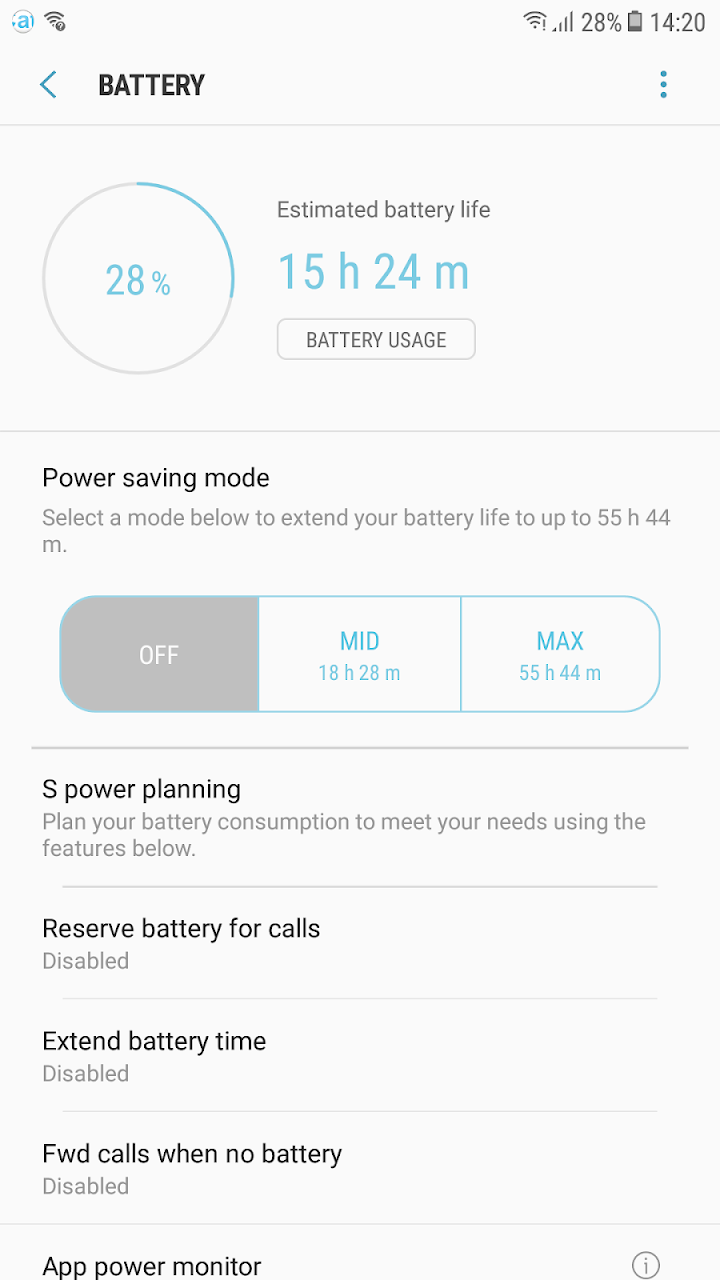
About this app
When your battery is running low before the end of the day, S power planning gives you a few ways to manage what happens next. You can reserve power for calls and messages, turn on stronger saving when needed, and set up call forwarding for times when the phone powers off.
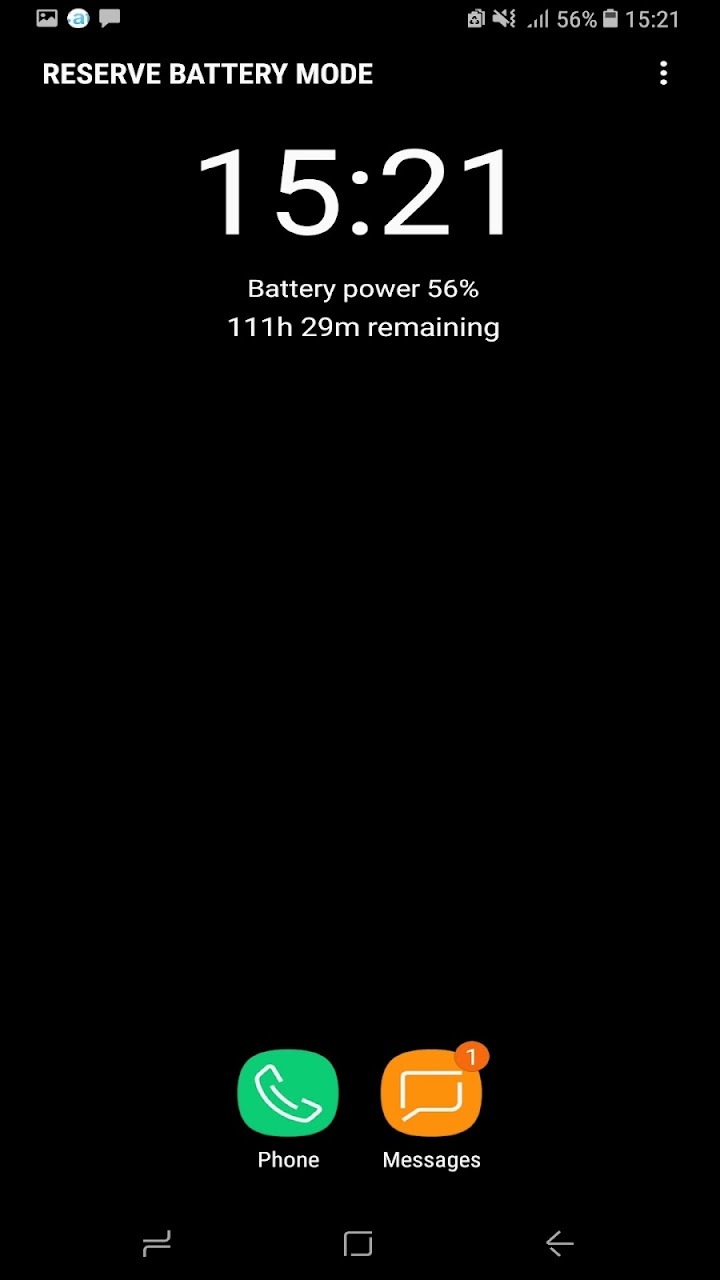
- Reserve call battery — Set a battery threshold and keep Phone and Messages available while other apps are disabled.
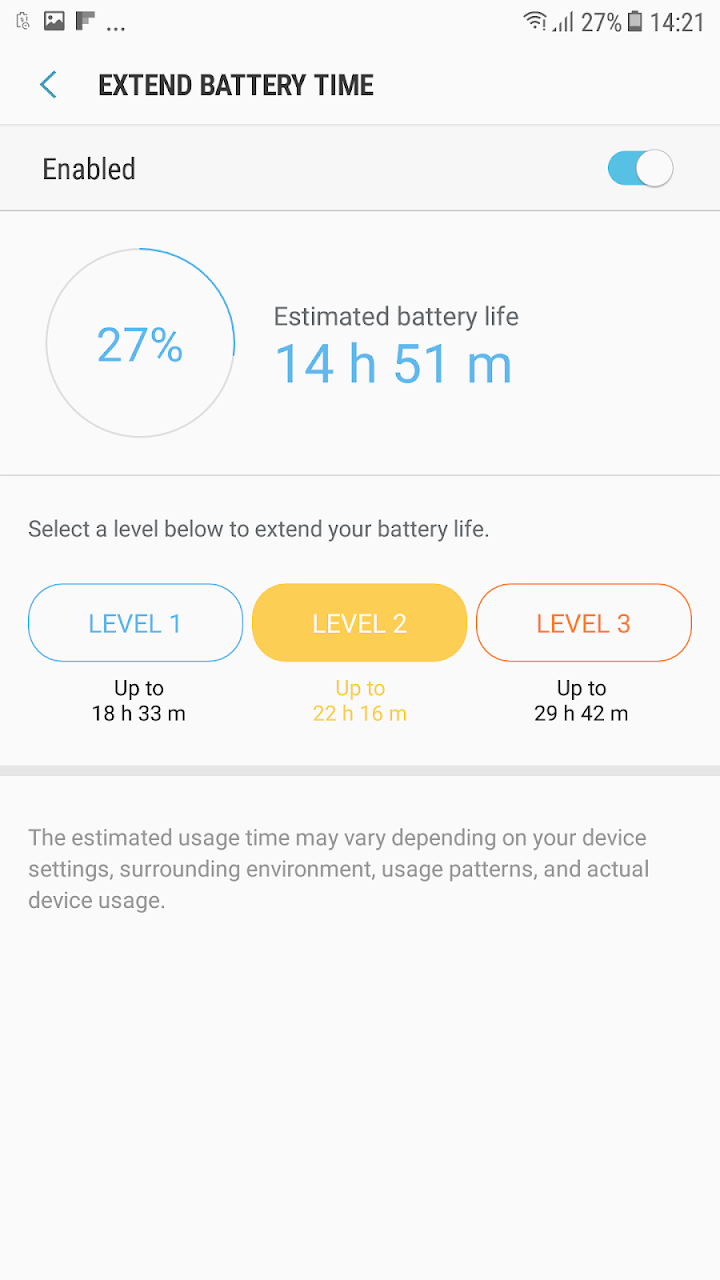
- Extend battery time — Use Maximum power saving mode when needed to stretch battery life further.
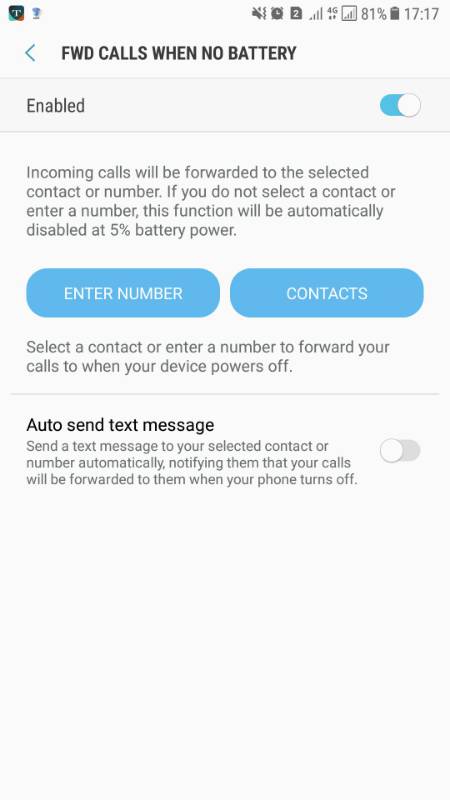
- Forward low-battery calls — Send incoming calls to another contact or number if the device shuts down from low power.
- Text before power off — You can send a message to let someone know calls will be forwarded.
- Simple daily control — The app is built around a few battery-planning choices you can set before power gets low.
First launch and what to expect
S power planning opens with a simple battery-planning setup instead of a long account sign-in. The app is free, has no ads, and does not list any in-app purchases. It is a small APK at 6.8 MB and needs Android 9 or later.
Reserve battery for calls and messages
The first practical use is reserving battery for the basics. You can set a threshold so that when power drops low, Reserve battery mode turns on by itself. In that mode, only Phone and Messages stay available, while other apps and functions are disabled to save power.
The default reserve threshold is 15% battery power, so this is the setting to check first if you want to protect enough charge for reaching someone.
Extend battery time with power saving
Another main choice is Extend battery time. This uses Maximum power saving mode automatically when needed, depending on how you use the device. If you turn on Maximum power saving mode yourself, Extend battery time turns off automatically, so you only need to choose the mode you want at the moment.
Forward calls when the phone powers off
If the battery gets critically low and the device shuts down, the app can forward incoming calls to a selected contact or number. You can also send a text message to tell that contact the phone will power off and calls will be forwarded. Call forwarding must be supported by your service provider, and charges may apply depending on your plan.
Practical tips and requirements
- Check your reserve threshold before a busy day so calls and messages stay available.
- Use call forwarding only if your carrier supports it.
- Look at the battery-saving option before you leave home if you expect to be away from a charger.
- No permissions are listed for this app, so there is no permission prompt shown in the provided details.
What's new
Version 4.0.03 · Nov 12, 2026
- Issue fixes
APK information
- Version
- 4.0.03
- Package
- com.samsung.android.app.powerplanning
- Category
- Tools
- Size
- 7 MB
- Min Android
- 9
- Architecture
- universal
Older versions
-
S power planning 4.0.03Nov 12, 2026Latest downloadAPK
S power planning FAQ
Does S power planning drain the battery?expand_more
The app is designed to manage battery use and save power. It includes reserve battery mode and Maximum power saving mode to help reduce drain.
Does S power planning need root?expand_more
No root requirement is listed.
Is S power planning available for older phones?expand_more
It needs Android 9 or later, so it is not meant for older versions below that.
Who develops S power planning?expand_more
Samsung R&D Institute India Noida develops the app.
Can it forward calls when the battery is empty?expand_more
Yes. It can forward incoming calls to a selected contact or number when the device powers off because the battery is critically low.