
- 4.4star1,780 reviews
- 100M+Downloads
- 4 MBAPK size
- EveryoneRated for Everyone
- 9+Android
check_circleOriginal APK from Samsung R&D Institute India Noida · Updated Nov 12, 2026
No threats found
0 / — antivirus engines flagged this file
Original signature
First seen — Samsung R&D Institute India Noida
Unmodified APK
Same file the developer published — no mods
USB Backup screenshots
6 images · tap to enlarge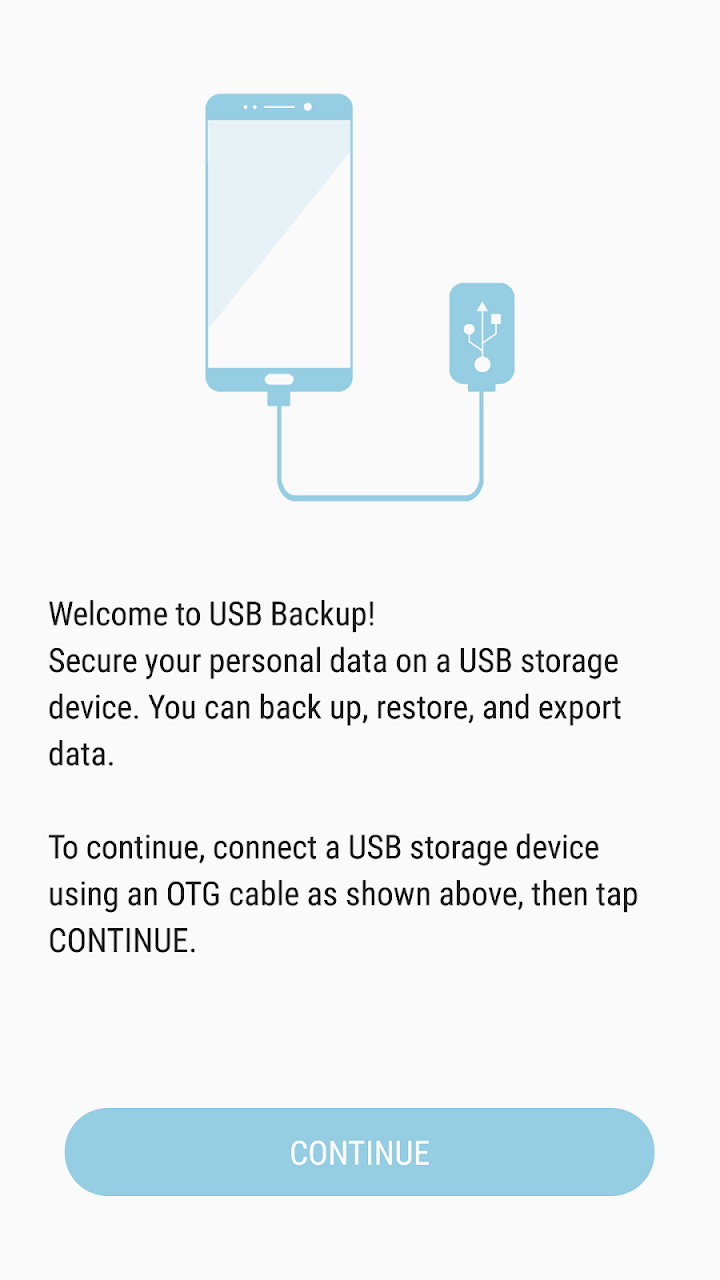
About this app
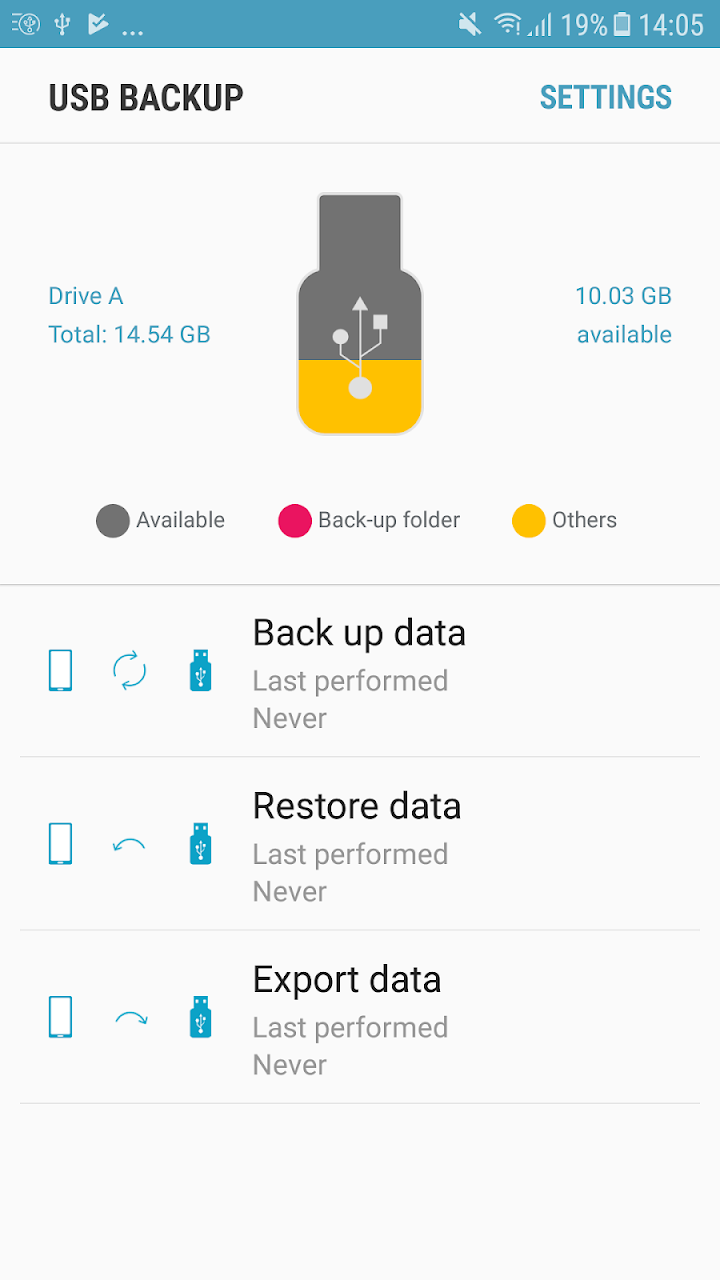
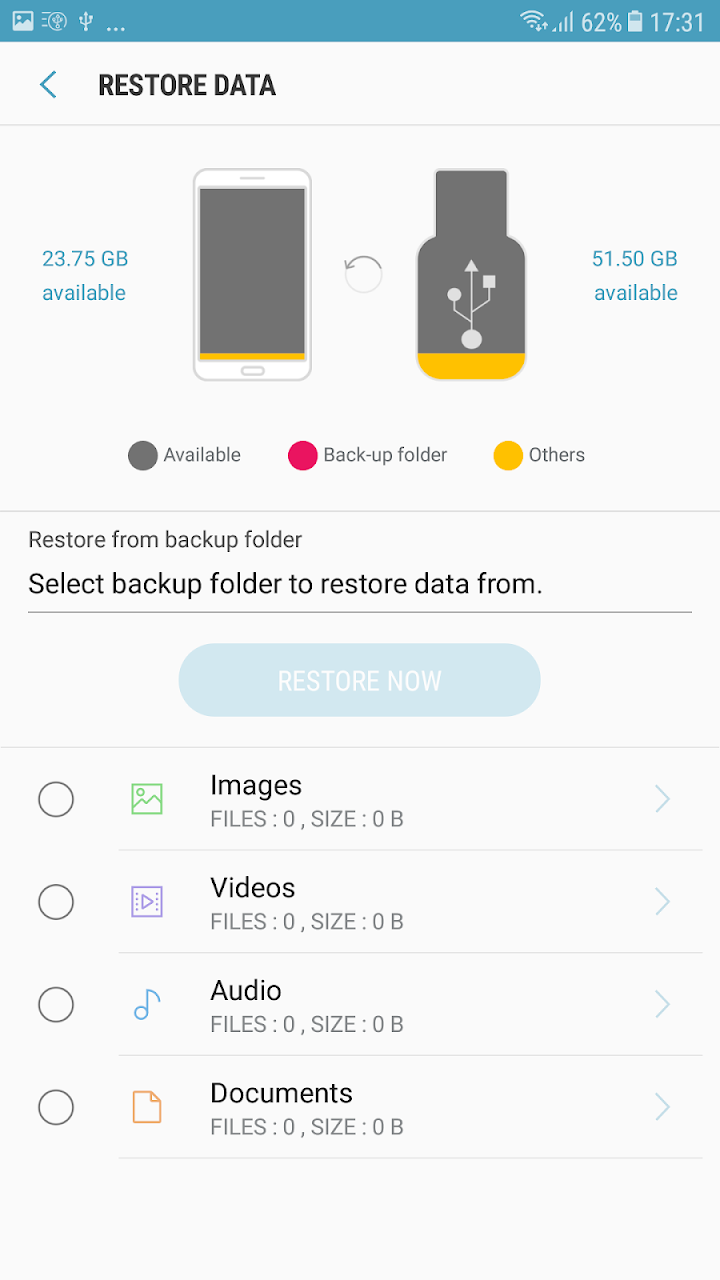
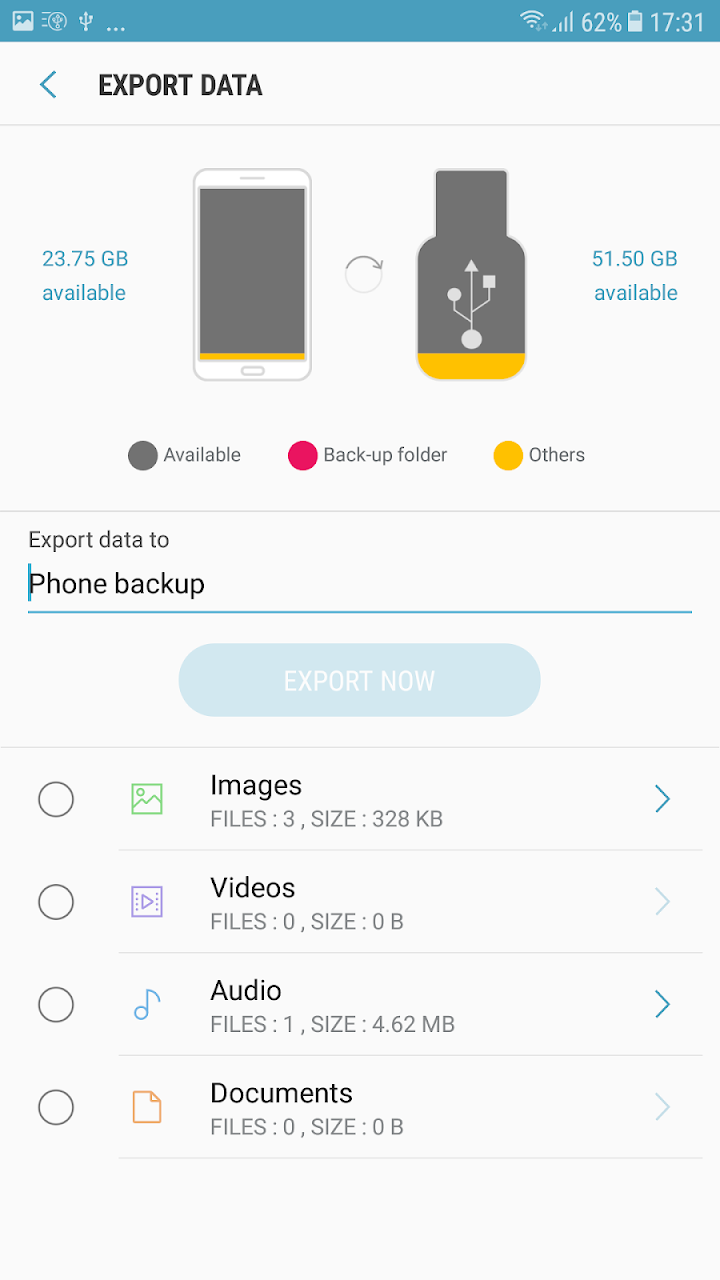
Samsung R&D Institute India Noida’s USB Backup is for moving personal files between a phone and a USB storage device. It handles backups, restores, and file transfer for images, videos, audio, and documents. The app also adds reminders and automatic backup options, so the process can fit into a routine without extra steps every time.
- USB file backup — Save selected folders or individual files from the phone to a connected USB device.
- Import and export — Move images, videos, audio, and documents between the phone and USB storage.
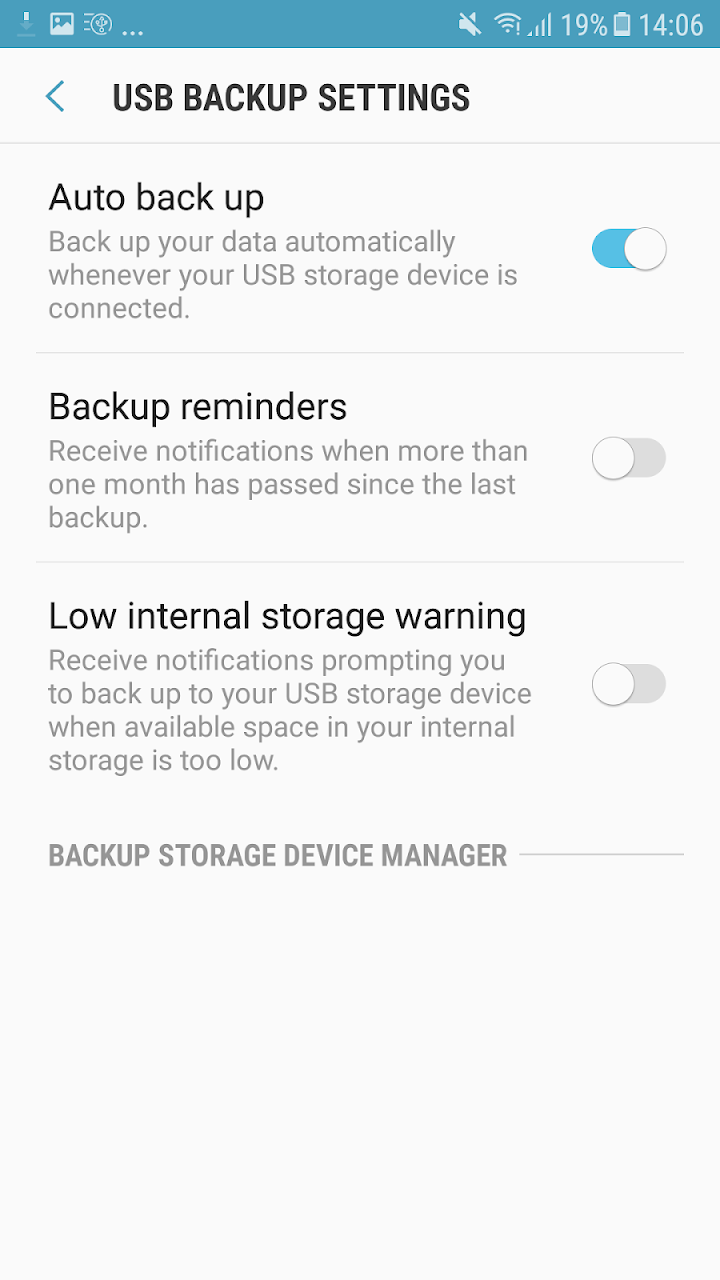
- Auto backup option — Turn on automatic backup for familiar USB devices connected through an OTG cable.
- Backup reminders — Get prompts after a month without a backup or when phone storage runs low.
- TV proximity profile — Create a TV and mobile profile for incremental image and video backup when nearby.
When the phone storage starts filling up
USB Backup is built for a simple daily task: moving personal files off the phone and onto a USB device. It is useful when photos, videos, audio, or documents need a safe copy without sending them to cloud storage. The app focuses on backups, restores, and export/import jobs, so the main screen flow is about choosing what to move and where to send it.
Backup images, videos, audio, and documents
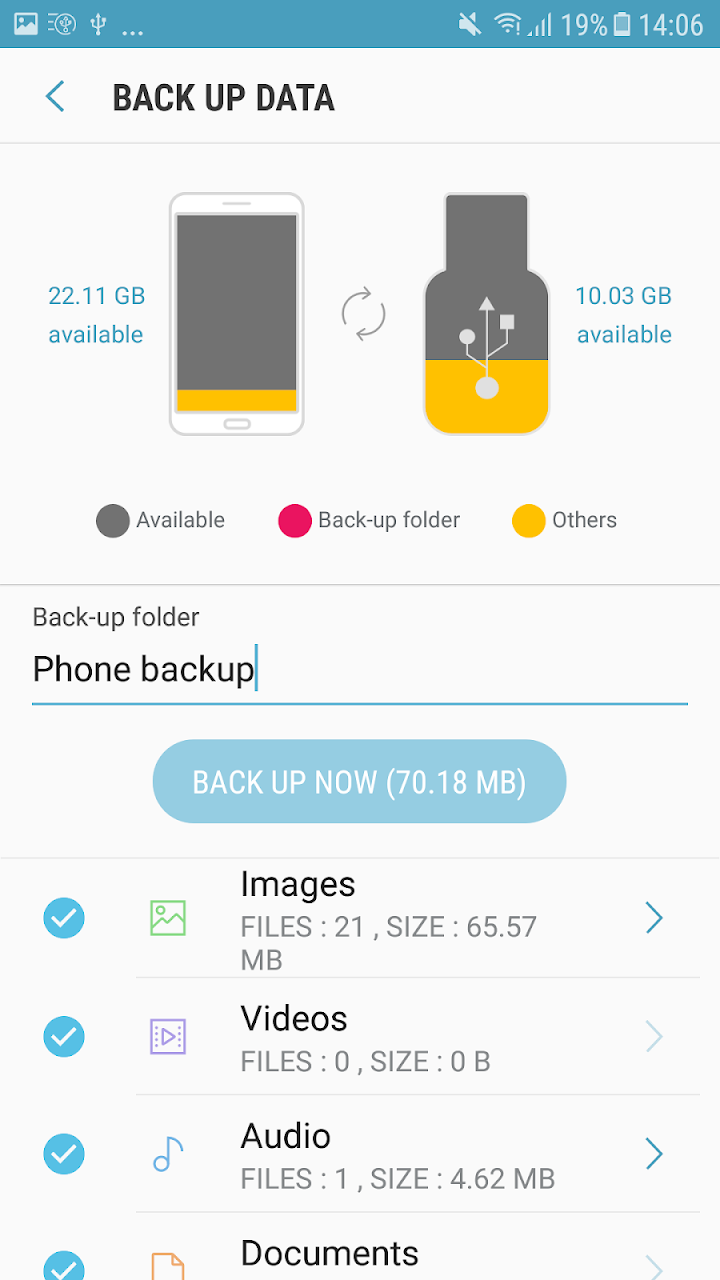
The app lets you choose folder level or pick individual files, which matters when you only want part of a gallery or one document folder copied. That makes it less rigid than a single all-or-nothing backup. It also supports importing and exporting content through a USB device connected by OTG, so the phone and external storage work as the main transfer path.
- Folder-level backup for larger batches.
- Individual file selection for smaller, targeted copies.
- Restore support when you need files back on the phone.
Automatic reminders and backup settings
USB Backup includes switches for automatic backup and notifications. If a familiar USB device is connected again through OTG, backup can start without manual intervention. The app can also remind you when more than a month has passed since the last backup, or when internal storage is running low. That keeps the app in the background of normal phone use instead of waiting for a crisis.
What to expect before installing
The app is free, has no ads, and no in-app purchases. It is a small APK at 4.1 MB, and it requires Android 9 or later. There are no listed permissions, which keeps setup straightforward. One newer feature adds a TV and mobile profile for incremental backup of images and videos when the devices come into proximity.
Limits to keep in mind
USB Backup is focused on USB storage, so it depends on a connected OTG cable and a compatible USB device. It is not a cloud service, and it is not trying to manage every kind of phone content. For people who want local control over personal files, that narrow scope is the point; for everyone else, it may feel specific.
It suits users who regularly copy photos, videos, and documents to external storage and want reminders or automation around that routine.
What's new
Version 18.0.00.15 · Nov 12, 2026
- New feature added, USB backup now also allows the user to create profile in TV and mobile so that whenever the user comes into proximity of TV incremental data(images,videos) will be backed up.
APK information
- Version
- 18.0.00.15
- Package
- com.sec.android.autobackup
- Category
- Tools
- Size
- 4 MB
- Min Android
- 9
- Architecture
- universal
Older versions
-
USB Backup 18.0.00.15Nov 12, 2026Latest downloadAPK
USB Backup FAQ
Does USB Backup need root?expand_more
No root requirement is listed for USB Backup.
Does USB Backup drain the battery?expand_more
The app does not list battery drain details. Its backup features can run automatically when a familiar USB device is connected.
What changed in the latest USB Backup version?expand_more
The latest version adds a TV and mobile profile feature for incremental backup of images and videos when the devices are nearby.
What permissions does USB Backup ask for?expand_more
No permissions are listed for USB Backup.
Can USB Backup back up individual files?expand_more
Yes. It lets you choose folder level or select individual images, videos, audio files, and documents.