
- 3.8star66,427 reviews
- 100M+Downloads
- 184 MBAPK size
- EveryoneRated for Everyone
- 12+Android
check_circleOriginal APK from Motorola Mobility LLC. · Updated Nov 12, 2026
No threats found
0 / — antivirus engines flagged this file
Original signature
First seen — Motorola Mobility LLC.
Unmodified APK
Same file the developer published — no mods
Moto Camera 3 screenshots
4 images · tap to enlarge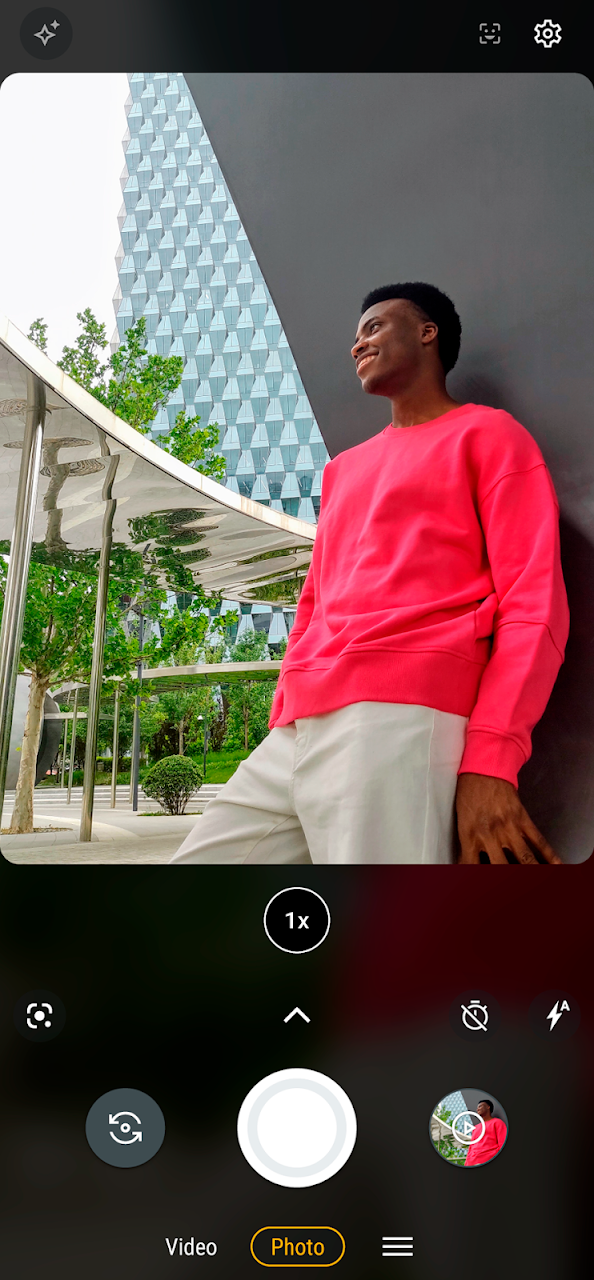
About this app
100M+ installs and a 3.8 rating put Moto Camera 3 among the more widely used camera apps for supported Motorola phones. It focuses on quick capture, one-handed use, and a set of tools that go beyond basic photo snapping, including portrait blur, Pro controls, Spot Color, Google Lens, and Google Photos handoff.
- Quick wrist launch — Start the camera with a wrist twist and switch cameras with another twist.
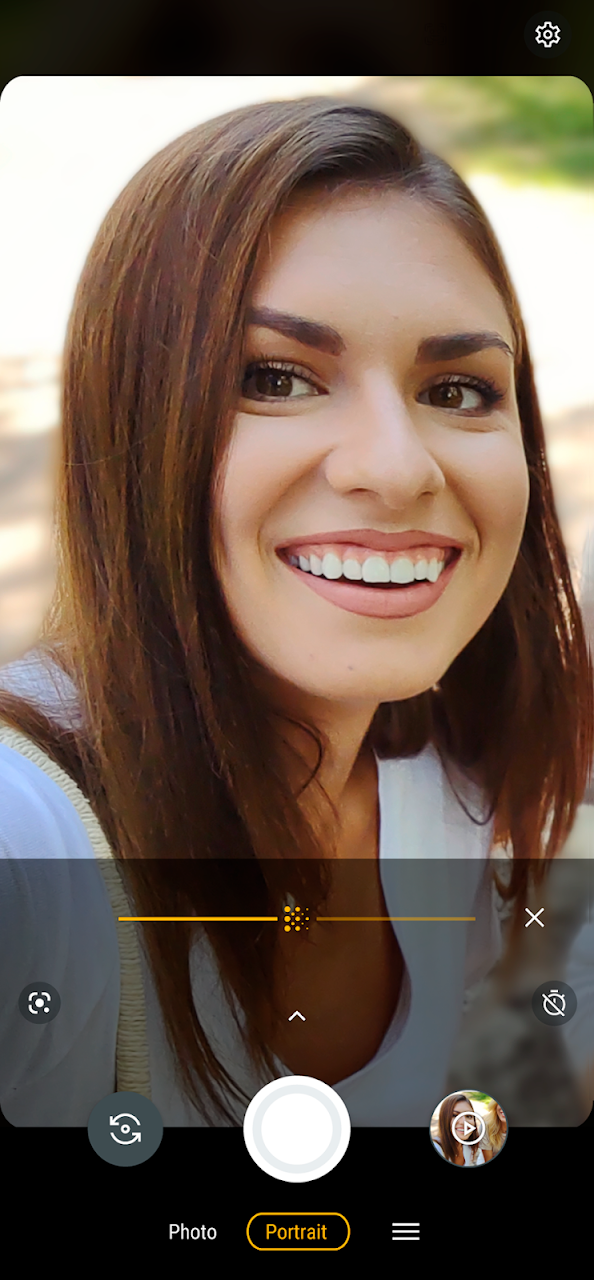
- Portrait blur controls — Add background blur and adjust the blur level, with a black-and-white option in Google Photos.
- Pro mode controls — Manually set focus, white balance, shutter speed, ISO, and exposure.
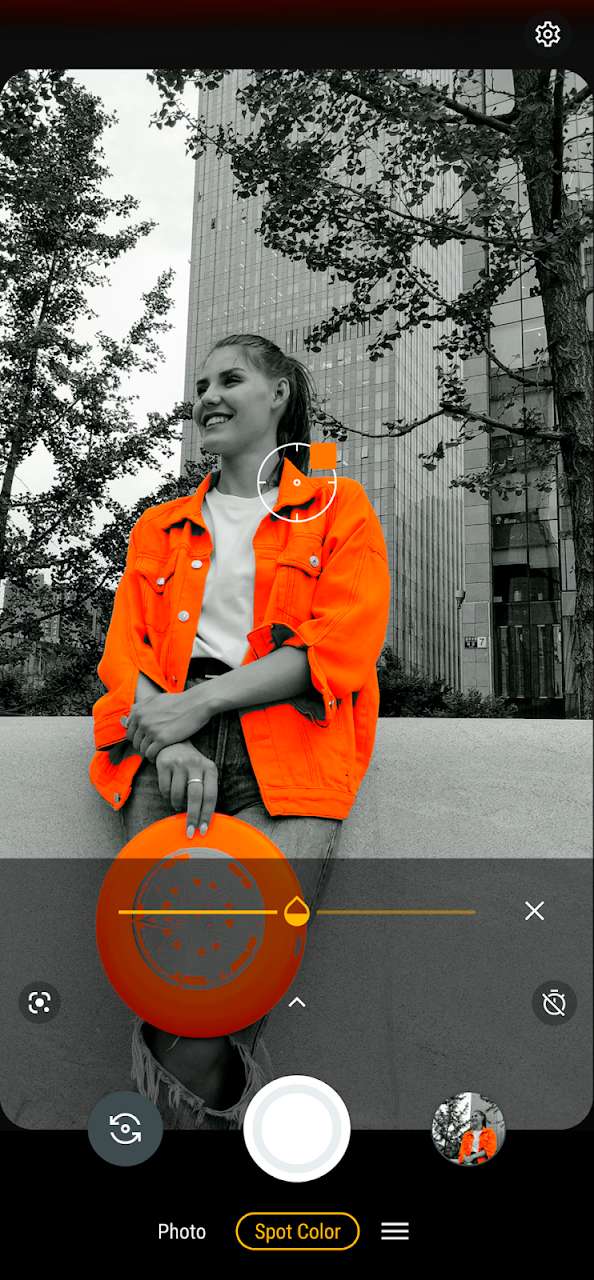
- Spot Color effect — Keep one color in the frame while the rest turns black and white.
- Google Lens access — Use Lens to search what you see, scan text, translate, and interact with objects.
- Google Photos handoff — Send the thumbnail to Google Photos for sharing, editing, and backup.
Built for quick one-hand shooting
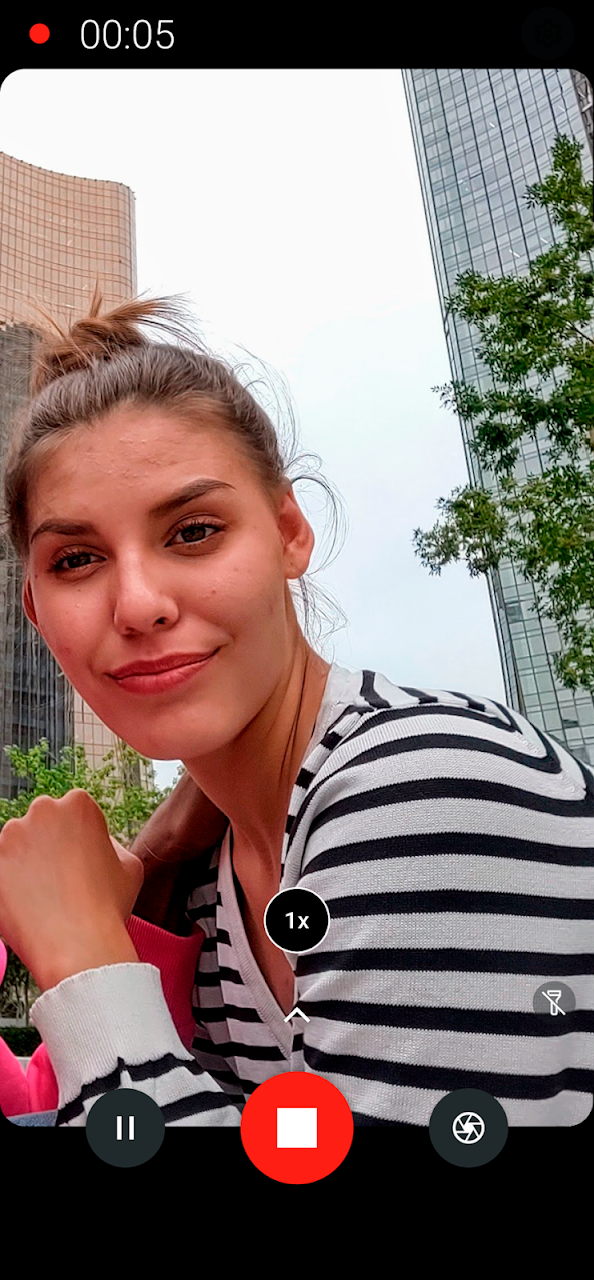
Moto Camera 3 is designed around reachability and one-handed use, which sets it apart from many general camera apps in the Photography category. The main draw is speed: you can launch it with a wrist twist and switch cameras with another twist. That makes it useful when you want to open the camera quickly instead of digging through menus.
Compared with gallery-first options like Google Photos or Samsung Gallery, this app is centered on capture rather than organizing existing media. It also differs from editors such as B612 AI Photo&Video Editor by focusing on camera controls and capture shortcuts rather than a broad editing suite.
- Gets: quick launch, portrait blur, Pro mode, Spot Color, Google Lens, Google Photos handoff.
- Watch for: compatibility is limited to select devices launched in 2020 and beyond.
Capture tools beyond the basic camera
The app includes several tools for people who want more control at the moment of capture. Portrait mode adds background blur, while Pro mode exposes focus, white balance, shutter speed, ISO, and exposure. Spot Color gives you a selective-color look without needing a separate editor.
Google Lens support adds another practical layer: you can search what you see, scan text, and translate from the camera. For users who already rely on Google Photos, the thumbnail handoff keeps sharing, editing, and backup in that workflow instead of forcing a separate export step.
Cost, ads, and install details
Moto Camera 3 is free, with no ads and no in-app purchases listed. It requires Android 12 or later, comes as an APK, and the file size is 183.8 MB. The app is rated for Everyone.
If your phone is supported, the tradeoff is straightforward: you get a feature-rich Motorola camera app without payment prompts, but you do need a newer device. That makes it a stronger fit for recent Motorola phones than for older Android models or users who want a camera app with wider device support.
What's new
Version 9.0.43.34 · Nov 12, 2026
- Bug fixes and stability improvements
APK information
- Version
- 9.0.43.34
- Package
- com.motorola.camera3
- Category
- Photography
- Size
- 184 MB
- Min Android
- 12
- Architecture
- universal
Older versions
-
Moto Camera 3 9.0.43.34Nov 12, 2026Latest downloadAPK
Moto Camera 3 FAQ
Does Moto Camera 3 work offline?expand_more
The app description does not say whether it works offline.
Does Moto Camera 3 add a watermark?expand_more
No watermark feature is mentioned in the app description.
Is Moto Camera 3 available for older phones?expand_more
No. Moto Camera 3 is only compatible with select devices launched in 2020 and beyond, and it requires Android 12 or later.
Does Moto Camera 3 show ads?expand_more
No ads are listed for Moto Camera 3.
Can Moto Camera 3 send photos to Google Photos?expand_more
Yes. The app lets you select the thumbnail for sharing, editing, and backup in Google Photos.