
- 4.5star102 reviews
- 100M+Downloads
- 7 MBAPK size
- EveryoneRated for Everyone
- 10+Android
check_circleOriginal APK from Samsung Electronics Co., Ltd. · Updated Nov 12, 2026

No threats found
0 / — antivirus engines flagged this file
Original signature
First seen — Samsung Electronics Co., Ltd.
Unmodified APK
Same file the developer published — no mods
Samsung Video Library screenshots
4 images · tap to enlarge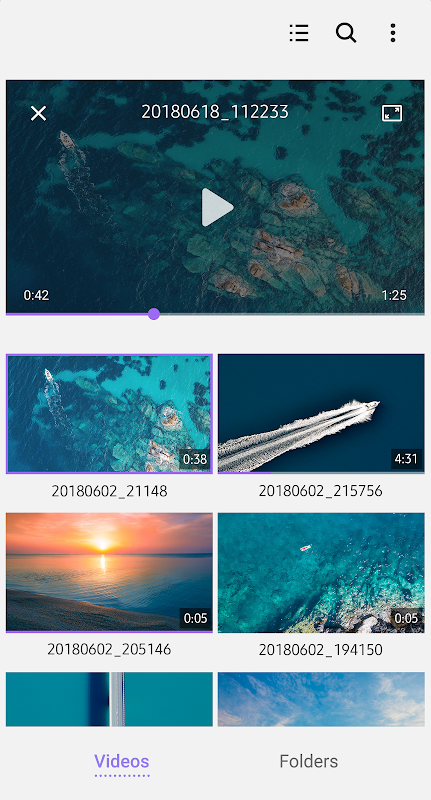
About this app
If you want to open a saved video, find it quickly, and keep it organized, Samsung Video Library gives you a simple way to do that. It lets you browse video folders, switch between list and grid views, search by name, and use private mode when your device supports it.
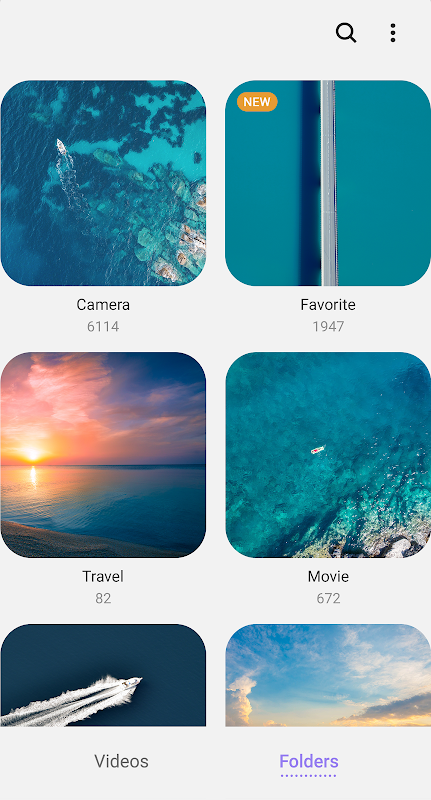
- Browse by folder — Open the Videos/Folders tabs to move through your saved clips in a way that matches how they are stored.
- Search and sort — Find a clip quickly, then sort videos by title or time and choose ascending or descending order.
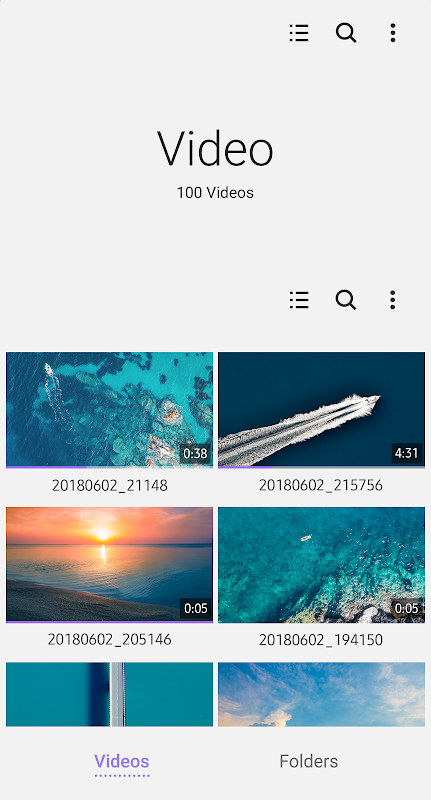
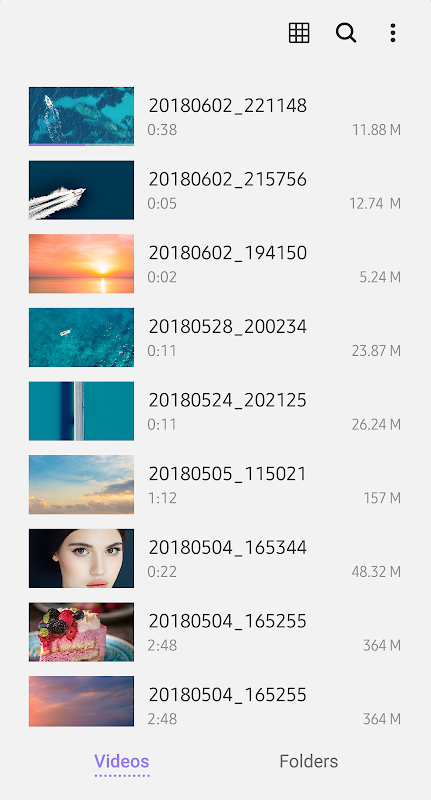
- List or grid view — Pick the layout that feels easier to scan when you are looking through a large video library.
- Instant player — Tap a video in the list and preview it right away without extra steps.
- Manage files — Rename, move, copy, create folders, delete videos, and make selected videos private on supported devices.
Browse videos the way they are stored
Samsung Video Library is built for local video files on Samsung Galaxy devices. You can switch between Videos and Folders, then choose List or Grid view depending on how you like to scan your clips. For example, if you have one folder for holiday videos and another for screen recordings, you can open each folder directly instead of searching through everything at once.
Search, sort, and open a clip fast
The app includes Search plus sorting by Title or Time, with ascending or descending order. It also has an instant player, which shows the selected video from the list right away. That means if you are looking for a clip you saved yesterday, you can sort by time, tap it, and start watching without extra menus.
Play and manage your video files
Samsung Video Library is not only for watching videos. It also supports Editor/Delete actions on video content, and you can share files through device-supported options such as Email, Bluetooth, Wi‑Fi Direct, and YouTube. If you keep several folders, you can move or copy videos between them, rename files or folders, and create a new folder for a set of clips.
- File tags: 360 video, DRM, slow motion, hyperlapse video, and HDR
- Private mode: available only if the device supports Secure Folder, Private Mode, or KNOX service
- Supported devices: Samsung Galaxy Series, with some models not supported because of hardware dependency
Install notes and device check
This APK is in APK format, sized at 7.4 MB, and requires Android 10 or later. Before installing, check that your phone is a supported Samsung Galaxy model and that you have storage access enabled, since the app uses it to manage local video files. The current release also notes support for Samsung Android 11.0 devices, with some models excluded due to hardware dependency.
What's new
Version 1.4.21.90 · Nov 12, 2026
- 1. Supported devices
- Samsung Android 11.0 devices (some models are not supported due to hardware dependency)
- 2. Bug fix
- 3. Applied OneUI 3.x
APK information
- Version
- 1.4.21.90
- Package
- com.samsung.android.videolist
- Category
- Video Players & Editors
- Size
- 7 MB
- Min Android
- 10
- Architecture
- universal
Older versions
-
Samsung Video Library 1.4.21.90Nov 12, 2026Latest downloadAPK
Samsung Video Library FAQ
Can Samsung Video Library play offline?expand_more
It is designed to browse and play local video files on the device, so you can use it with videos already stored on your phone.
Does Samsung Video Library support Chromecast?expand_more
Chromecast support is not listed. The app description mentions sharing through device-supported options like Email, Bluetooth, Wi‑Fi Direct, and YouTube.
Which processors does this APK support?expand_more
The APK is marked universal, so no specific processor type is listed.
Is Samsung Video Library available for older phones?expand_more
It requires Android 10 or later. The release notes also mention Samsung Android 11.0 devices, with some models not supported because of hardware dependency.
Can I make videos private in Samsung Video Library?expand_more
Yes, you can select video content and make it private if the device supports Secure Folder, Private Mode, or KNOX service.