- 4.4star75,108 reviews
- 100M+Downloads
- 16 MBAPK size
- EveryoneRated for Everyone
- API 18+Android
check_circleOriginal APK from Samsung Electronics Co., Ltd. · Updated Nov 12, 2026
No threats found
0 / — antivirus engines flagged this file
Original signature
First seen — Samsung Electronics Co., Ltd.
Unmodified APK
Same file the developer published — no mods
Smart Tutor for SAMSUNG Mobile screenshots
3 images · tap to enlarge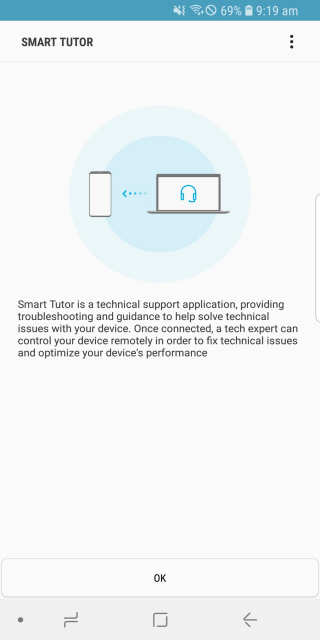
About this app
Samsung Electronics Co., Ltd. makes Smart Tutor for SAMSUNG Mobile, a Tools app for remote help on Samsung devices. It is built for diagnosing a phone or tablet, checking menu and feature questions, display issues, software and app update questions, and device status. Support happens through a 6-digit connection code after contacting Samsung.
- Remote diagnosis — A tech expert can check your device remotely to help with performance and functional issues.
- Screen share support — The app includes screen share so support can guide you while viewing the device.
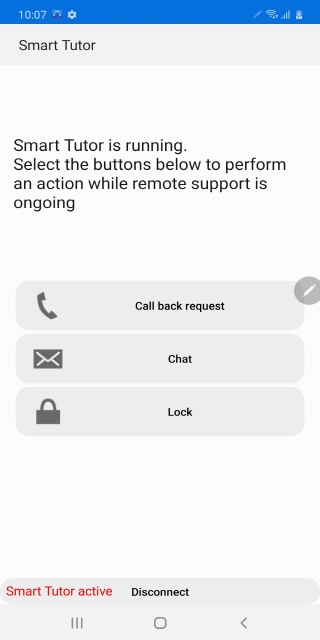
- Locked access tools — Screen lock and application lock help limit what the support session can reach.
- Chat during support — Chat is available while you work through questions or troubleshooting steps.
- Samsung contact flow — You start by calling Samsung Contact Center, then enter the 6-digit code given by the tech expert.
- No ads or purchases — The app is free, with no ads and no in-app purchases.
Remote help for Samsung devices
Smart Tutor for SAMSUNG Mobile is built for one job: letting Samsung support diagnose a phone or tablet from a distance. It is used for menu and feature questions, new feature guidance, display settings and errors, software upgrade and app update questions, and device status checks. If you need help during a normal day, this is the app you open when a support call turns into a remote session.
How the support session works
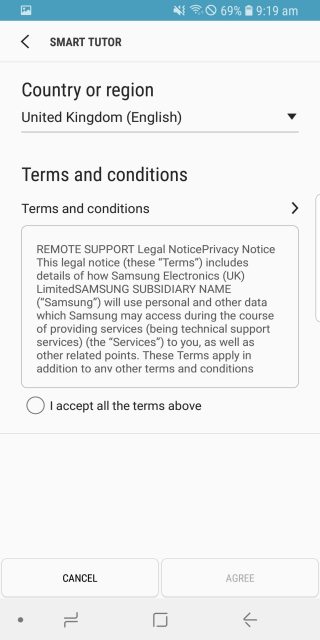
The flow is straightforward. You install the app, call the Samsung Contact Center, agree to the terms and conditions, then enter the 6-digit connection code provided by the tech expert. Once connected, the expert can diagnose the device. To end the session, you tap Disconnect. The app supports remote help over 3G/4G or Wi‑Fi.
Screen share, chat, and lock controls
During a session, the app offers screen share, chat, screen lock, and application lock. That makes it more focused than general tools like Android System WebView or Android System Intelligence, which are not built for live support sessions. Compared with Android Accessibility Suite, Smart Tutor is narrower: it is centered on Samsung support rather than device-wide accessibility features.
Privacy and access limits
Samsung says the support session is restricted from accessing apps that hold private content such as Gallery, Message, and e-mail through special features. The app also does not list any permissions. That means there is no permission prompt to review during setup, and no ads or in-app purchases to deal with while using it.
Install notes and device requirements
Smart Tutor for SAMSUNG Mobile is free, comes as an APK, and is 15.7 MB. It works on Android 6 and above, with API 18 as the minimum listed requirement. It is marked for Everyone and has been updated to version 1.5 (build 458).
- Best for Samsung remote support, not general utility tasks.
- Useful when you want guided diagnosis instead of self-service troubleshooting.
- Requires a Samsung contact session and a connection code from support.
APK information
- Version
- 1.5 (build 458)
- Package
- com.rsupport.rs.activity.rsupport.aas2
- Category
- Tools
- Size
- 16 MB
- Min Android
- API 18
- Architecture
- universal
Older versions
-
Smart Tutor for SAMSUNG Mobile 1.5 (build 458)Nov 12, 2026Latest downloadAPK
Smart Tutor for SAMSUNG Mobile FAQ
Why does Smart Tutor for SAMSUNG Mobile need these permissions?expand_more
No permissions are listed for this app. Samsung also says support access is restricted from private apps like Gallery, Message, and e-mail during a session.
Does Smart Tutor for SAMSUNG Mobile drain the battery?expand_more
The app description does not mention battery use or battery impact. It does note that remote support can use 3G/4G or Wi‑Fi.
Is this Smart Tutor for SAMSUNG Mobile APK the original file?expand_more
The app is listed as a Samsung Electronics Co., Ltd. release and is distributed as an APK. The listing shows version 1.5 (build 458).
How do I update Smart Tutor for SAMSUNG Mobile from an APK?expand_more
The listing shows the current APK version as 1.5 (build 458). To update, install the newer APK over the existing app on a compatible Android device.
What can Samsung support diagnose with Smart Tutor?expand_more
Support can handle menu and feature inquiries, new feature advice, display settings and errors, software upgrade and app update questions, and device status diagnosis.