
- 3.0star148 reviews
- 100M+Downloads
- 44 MBAPK size
- EveryoneRated for Everyone
- 8.0+Android
check_circleOriginal APK from ZenUI, ASUS Computer Inc. · Updated Nov 12, 2026

No threats found
0 / — antivirus engines flagged this file
Original signature
First seen — ZenUI, ASUS Computer Inc.
Unmodified APK
Same file the developer published — no mods
ASUS Gallery screenshots
6 images · tap to enlarge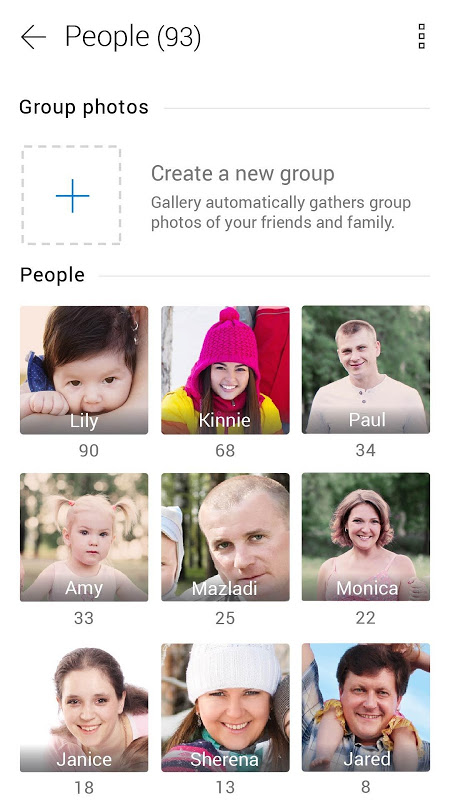

About this app
ASUS Gallery stands out in the photography category with photo browsing, organizing, and editing in one app. You can view photos by timeline, People, Locations, and Scenes, then use tools like collage, video trimming, and mosaic to adjust what you share. It is made by ZenUI, ASUS Computer Inc. and is free on ASUS devices.
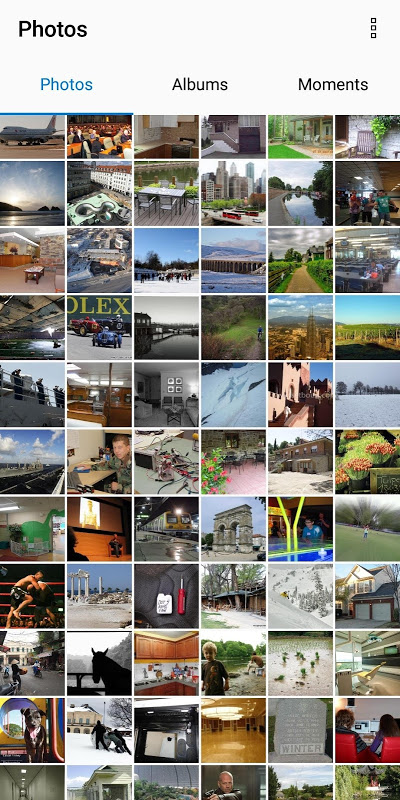
- Timeline browsing — Photos appear in date order, so you can scroll to a specific day and find a moment faster.
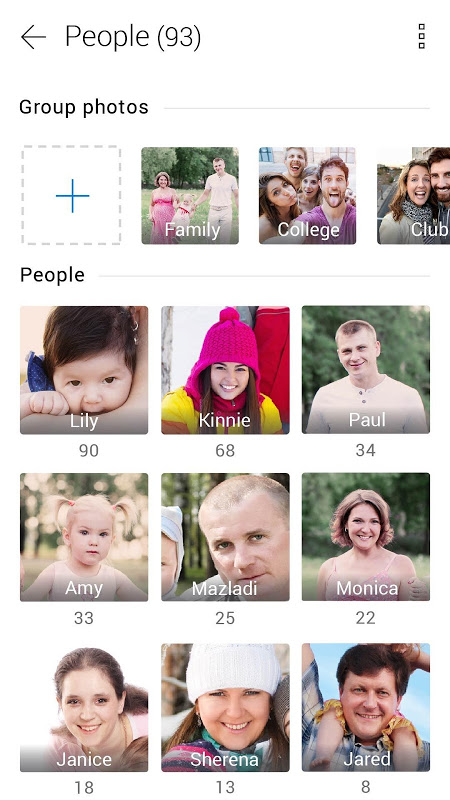
- People and scenes — ASUS Gallery can sort photos by people, locations, and scenes, with scene detection on some devices.
- Custom tags — You can organize your photos with customized tags to keep albums easier to manage.
- Photo collage — Pick several photos and combine them into a collage to share with family and friends.
- Video trimming — Trim a video down to the part you want to keep and share only the useful clip.
- Mosaic editing — Use Mosaic to hide private details or cover strangers in a photo before you share it.
Browse photos by date
ASUS Gallery shows photos in a timeline, which makes it easier to move through your library day by day. If you remember when a photo was taken, you can scroll to that date instead of searching through every album. You can also zoom the thumbnails in and out to change how much you see at once.
Sort with albums and tags
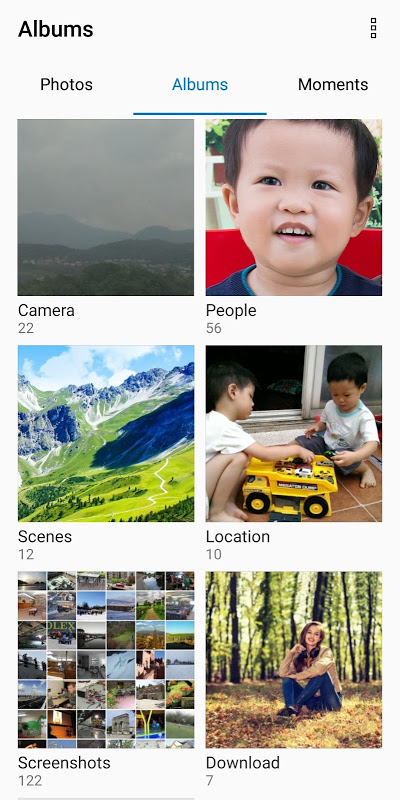
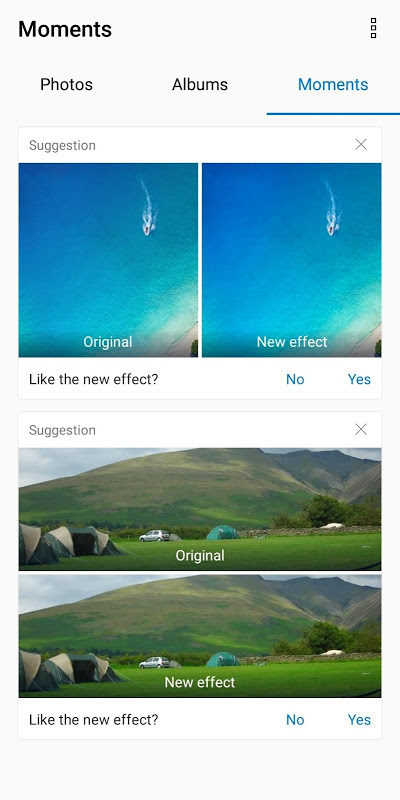
The app separates Photos, Album, and Moments, so the main screens are easier to understand. You can also add customized tags to help group pictures your own way. On some devices, Gallery can detect people, locations, scenes, and objects to help sort photos into scene albums.
Edit before you share
For quick edits, ASUS Gallery includes photo collage, video trimmer, and Mosaic. A collage lets you combine several pictures into one image, while video trimming keeps only the part you want. Mosaic is useful when you want to hide private details or cover someone in the background before sending a photo.
What to check before installing
This is a free APK for ASUS devices, and it does not include in-app purchases or ads. The file format is APK, the size is 44.0 MB, and the app requires Android 8.0 or later. Some features depend on the device or Android version, and scene detection, AI photo learning, and a few editing tools are only available on some devices.
- Version: 2.7.0.349_181119
- Content rating: Everyone
- Release date: 2018-01-21
- Last updated: 2018-12-26
What's new
Version 2.7.0.349_181119 · Nov 12, 2026
- ↑★★★★★↑
- Like this app? Keep us inspired by giving a 5-star rating!
- v 2.7.0.269_180713
- 1. ZenUI 5 has been updated
- Enjoy ZenUI 5 new UI and new functions
- UI modification
APK information
- Version
- 2.7.0.349_181119
- Package
- com.asus.gallery
- Category
- Photography
- Size
- 44 MB
- Min Android
- 8.0
- Architecture
- universal
Older versions
-
ASUS Gallery 2.7.0.349_181119Nov 12, 2026Latest downloadAPK
ASUS Gallery FAQ
Does ASUS Gallery add a watermark?expand_more
The app description does not mention watermarks. It does include Mosaic for hiding private information in photos.
Does ASUS Gallery work offline?expand_more
The app description does not say that it needs an internet connection, so offline use is not specified.
Is ASUS Gallery free to use?expand_more
Yes. ASUS Gallery is listed as a free app for ASUS devices.
Does ASUS Gallery have in-app purchases?expand_more
No. The app is listed as having no in-app purchases.
What Android version does ASUS Gallery need?expand_more
ASUS Gallery requires Android 8.0 or later.